Table of Contents
Choosing a way to manage your website content is a big step for any business. The system you pick decides how your team works every day and how quickly your website stays with your visitors. Most people choose between a Traditional CMS and a Headless CMS. While both store your text and images, the way they send that information to your customers is very different.
To make a good choice, you first need to understand how these systems are built. Think of a website as having two main sections. The first section is the back end. This is where you log in, write your blog posts, and save your photos. The second section is the front end. This is the part people see when they type your web address into their browser.


Defining the Contenders: Traditional CMS vs Headless CMS Architecture
The main difference between these two options is how the back end and the front end talk to each other.
1. What is a Traditional CMS?
A Traditional CMS is often called a coupled system. This means the place where you save your content and the place where you show it are joined together. You cannot easily separate them. When you buy or download a traditional platform, it comes with everything in one box. It has a database to hold your words, a dashboard for writing, and a set of themes to show your work to the public.
If you change something in the back end, it automatically shows up in the front end because they are part of the same software. Popular examples include:
- WordPress: This is the most famous example. It uses themes and plugins to build websites.
- Joomla: This system is a bit more complex than WordPress and is good for sites with many different sections.
- Drupal: A very strong system used by large organizations that need to manage huge amounts of data.
2. What is a Headless CMS?
A Headless CMS is a decoupled system. In this setup, the “head” (the part the user sees) is removed from the “body” (the place where content is stored). It is strictly a place to store and organize your data. It does not care how your website looks.
Instead of having a built-in theme, a headless system uses an API. An API is like a waiter in a restaurant. It takes the order from your website or mobile app, goes to the kitchen (the CMS database), and brings the content back. Because the content is just raw data, you can send it to any device. Popular examples include:
- Strapi: An open-source option that gives developers a lot of control.
- Contentful: A cloud-based service that many large companies use to manage their apps and sites.
- Sanity: This system lets you organize content into small, reusable pieces.
Technical Comparison of Coupled and Decoupled CMS Structures
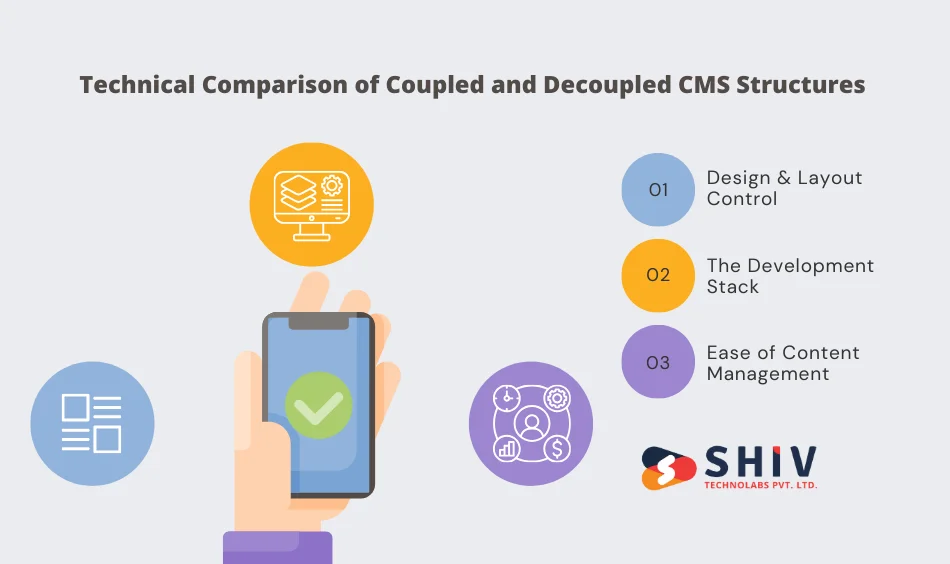
The way these systems are built affects how much freedom your design team has.
1. Design and Layout Control
In a traditional system, you are usually tied to a template. Even if you want to change a small part of the layout, the software might stop you unless you know how to change the core code. This can make many websites look very similar because they all use the same popular themes.
In a headless system, there are no templates. Since the CMS only provides the text and images, your developers can build any design they want from scratch. They are not limited by the rules of the CMS software. This allows for much more creative and unique websites.
2. The Development Stack
When you use a traditional system, you have to use the coding language that the platform was built with. For example, WordPress developers must use PHP. If your team prefers a different language, they cannot use it.
Headless systems do not have this problem. Because the content moves through an API, your developers can use any tool they like. They can build a website using React, a mobile app using Swift, and a dashboard using Vue, all while pulling data from the same Headless CMS. This makes it much easier to find developers and keep your technology up to date.
3. Ease of Content Management
For people who write the content, traditional systems are often easier at first. They usually have a “What You See Is What You Get” editor. This means the screen where you type looks almost exactly like the finished website.
Headless systems can be a bit more difficult for writers. Since there is no built-in design, you often see just a list of text boxes. You might not know what the final page looks like even after you finish writing. However, many modern headless platforms are adding preview tools to fix this problem.


Advantages and Disadvantages of Traditional CMS for Small Businesses
A traditional system is a popular choice for many reasons, but it also has certain limits that can slow you down as your company grows.
# The Pros
- Ready to Use: You can set up a traditional site very quickly. Since the front end and back end are already connected, you just need to pick a theme and add your text.
- No Coding Needed: Most of these platforms are designed for people who are not programmers. You can move blocks around, change colors, and add images using a simple mouse.
- Low Cost: Because the setup is fast and doesn’t require a team of specialists, the initial price is usually much lower than building a custom system.
# The Cons
- Speed Problems: Traditional systems often come with a lot of code that you don’t need. This extra weight can make your pages load slowly, which might frustrate your visitors.
- Maintenance Work: You have to manually update the CMS software, your theme, and every plugin you install. If you forget to do this, your site might break or become easy for hackers to enter.
- Locked Content: Your content is stuck inside the website. If you want to start a mobile app later, you cannot easily move your blog posts or product pages there. You would have to start over.
Benefits of Headless CMS for Omnichannel Content Delivery
A headless system is built for the way people use the internet today—on many different devices at once.
# The Pros
- Flexibility: You can send your content to a website, an Android app, an iPhone app, and even a digital sign in a store. You only have to write the information once.
- Better Performance: Because there is no bulky theme, your developers can build a very lightweight front end. This makes your site much faster than a traditional one.
- Stronger Security: Since the “head” and the “body” are separate, the part of your site that the public sees is not directly connected to your database. This makes it much harder for someone to steal your data.
# The Cons
- Requires Developers: You cannot run a headless system alone. You need a team to build and maintain the front end.
- Higher Costs: Building a custom front end takes more time and talent, which means you will spend more money at the start of the project.
Powering the Headless Backend: Choosing the Right Technology Stack

In a headless setup, the backend is the engine that keeps everything running. It is responsible for storing your data, managing user permissions, and making sure that your content is ready to be sent to any app or website. While a traditional system hides the backend inside a single package, a headless backend is a separate, powerful layer.
Choosing the right technology for this backend layer is vital. Different coding languages offer different strengths depending on how much data you have and how fast you need it to move.
- Node.js: This is one of the most common choices for building high-speed backends. It uses a non-blocking architecture, which means it can handle thousands of requests at the same time without getting stuck. If you are building a custom content hub, our Node.js development services in UAE can help you create a backend that stays fast even during high traffic.
- Python (Django): Known for its “batteries-included” approach, Python is excellent if you need a backend with complex security rules or data processing features. It is very readable and easy for developers to maintain over time.
- Go (Golang): If your website needs to handle extreme levels of traffic with very low delay, Go is a strong option. It is a modern language designed by Google to be incredibly efficient and fast.
- PHP (Laravel): While PHP is the base of many traditional systems, modern frameworks like Laravel allow developers to build clean, fast, and secure APIs for a headless setup.
The goal is to pick a backend that acts as a central hub where all your images, videos, and text live. When a customer opens your app, the backend must find the right information and send it over the internet instantly.
Key Performance Metrics: Traditional CMS vs Headless CMS Side-by-Side
To help you compare, here is a simple look at how these two systems perform in different areas:
| Feature | Traditional CMS | Headless CMS |
|---|---|---|
| Setup Speed | Very Fast | Slower |
| Initial Cost | Low | Higher |
| Security | Requires many updates | Higher by design |
| Site Speed | Can be slow | Very fast |
| Multi-app Support | No | Yes |
| Ease of Use | High for non-coders | Requires technical staff |
Critical Use Cases for Modern Content Management Solutions
Picking a system depends on what you want to achieve. There is no single best option; there is only the best option for your specific project.
1. When Traditional CMS is the Right Path?
A traditional system is the most practical choice for many common web projects. It works best when:
- You are building a basic website: If you need a site with an About Us page, a contact form, and a few service pages, a traditional system like WordPress is perfect.
- Your budget is small: Because you can use ready-made themes, you don’t need to pay for a long development process.
- You have no technical team: If you don’t have a developer on staff, a traditional system allows your marketing team to manage everything themselves.
2. When Headless CMS is the Necessary Choice?
A headless system is the way forward for brands that want to stay ahead of the curve. It is the right move when:
- You sell products in many places: If you have an e-commerce store that also needs to show up on a mobile app and social media, a headless system keeps your data in sync everywhere.
- Speed is your top priority: For websites that get a lot of traffic, the fast load times of a headless setup can lead to more sales and better search rankings.
- You want a unique design: If you want a website that looks like nothing else on the internet, a headless system gives your designers total freedom.
Understanding the Shift Toward Hybrid CMS Architectures
Lately, a third option has appeared: the Hybrid CMS. This system tries to combine the best parts of both worlds.
A Hybrid CMS allows you to use a traditional “head” (the visual editor) to build your main website. At the same time, it provides an API that lets you send that same content to a mobile app or other devices. This is a popular choice for mid-sized companies that want the ease of WordPress but the flexibility of a headless system. It gives your writers the preview tools they love while giving your developers the data they need for other projects.
Custom Web Solutions with Shiv Technolabs
Making a change to your content system is a big commitment. At Shiv Technolabs, we focus on helping you find the technology that makes sense for your specific business. We don’t push one system over the other. Instead, we look at your current goals and where you want to be in the next few years.
If you need a reliable, easy-to-manage site, we can build a strong Traditional CMS. If you need a high-performance, multi-channel system, our team can build a custom Headless architecture. We make sure that your content is secure, your pages load fast, and your team knows exactly how to use the tools we provide. We focus on building a foundation that helps you reach more customers without technical headaches.
Conclusion
The decision between Traditional and Headless CMS comes down to a few simple questions:
- Do you need to show content on more than just a website? If yes, go Headless.
- Does your team need to build pages without any help from a coder? If yes, go Traditional.
- Is your priority speed or cost? If speed, choose Headless. If cost, choose Traditional.
A Traditional CMS is like a pre-packaged meal—it is fast and easy to serve, but you cannot change the ingredients. A Headless CMS is like a professional kitchen—it takes more work and skill to use, but you can create any dish you can imagine.
By thinking about these points, you can pick a system that fits your budget today and supports your growth for years to come.
Frequently Asked Questions
1. Is a Headless CMS harder for my team to use than WordPress?
For writers, the experience is slightly different. A Traditional CMS like WordPress lets you see exactly what the page looks like as you type. In a Headless CMS, you often fill out text boxes that feel more like a form. While it takes a few days to get used to, it prevents non-technical staff from accidentally breaking the website’s design.
2. Will switching to a Headless CMS save me money on hosting?
It can. Traditional systems require powerful servers to handle both the database and the website display at the same time. Because a Headless CMS separates these, you can host your front end on cheaper, faster global networks (CDNs). However, keep in mind that you may have higher upfront costs for the initial custom development.
3. Can I still use SEO plugins with a Headless CMS?
You won’t use the exact same plugins (like Yoast for WordPress), but you have even more control. In a headless setup, your developers build the SEO fields directly into the system. This allows for cleaner code and faster page speeds, which are two factors that Google values highly for ranking.
4. Do I need a different CMS for my mobile app and my website?
No. This is the biggest benefit of going headless. You manage all your text, images, and product details in one central hub. The system then sends that same information to your website and your mobile app. When you change a price or a description, it updates everywhere instantly.
5. How often do I need to run security updates on a Headless CMS?
Much less often than a traditional system. In a Traditional CMS, you must constantly update the core software and every plugin to stay safe. With Headless, the service provider usually handles the backend security, and since your front end is separate, there are fewer holes for hackers to find.