Table of Contents
Old systems cause delays, old storage, discontinuous files, poor permissions, and no actual teamwork. Old systems are soon congested as business expands. SharePoint development services have come to the rescue of companies that need to abandon inflexible legacy systems in favor of the cloud-first environment.
According to reports, SharePoint experienced 50% year-on-year growth, driven by contemporary collaboration demands and compliance pressures.
For companies planning to migrate data to SharePoint, the transition seems daunting: data mapping, restructuring, managing permissions, ensuring compliance, and driving user adoption. Professional SharePoint migration services are designed to minimize risk and ensure a successful transfer. Key reasons to migrate:
- Better compliance
- Faster search + retrieval
- Modern cloud scalability
- Resilient security layers
We have prepared this guide so you can move from legacy systems to SharePoint with confidence, after understanding the entire process, the costs involved, the risks, and expert recommendations.
Why Should You Move Data from Legacy Systems to SharePoint?
Obsolete systems impede teams, limit collaboration, freeze operations, and increase IT costs. With increased data, these ancient systems cannot accommodate modern governance, audit trails and secure access. The move to SharePoint will add structure, security, centralization, and integration with Microsoft 365, a solution that is future-proof.
Key Advantages of Moving to SharePoint
- Improved data security
- Document version control
- Centralized collaboration
- Microsoft 365 integration
- Role-based access control
- Quick search & content discovery
Explore how we can help you on SharePoint Consulting Services – including custom migration planning, architecture design, and post‑launch governance.
How Does the SharePoint Migration Process Work?
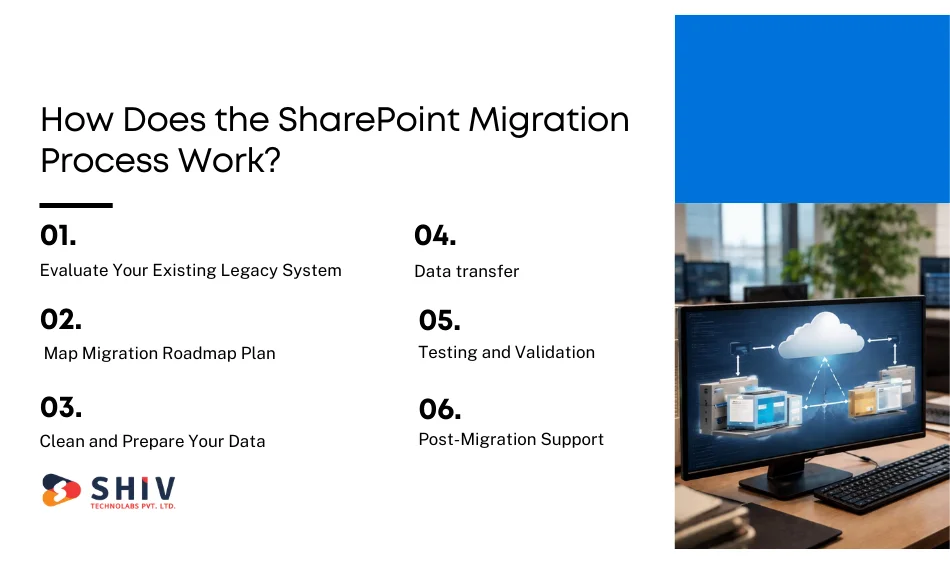
An effective SharePoint migration process is a planned process to minimize risk and avoid downtime.
Step 1: Evaluate Your Existing Legacy System
Determine types of data, storage patterns, permissions and dependencies. Risks, volumes, and compliance requirements in documents.
Mini-tasks:
- Inventory data
- Identify redundant files
- Detect permission gaps
Step 2: Map Migration Roadmap Plan
Develop a roadmap that outlines timelines, duties, tools, and the environment’s structure. Planning avoids interconnections and helps teams prepare.
Mini-tasks:
- Explain IA (Information Architecture)?
- Map legacy SharePoint structure.
Step 3: Clean and Prepare Your Data
Eliminate duplicates, old files, fix naming systems and sort sensitive materials. This is done to ensure a clean, optimized data transfer.
Step 4: Data transfer (using sharepoint migration experts)
Migration experts rely on automated equipment or programs to transfer data safely. They handle mapping, workflows, permissions, and custom metadata to ensure proper transfer.
Step 5: Testing and Validation
Teams check migrated information – structure, permissions, workflows, metadata, links and version history. Audits prevent post-launch upheaval.
Step 6: Post-Migration Support
This will involve optimizing performance, user onboarding, governance policy configuration, and closing post-real-world-usage gaps.
You can get assistance throughout this process with Hire SharePoint Developers & Migration Experts, where our team provides skilled professionals for implementation, testing, and optimization.


How much does an average SharePoint Data Migration Cost?
Migration cost of SharePoint will depend on volume, complexity, tools, custom workflows, integrations, and security rules. Projects usually involve consulting time, tools, IA redesign, and testing. The following table is a cost table.
SharePoint Migration Cost Breakdown
| Factor | Description | Estimated Range (USD) |
|---|---|---|
| Data Volume | Size + number of files | $1,000–$5,000 |
| Customization | Workflows, permissions, IA | $2,000–$10,000 |
| Migration Tools | Scripts, licensed tools | $500–$3,000 |
| Consultant Fees | Professional services | $3,000–$15,000+ |
SharePoint migration cost depends on:
- Data size
- Metadata and workflows
- Access mapping
- Testing cycles
- User training
- Compliance needs
What Should Be Included in a SharePoint Migration Checklist?
A SharePoint migration checklist is well-structured to avoid failures and ensure predictable results.
Data Audit and Classification
Assess each dataset to acknowledge relevance, sensitivity, ownership and lifecycle. Divide files into must-migrate, archive, or delete. Classified data free of bad data will minimize migration time and make SharePoint organized and effective after launch.
Access Mapping
Mapping permissions in place to the role-based access model in SharePoint. Assess users, groups, and privilege levels to prevent file disclosure or compromised permissions. Access mapping is properly configured to ensure compliance and ease user onboarding.
Backup Before Transfer
It is always advisable to take a duplicate snapshot of the whole dataset. This offers some fallback defence against corruption, accidental overwrites, or logic failures during transfer.
Eliminate Unnecessary Material
Clean up old files, duplications, temporary files and unnecessary folders. Clean data improves migration speed and reduces storage space in SharePoint.
Tool Setup
Install migration services, including SharePoint Migration Tool (SPMT), Sharegate, or Avepoint. Create endpoints, scopes, credentials and mapping rules.
Testing
Conduct batch tests on small data to confirm the accuracy of mapping, permissions, metadata and versioning.
User Training
Train employees on new work processes, documents, versioning and collaboration software. User adoption drives ROI.
Professional planning will reduce migration time by 40% and reduce permission issues. Entrust professionals with the organization of your roadmap.
How Can SharePoint Migration Experts Ensure a Smooth Transition?
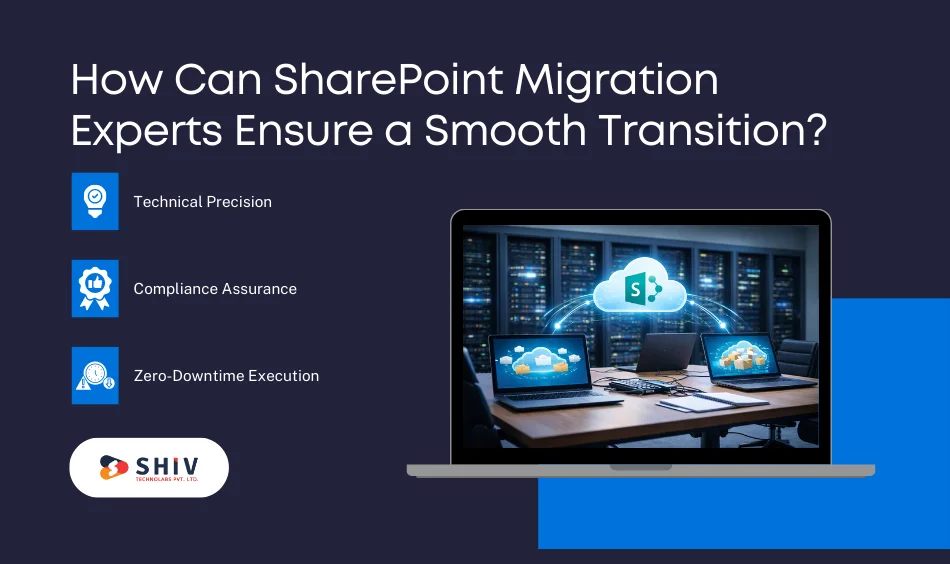
To automate and validate, SharePoint migration experts use security and structured frameworks to streamline the process.
Technical Precision
Professionals guarantee proper mapping, metadata transport, and version retention. They control permissions, workflows, and dependencies to prevent conflicts.
Compliance Assurance
They ensure compliance with GDPR, HIPAA, and corporate governance by implementing strict restrictions on transfers.
Zero-Downtime Execution
The experts reduce business interruptions by performing migrations in phases and leveraging automated scheduling.
Certified SharePoint migration specialists at Shiv Technolabs ensure it is more accurate, compliant and executed smoothly.
What Are the Common Mistakes to Avoid During SharePoint Migration?
Migration errors may include duplication of data, damaged permissions, or compliance risks.
Ignoring Data Cleanup
Moving unnecessary or outdated data consumes more storage and results in lower performance. Cleanup helps the SharePoint remain efficient and clean.
Omitting Permission Mapping
Wrong permissions will result in unauthorized access or unreadable files. Role mapping at the initial stages will avert the security problems.
Lack of Testing
No testing = lost links, missing metadata and architectural flaws. Testing ensures accuracy.
Not Involving Users Early
Early adoption increases adoption and reduces training costs. Quick Summary Checklist:
- Cleanup data
- Map permissions correctly
- Test everything
- Involve stakeholders early
Choosing the Right Partner to Data Migration Project in SharePoint?
Choosing the wrong migration partner slows down projects, costs balloon and sponsorship problems take months to fix.
Not an individual who is an office mover; you need a team that understands legacy systems and the current SharePoint architecture. The right migration partner secures your data, ensures compliance and the transition is predictable rather than chaotic.
Technical Capability
Your partner needs to show distinct mastery on legacy platforms, SharePoint architecture, permissions, metadata mapping, workflows and automation. This involves being able to rearrange content, version history and dependencies. Teams that have practical knowledge on large-scale migrations introduce purer implementation and significantly reduce risk.
Portfolio Proof
Never accept imaginary migration scenarios, big data, controlled industries, multi-location enterprises or production, or old-to-new migrations. Good partners articulate the problems they faced and how they overcame them.
A successful history of work demonstrates that they can handle unforeseen problems, edge cases, failed metadata, or system incompatibilities without bringing your operations to a halt.
Post-Migration Support
When files are received in SharePoint, migration is not complete. You require governance planning, permission audits, workflow optimization, search tuning and user enablement.
An ideal partner is one who remains with the company by adoption rather than deployment. They also track performance, address mapping problems and assist your team to settle in the new environment.
Transparent Pricing
Keep off suppliers who provide inaccurate cost estimates. An effective migration partner offers a well-defined breakdown of the amount of data, tools, cleanup time, mapping complexity, testing processes, and support. Clear pricing will help you create budgets with confidence and avoid unexpected costs in the middle of the project.
Seek professional help from a certified SharePoint development company like Shiv Technolabs, who provide SharePoint migration services at a large scale and for the future.
Expert Tips for Successful SharePoint Migration
These are the best practices to follow during SharePoint migration to ensure similar results:
- Backup data before starting
- Test migration using a small sample.
- Monitor their progress based on auditing logs.
- Check permissions on a batch-by-batch basis.
- Early adoption of the staff in the trains.
Conclusion
When moving from old systems to SharePoint, the organization can change how it works with documents, communicates, and expands safely. By using planned systems, appropriate tools, and professional advice, companies have enhanced compliance, search availability, and cost efficiency in the long run. Collaborating with Shiv Technolabs, a reliable SharePoint development company, will make the process smoother, more accurate, and long-term.
As a team of SharePoint migration experts, we provide end-to-end SharePoint migration services from assessment and roadmap development, all the way to data transfer, testing, and optimum post-launch. Our services and solutions also assist organizations in safely transitioning to the contemporary digital ecosystem by leveraging certified experts, transparent procedures, and proven industry methods.
Ready to migrate? Provide data size, system information, and objectives, and we will create your own migration plan.
Frequently Asked Questions (FAQs)
1. SharePoint data migration time span?
The migration schedules vary depending on data volume, complexity, and reliance. Small migrations can only require a few days, whereas enterprise-level migrations can take weeks. The right evaluation and planning can greatly reduce time waste and ensure the process runs smoothly.
2. What influences SharePoint migration cost?
The prices vary based on the size of the data, workflows, metadata structure, the tools to be used, the need to meet compliance requirements and the consultants’ knowledge and skills. Increased data volumes and complex authorization requirements usually increase the total budget.
3. Which are the tools appropriate for migration?
Such tools as SharePoint Migration Tool (SPMT), ShareGate and AvePoint are common. The most appropriate one would be based on the complexity of the data, automation requirements and organizational requirements.
4. Is it possible to guarantee the safe transfer of data by experts?
Yes, certified specialists use formal procedures, encryption, permissions and compliance rules to ensure that all data is safe throughout the transfer.
5. What are the contents of my migration checklist?
The reasonable checklist includes auditing, cleanup, permissions, tools setup, backup, testing and training. This guarantees the transfer of data correctly and easy adoption by the users.