Table of Contents
Founders building AI features face one core question very early: private AI vs public AI – which one should we use? This decision shapes how your product handles data, controls cost, and manages risk over time. Many teams pick public AI because it feels fast and easy.
Others move to private AI when things start to break. The problem is that most founders make this choice without fully understanding the trade-offs. This guide explains the difference in clear terms and helps you decide based on real product needs, not hype.


What “Private AI vs Public AI” Actually Means?
When people compare private AI vs public AI, they usually talk about where the AI model runs and who controls the data.
What is public AI?
Public AI refers to AI models hosted and managed by third-party providers. Teams access them through APIs or web interfaces. Examples include general-purpose AI services used for chat, text generation, or summarization. Key traits of public AI:
- Hosted by the provider
- Shared infrastructure (multi-tenant)
- Fast to start
- Little control over internal behavior
- Usage-based pricing
Public AI works well when teams want speed and low setup effort. It often becomes the first choice during early experiments.
What is private AI?
Private AI runs inside your own environment. This can be a private cloud, a dedicated VPC, or on-premise infrastructure. You control who accesses the model, how data flows, and what gets logged or stored. Key traits of private AI:
- Runs in your controlled environment
- Single-tenant or isolated setup
- Clear access rules
- Custom retention and logging policies
- Higher setup effort
Private AI suits products that handle internal documents, customer data, or regulated workflows.
Why Founders Get This Decision Wrong?
Most founders choose public AI because it works immediately. The API responds, features ship, and early demos look good. Problems appear later, when usage grows, and real data enters the system. Common mistakes include:
- Sending sensitive data to public AI without clear rules
- Assuming providers never store prompts
- Ignoring internal access control
- Treating AI like a normal API instead of a data processor
These mistakes push teams into damage control mode later.
Public AI Risks Founders Should Understand
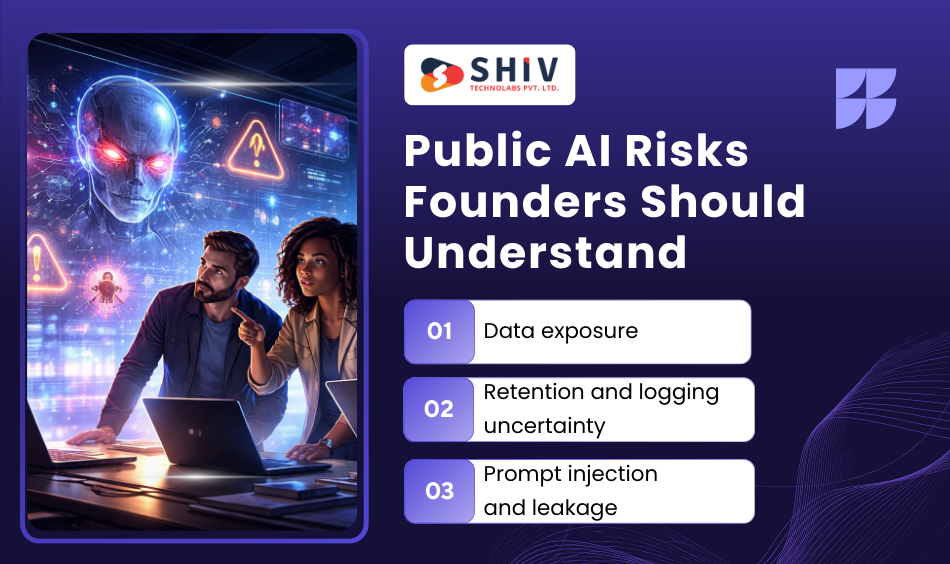
Before choosing public AI, founders must understand public AI risks clearly. These risks do not always show up on day one, but they grow as the product scales.
Risk 1: Data exposure
Public AI processes prompts outside your environment. Even when providers promise safeguards, founders still lose direct control over how data moves, logs, or gets reviewed. Data commonly exposed by mistake:
- Customer messages
- Support tickets
- Internal documents
- Source code
- Business plans
Once data leaves your boundary, you cannot fully pull it back.
Risk 2: Retention and logging uncertainty
Many public AI services log prompts and responses for system improvement or monitoring. Retention rules vary by provider and plan. Team members may also use personal accounts outside official workflows. This creates blind spots:
- You cannot audit every request
- You cannot enforce strict deletion rules
- You cannot trace who accessed what data
For regulated or B2B products, this becomes a serious issue.
Risk 3: Prompt injection and leakage
Attackers can manipulate inputs to trick AI systems into revealing restricted data or ignoring rules. Public AI models make this harder to control because you cannot change the model internals or enforce strict boundaries. This risk grows in:
- Customer support bots
- Internal chat tools
- AI copilots connected to private data


Private AI for Enterprises: Why Control Matters
As products mature, many teams move toward private AI for enterprises. This shift happens when control matters more than speed. Enterprises care about:
- Who can access the system
- What data flows into the model
- How long data stay stored
- How actions get audited
Private AI allows teams to define these rules clearly. Enterprises often use private AI for internal assistants, document search, sales enablement tools, and customer support workflows that touch real user data.
Private LLM vs Enterprise LLM: Clearing the Confusion
Founders often hear terms like private LLM and enterprise LLM and assume they mean the same thing. They do not.
Private LLM
A private LLM usually means a model deployed in a private environment. The team controls infrastructure, access, and data flow. This setup gives maximum control but requires operational effort.
Enterprise LLM
An enterprise LLM focuses on governance features:
- Single sign-on
- Role-based access
- Audit logs
- Tenant isolation
- Policy enforcement
An enterprise LLM can be private or vendor-hosted, but it always includes control layers that standard public AI lacks.
Private AI vs Public AI Cost at Scale
Cost looks simple at the start. Public AI feels cheaper because there is no infrastructure to manage. You pay only when you make requests. This works well during early testing and limited usage. The challenge appears when usage grows and becomes part of daily workflows.
How public AI cost behaves over time
Public AI pricing scales directly with usage. Each request adds cost, and long conversations multiply it. As teams grow, AI usage spreads beyond the original feature.
Typical cost drivers include:
- Long chat sessions with customers
- Internal teams using AI daily
- Background processes calling AI silently
- Retries, failures, and duplicate calls
These costs grow fast and are hard to predict month to month.
How private AI cost behaves at scale
Private AI works on a different cost curve. You invest upfront in infrastructure and setup, but usage does not increase cost linearly after capacity is in place. To make this clearer, here is a direct comparison.
Cost behavior comparison
| Factor | Public AI | Private AI |
|---|---|---|
| Setup cost | Very low | Moderate to high |
| Monthly predictability | Low at scale | High |
| Cost per request | Fixed by the provider | Drops with volume |
| Long-term control | Limited | Full |
| Budget planning | Reactive | Proactive |
Public AI works well for low and irregular usage. Private AI starts to make sense when usage becomes steady and business-critical.
When Public AI Still Makes Sense for Startups
Public AI is not the wrong choice by default. Many startups should use it early, as long as they define boundaries clearly.
Public AI fits best when:
- The product does not touch customer data
- AI generates generic content
- Usage volume is small or uncertain
- Speed matters more than control
In these cases, public AI helps teams move faster without operational overhead. The mistake is assuming this setup will work forever.
When Startups Should Move to Private AI
Founders often ask: when should a company move from public AI to private AI? The answer usually becomes obvious when one or more of these conditions appear. Instead of listing them, think about this situation:
Your AI feature now processes real customer conversations. Support teams rely on it daily. Monthly AI costs keep rising, and audits start asking questions about data handling. At this point, public AI stops feeling lightweight. It becomes a risk surface.
Private AI gives founders back control over:
- Data access
- Logging and retention
- Internal usage rules
- Cost planning
Most teams move gradually, starting with one sensitive workflow instead of a full system rewrite. This is often where founders rely on an experienced startup product team to move from AI decisions to production-ready systems.
Customer Support: Where the Decision Becomes Clear
Customer support changes the private AI vs public AI decision more than any other use case. Public AI can help with surface-level tasks like drafting replies or improving tone. These tasks do not require access to real account data.
The moment AI needs to read:
- Order history
- Payment detAIls
- Internal policies
- Past tickets
The risk profile changes.
Customer support decision table
| Support task | Public AI | Private AI |
|---|---|---|
| Drafting responses | Yes | Optional |
| Tone adjustment | Yes | Optional |
| Account-specific answers | No | Yes |
| Access to internal tools | No | Yes |
| Compliance-sensitive data | No | Yes |
This is why many teams adopt private AI first inside customer support, even if the rest of the product still uses public AI.
How to Choose Between Private AI and Public AI for Customer Support
A simple rule works well here. If AI needs access to real customer or internal data, private AI is the safer choice. If AI works only on generic language tasks, public AI remains acceptable.
Some teams combine both approaches. They route sensitive steps through private AI and leave generic tasks to public AI. This avoids unnecessary complexity while protecting data.
Can You Mix Private AI With Public Models?
Yes. Many products use a hybrid setup, and it often works best. In a hybrid model:
- Public AI handles general language processing
- Private AI controls data access and decisions
- Routing rules decide which system handles each request
For example, a prompt without identifiers can go to public AI. A prompt containing customer data goes through private AI. This approach balances cost, speed, and control without forcing an all-or-nothing decision.
What Data Should Never Be Sent to Public AI?
One of the biggest mistakes teams make is assuming all data is safe to send to public AI. This assumption often leads to compliance issues, customer trust problems, or internal security incidents. As a rule, any data you cannot afford to leak should never leave your control.
Data categories that should never go to public AI
| Data type | Why it’s risky |
|---|---|
| Customer personal data | Privacy and legal exposure |
| Payment and billing details | High financial risk |
| Authentication secrets | Direct security threat |
| Internal contracts and pricing | Business damage |
| Private source code | IP loss |
| Support tickets with identifiers | Customer trust risk |
| Incident reports | Legal and compliance issues |
Even if a provider claims strong safeguards, founders still lose enforcement power once data leaves their boundary. This is why private AI becomes necessary as soon as real customer or internal data enters the workflow.
A Practical Founder Decision Checklist
Instead of guessing, founders should walk through a short checklist before choosing between private AI and public AI. Ask these questions honestly:
- Does the AI see customer or employee data?
- Does the AI influence decisions, not just text?
- Can we explain data handling clearly to users?
- Can we afford unpredictable cost growth?
- Can we audit who accessed what?
If most answers are “yes,” public AI will feel fragile over time. Private AI provides clearer ownership and accountability.
Private AI for Enterprises: The Long-Term View
As companies grow, they often shift focus from speed to stability. This is where private AI for enterprises becomes the default choice.
Enterprises care less about how fast a feature ships and more about:
- Access control
- Traceability
- Data isolation
- Policy enforcement
- Internal trust
Private AI aligns better with these priorities. It allows teams to define boundaries instead of relying on external guarantees.
Enterprise LLM and Private LLM in Real Products
Founders often hear both terms used interchangeably, but they solve different problems. A private LLM focuses on where the model runs. It gives full control but requires strong internal ownership.
An enterprise LLM focuses on how the system behaves. It includes identity control, audit logs, usage limits, and governance layers. Many mature products combine both. They run models privately while applying enterprise-grade controls across teams and workflows.
How Shiv Technolabs Helps Founders Build the Right AI Foundation
Choosing between private AI and public AI is only one part of the journey. The real challenge begins when founders need to turn that decision into a working product that handles real users, real data, and real scale.
Shiv Technolabs works closely with startup teams to design and build AI-driven products with clear data boundaries, stable architecture, and long-term scalability in mind. From early planning to production rollout, the focus stays on aligning AI choices with product goals, security expectations, and future growth.
Teams often engage at the stage where AI features move beyond experimentation. This includes setting up private or hybrid AI systems, defining safe data flows, integrating AI into customer-facing workflows, and preparing products for scale without rework. The approach remains practical—built around real use cases rather than assumptions.
By combining product thinking with strong engineering practices, Shiv Technolabs supports founders in building AI systems that are ready for production, not just demos.
Final Architecture Reality: Hybrid Is Normal
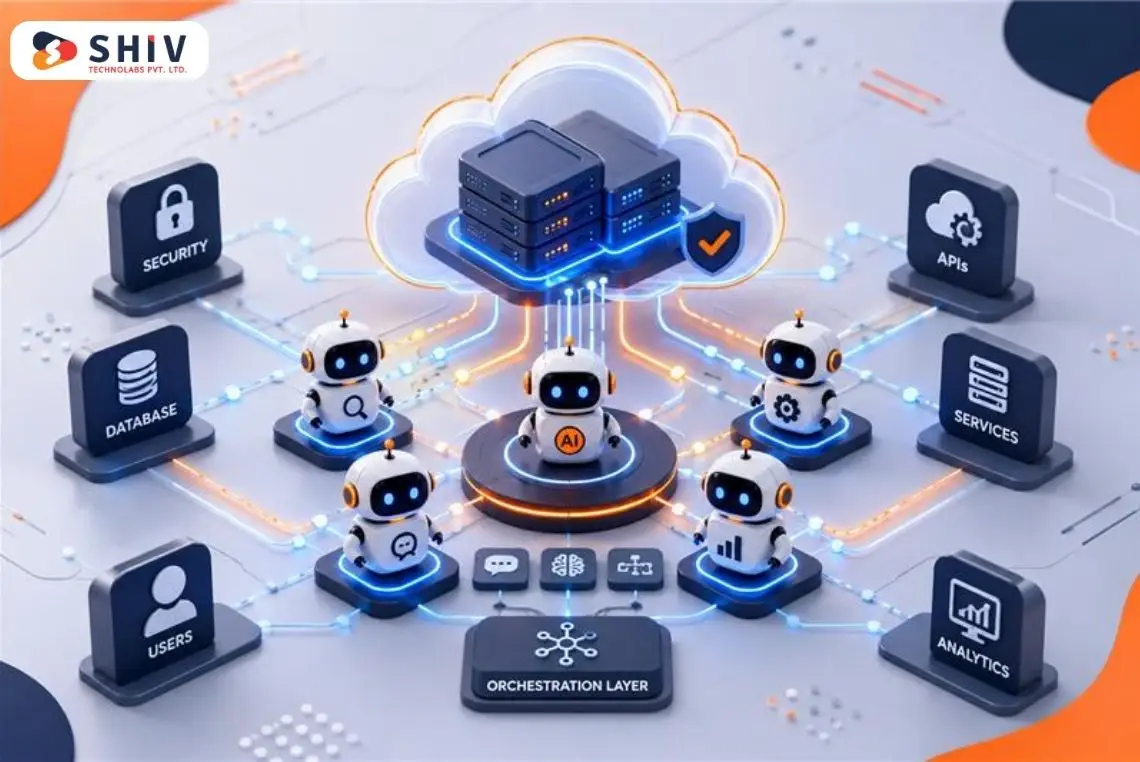
Very few teams run everything on one model forever. Many use a hybrid setup that balances control and cost.
A common pattern looks like this:
- Public AI handles generic language tasks
- Private AI handles data access and decisions
- Rules route each request safely
This approach lets teams grow without locking into extremes.
Closing Thought for Founders
The choice between private AI and public AI is not about trends. It is about ownership. Founders who treat AI as a data processor make better decisions than those who treat it like a text tool. The earlier you define boundaries, the fewer problems you fix later. This completes the Private AI vs Public AI series.
As AI becomes part of core product workflows, teams often contact Shiv Technolabs to turn architectural decisions into stable, production-ready systems.
FAQs
Is private AI safer than public AI?
Yes, private AI is safer when systems handle sensitive data. It allows teams to control access, logging, and retention. Public AI depends on external policies that teams cannot fully enforce.
Should startups use private AI or public AI?
Most startups begin with public AI for speed. They move to private AI when features touch customer data, costs rise, or governance becomes important.
When should a company move from public AI to private AI?
Companies usually switch when AI becomes part of daily operations, processes sensitive data, or creates cost uncertainty. Support systems and internal tools often trigger this move first.
What data should never be sent to public AI?
Customer personal data, payment information, authentication secrets, internal contracts, private source code, and detailed support tickets should never go to public AI.
How to choose between private AI and public AI for customer support?
If AI needs access to real account details or internal systems, private AI is the safer choice. Public AI works only for generic drafting and tone-related tasks.
Private AI vs Public AI cost at scale?
Public AI costs grow directly with usage and can become unpredictable. Private AI has a higher setup cost but becomes more stable and often cheaper per request at scale.
Can you mix private AI with public models (hybrid)?
Yes. Many teams use public AI for general language tasks and private AI for data-sensitive steps. Routing rules help balance cost and control.