Table of Contents
Most people check their phones over 90 times a day. Yet very few of those interactions involve genuine reflection. Mood tracking is changing that, and mood tracking app development has quietly become one of the fastest-growing segments in mobile health.
The global mental wellness app market crossed $5 billion in 2023, and apps focused on emotional tracking lead the charge. Users are not just logging how they feel. They are spotting patterns, sharing data with therapists, and making real behavioral changes.
For founders and product teams, this is a genuine opportunity. But getting it right requires understanding both the UX complexity and the underlying data architecture.
This guide breaks down everything, covering what to build, how to build it, what to scope and cost for your MVP.
Quick Answer. What Does a Mood Tracking App Include?
If you are in research mode and need quick insights , here is the snapshot:
- A mood tracking app lets users log emotional states, track patterns over time, and gain insight into behavioral triggers.
- Core features include mood logging, daily check-in flows, journaling, visual analytics, and push reminders.
- An MVP typically covers mood input, basic history view, and notifications. Build time is 10 to 16 weeks.
- Development costs range from $15,000–$25,000 for an MVP to $60,000+ for a feature-rich, AI-powered app.
- Privacy and data security are non-negotiable in any mental health product regardless of scale.
What Is a Mood Tracking App and Why It Matters in 2026
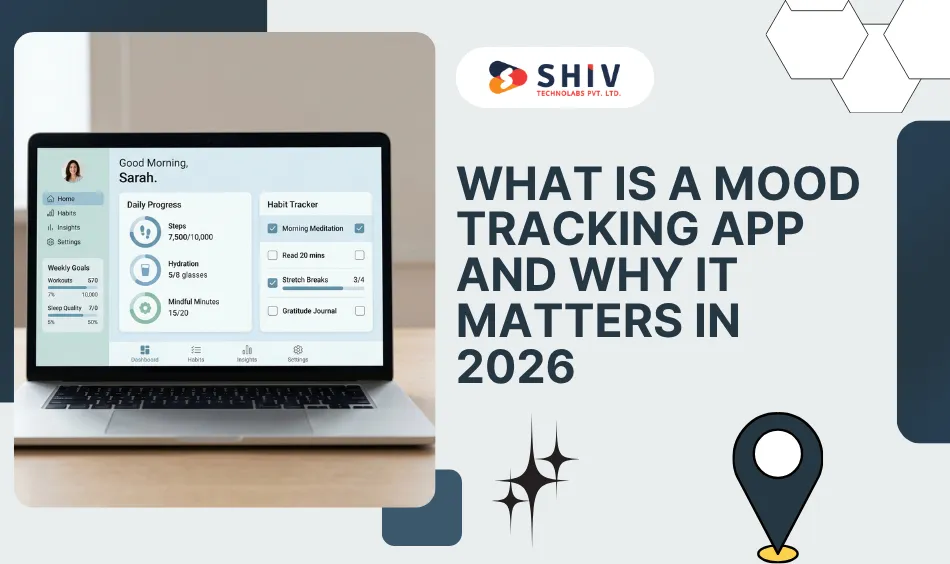
A mood tracking app is a mobile tool that lets users record their emotional state, typically multiple times per day, and review those records over time to surface trends, triggers, and correlations.
The use cases span a wide range. In healthcare app development, therapy patients use these apps to document how they feel between sessions. People with anxiety or depression use them to spot warning signs before a crisis builds. Executives and athletes use them to optimize performance. Students use them to understand how sleep and stress connect.
What makes them powerful is not the individual check-in. It is the accumulation. After two weeks of daily data, patterns emerge that feel almost invisible in real time. A user might discover that mondays after poor sleep consistently trigger a low mood, or that social interactions correlate with a two-hour uplift in energy. That is self-awareness at a data-driven level, and it is genuinely useful.
The emotional tracking app market is expanding because people increasingly want tools that help them understand themselves, not just distract themselves. That distinction shapes everything about how these apps should be designed.
What Core Features Does a Mood Tracker App Need to Succeed?
Every feature in this category addresses a non-negotiable user need. If any of these are missing, the app fails its core promise.
| Feature | Description | Why It Matters |
|---|---|---|
| Mood Logging | Users select or input their current emotional state, typically from a scale or emoji-based selector. | This is the primary interaction. Friction here kills daily usage. It must be fast and intuitive. |
| Daily Check-In Flow | A guided prompt that appears at set intervals, nudging users to record mood without opening the app manually. | Reduces reliance on habit formation alone. Turns passive users into consistent ones. |
| Emotional Analytics | Charts and trend lines showing mood history across days, weeks, and months. | Makes the app valuable over time. Without this, there is no ‘why’ behind the logging behavior. |
| Reminders & Notifications | Smart push notifications timed to the user’s preferred check-in windows. | Directly impacts retention. Without reminders, even motivated users drop off within a week. |
| Notes / Journaling | Optional free-text input attached to each mood entry. | Adds qualitative depth to quantitative data. Enables users to capture context (what happened, who was there). |
| Visualization (Charts/Graphs) | Weekly and monthly mood graphs, heat maps, or timeline views. | Visual data is easier to act on than raw logs. This is where insight turns into behavioral change. |
| Privacy & Security | Local encryption, optional passcode lock, data deletion controls, GDPR/HIPAA-aligned storage practices. | Mental health data is among the most sensitive. Users will not trust the app without strong privacy defaults. |
What Advanced Features Keep Users Coming Back to Your App?
Once your core loop is solid, these features significantly extend the product’s lifespan and engagement depth. Not all of them belong in version one, but understanding them helps you design for the future.
| Feature | Use Case | Impact on Retention |
|---|---|---|
| AI-Powered Insights | Analyzes mood patterns and surfaces personalized observations, such as noting that the user tends to feel better after morning workouts. | High. Transforms passive data into meaningful advice. Creates the a sense that the app truly knows the user experience that drives loyalty. |
| Personalized Suggestions | Content or micro-actions recommended based on current mood, such as breathing exercises, music, or journaling prompts. | Medium-High. Gives users something to do in response to their mood, increasing session depth. |
| Habit Tracking | Lets users correlate mood with specific daily habits such as sleep, exercise, hydration, and screen time. | High. Directly answers the ‘why do I feel this way?’ question users have from day one. |
| Smart Notification Strategy | Adaptive reminders that learn the user’s optimal check-in windows from past behavior. | High. Reduces notification fatigue while maintaining consistency. Dumb reminders get turned off. |
| Gamification Elements | Streaks, badges, milestones for consistent check-ins. Kept subtle and purposeful, not overly gamified. | Medium. Works best for users in early habit formation stages. Needs to feel earned, not gimmicky. |
Step-by-Step Flow to Build a Mood Tracker App
Building a wellness app is not just an engineering exercise. It is a product and UX challenge first. Here is the development sequence that actually works:
1. Define User Personas
Before writing a line of code, identify who is using this app. Therapy patients, performance-focused professionals, and general wellness users have meaningfully different needs. Your check-in frequency, UI tone, and analytics depth all change based on persona.
2. UX Planning for Wellness Apps
Wellness app UX demands exceptional simplicity. Users are often logging moods during emotionally vulnerable moments. Design for low cognitive load with simple navigation, use a warm visual tone to create emotional comfort, and maintain clear, predictable interaction patterns so users never feel confused while logging their mood.
3. Build the Onboarding Flow
Your first three minutes determine whether a user comes back. Onboarding must communicate value immediately, collect just enough setup data, including preferred check-in time and mood scale type, and get the user to their first log entry within 60 seconds.
4. Design the Mood Logging Interaction
This is your highest-frequency touchpoint. Explore visual metaphors (sliders, emoji grids, color wheels) and test with real users before locking this down. It needs to feel personal, not clinical.
5. Backend and Data Structure
Your data model must support time-series mood records, metadata tagging for activity, location, and social context, and user-level privacy controls. Decide early whether you are storing data locally, in the cloud, or both.
6. Analytics Setup
Build the aggregation layer for charts and trend analysis. Consider how you will compute rolling averages, streak logic, and correlation scores. This is where most early teams underestimate complexity.
7. Testing and Iteration
Wellness apps have a low tolerance for friction, so continuous testing is critical. Run usability tests across different age groups and varying levels of tech comfort to uncover real user behavior. Track key interactions across the app to understand how users move through each step. After launch, use cohort analysis to identify where users drop off and refine those moments to improve retention.
Daily Check-In Flow: UX Design That Keeps Friction Low
This is the core interaction loop in your app. Every design decision here has a direct effect on daily active user (DAU) rates.
# Entry Point
The user receives a gentle push notification at their preferred time. The notification is brief and personal, asking how they feel right now. One tap opens the app directly to the check-in screen, not the home screen.
# Mood Selection UI
The user sees the mood selector immediately, with no menus and no navigation. This might be a 1–10 scale, an emoji grid, or a color-based emotional wheel, depending on your design language. Selection should require no more than one tap.
# Optional Notes
After selecting a mood, the user sees a soft prompt asking if they want to add context. The keyword is optional. Never force a note. Provide quick-tap tags (tired, stressed, excited, productive) for users who want speed, and a free-text field for users who want depth.
# Confirmation and Feedback
A brief positive micro-animation confirms the entry. Show a quick reflection like a 3-day streak reminder or a mood comparison to the same time yesterday. Keep it light and encouraging.
# Data Storage
The entry is written immediately with timestamp, mood value, optional notes, and any tags. If cloud sync is enabled, this runs in the background. Never let a network delay block a log entry from saving.
The total time from notification to logged entry should be under 30 seconds for a basic check-in. That is your north star metric for this flow.
Mood Tracking App MVP Scope. What to Build and What to Wait On
The most common mistake in wellness app development is scope creep before the core loop is validated. Build the MVP to prove user value, not to impress investors with a feature list.
| Component | Must-Have in MVP | Can Be Added Later |
|---|---|---|
| Mood Logging | Simple 5 or 10-point scale or emoji selector with one-tap entry | Voice logging, color wheel, AI mood detection from text |
| Check-In Reminders | Basic push notification at user-set time(s) | Adaptive timing based on user behavior, smart context detection |
| Mood History | 7-day and 30-day list view of past entries | Heatmaps, correlation analysis, trend predictions |
| Analytics / Charts | Simple line graph of mood over time | Advanced visualizations, filters, and export reports |
| Notes / Journaling | Optional free-text field per entry | Guided prompts, AI summarization, mood-tagged search |
| User Accounts | Email signup and local data storage | Social login, wearable sync, therapist sharing |
| Privacy Controls | Passcode lock, local encryption | Biometric lock, HIPAA-compliant cloud storage, audit logs |
| Onboarding | 3-screen welcome flow explaining value, collecting check-in preference | Personalized onboarding based on goal (anxiety, performance, general) |
What NOT to include in your MVP. Skip AI-driven insights, habit tracking correlations, social features, wearable integrations, and therapist-sharing portals. These features are valuable, but each one adds weeks of development and testing. Validate your core loop first.
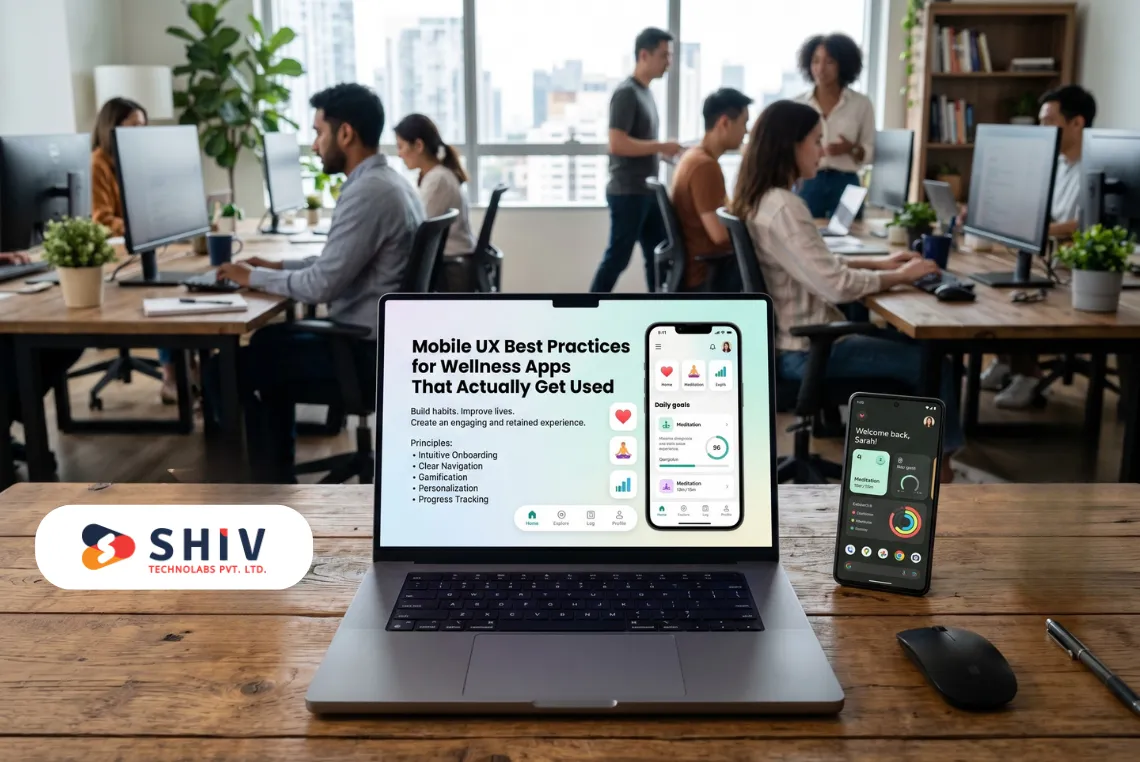
Mobile UX Best Practices for Wellness Apps That Actually Get Used
# Simplicity Above All
Every screen should have one primary action. Wellness apps fail when they try to be dashboards. Keep navigation flat, labels clear, and interactions self-evident.
# Emotional Design Matters
Color, typography, and motion communicate emotional safety. Soft gradients, rounded forms, and gentle animations signal a calm, trustworthy environment. Users sharing emotional data need to feel psychologically safe in the UI.
# Low Cognitive Load
Users log moods during transitions such as commuting, before bed, between meetings. Assume they have 20 seconds and partial attention. Every screen must work in that context without confusion.
# Accessibility Is Not Optional
Support dynamic font sizes, high-contrast modes, and screen reader compatibility from day one. A significant portion of your users may have visual or cognitive accessibility needs, especially in mental health contexts.
# Privacy-First UX
Default to privacy, not convenience. Ask for permissions only when necessary. Give users clear control over what is stored, what is synced, and how to delete their data. Visible privacy controls build trust faster than any marketing copy.
Mood Tracker App Cost Breakdown: What to Budget and Why
Cost in mobile app development is driven by three variables. These are feature scope, platform choice (iOS, Android, or cross-platform), and your development team’s location and structure. Here is a realistic breakdown based on market rates for a skilled team:
| App Complexity | Features Included | Estimated Cost (USD) |
|---|---|---|
| MVP / Starter | Core mood logging, basic reminders, simple history view, user accounts, one platform | $15,000 – $25,000 |
| Mid-Level App | Full feature set from core table, custom analytics, multi-platform (iOS + Android), onboarding flow, and admin panel | $35,000 – $55,000 |
| Advanced / AI-Powered | All mid-level features plus AI insights engine, habit correlation, wearable integration, therapist portal, HIPAA compliance | $60,000 – $120,000+ |
Beyond development hours, budget for UX design (typically 15 to 20% of total), QA and testing (10 to 15%), backend infrastructure, and app store deployment. Post-launch maintenance and iteration costs should be factored in from day one. Plan for roughly 20 to 25% of initial build cost annually.
The fastest path to a working product is usually a cross-platform framework like Flutter or React Native, which targets both iOS and Android from a single codebase without sacrificing UX quality.
Common Mistakes That Fail Mood Tracking App Projects
# Overcomplicated UX on Launch
Shipping with too many features, screens, and options forces users to make decisions they are not ready for. Wellness apps live or die by first-session clarity. If a new user cannot figure out the core loop in 60 seconds, they will not come back.
# Too Many Features in the MVP
Every additional feature in version one is an additional risk. It extends your timeline, increases bug surface, and delays your first real user feedback.
# Ignoring the Retention Strategy
Acquisition gets attention. Retention keeps the product alive. If you do not plan notification strategy, streak mechanics, and habit reinforcement from the first design sprint, you are setting your app up for churn.
# Poor Data Visualization
Users need to see their mood data in a way that feels meaningful, not like a spreadsheet. Investing in well-designed charts and emotional pattern summaries is not a luxury. It is what makes the app worth keeping after week one.
# Underestimating Privacy Expectations
Mental health data is deeply personal. Skipping encryption, being vague about data usage, or defaulting to cloud sync without user consent will destroy trust permanently once users review the privacy policy, and they always do.
Building the Right App Starts With the Right Development Partner
Mood tracking apps sit at the intersection of behavioral psychology, mobile UX, and data engineering. Getting each layer right requires a team that understands health-focused product design rather than general app development.
Shiv Technolabs is a mobile app development company that has built wellness and healthcare mobile products across clinical, consumer, and enterprise contexts. The team understands the technical requirements unique to this space, including data privacy architecture, scalable analytics backends, low-friction UX for emotionally sensitive use cases, and the iteration discipline needed to grow a wellness product past its first release.
Whether you need to define your MVP scope, validate a product concept, or scale an existing app, working with an experienced team offering mobile app development services shortens your path from idea to a product users actually trust and use daily.
Build With Intention, Not Just Ambition
The demand for emotional health tools is growing. But the apps that win in this space are not the ones with the longest feature list. They are the ones that nail the daily check-in, make data meaningful, and respect user privacy at every layer.
A structured approach makes the difference. Start with validated user personas, design for low-friction interactions, scope your MVP honestly, and build your retention strategy before you write your first line of code.
Mental wellness is not a trend. It is a shift in how people relate to their own health. The products that help people understand themselves better, simply, reliably, and privately will earn long-term loyalty in a way that no feature checklist ever could.
Frequently Asked Questions
# 1. How long does it take to build a mood tracking app?
An MVP usually takes 10 to 16 weeks with a focused team. This includes mood logging, reminders, history, and authentication on one platform. Advanced features or cross-platform builds can add 4 to 12 weeks. UX design and early testing have a big impact on timelines.
# 2. What features are essential in a mood tracking app MVP?
Core features include quick mood logging, daily reminders, and simple history or charts. You also need user login and reliable data storage. Features like journaling, analytics, and AI insights can be added after validating user retention.
# 3. How do mood tracking apps retain users long-term?
Retention depends on reminders, useful data insights, and emotional design. Notifications should feel helpful and timely. Showing meaningful data within the first week improves retention. Streaks and weekly summaries help build habits.
# 4. Can a mood tracker app integrate with wearables?
Yes, advanced apps often connect with devices like Apple Watch, Fitbit, and Garmin. This helps link mood data with sleep, activity, and heart rate. It adds complexity, so it is best done after the MVP stage.
# 5. What affects the cost of mood tracker app development?
Cost depends on features, platforms, and team structure. A basic MVP can cost 15000 to 25000 USD. Adding more features, AI, or integrations increases the budget. Team location also affects pricing, but quality and UX matter more.
# 6. Is data privacy important in mental wellness apps?
Yes, it is critical. Mood data is highly sensitive, so strong security and clear policies are essential. Regulations like HIPAA and GDPR may apply. A privacy-first approach builds long-term user trust.