Table of Contents
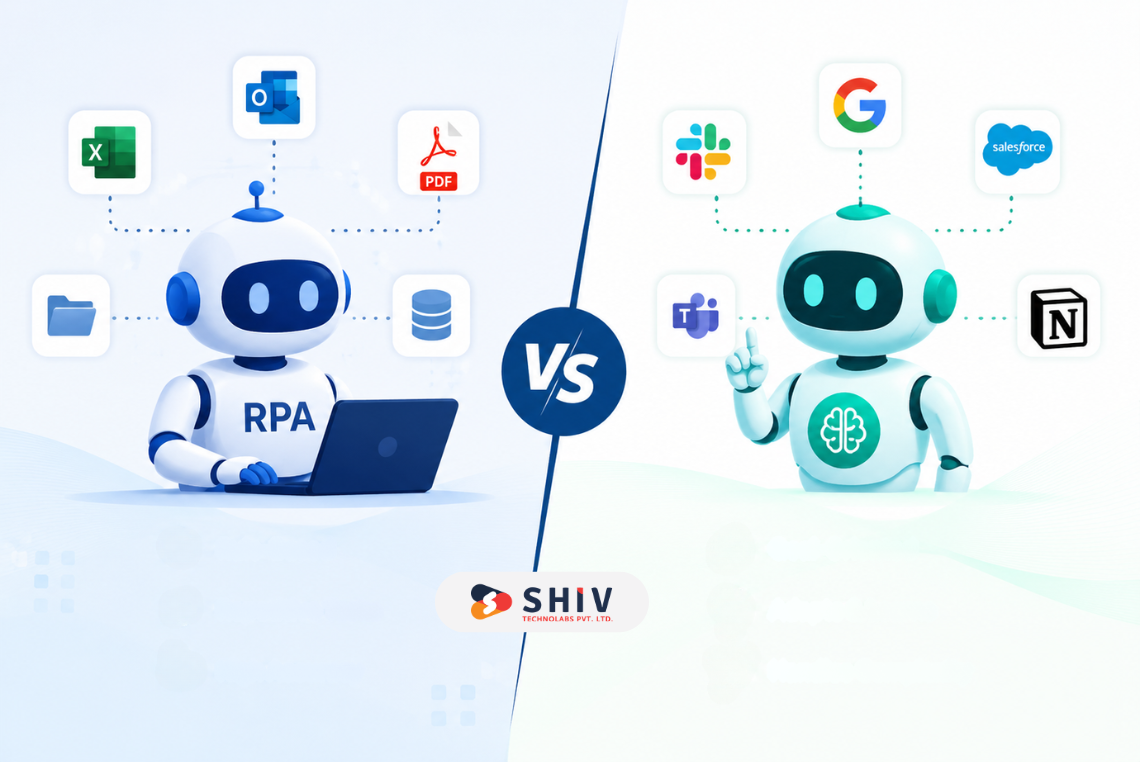
Automation is no longer only about removing repetitive tasks. In 2026, many companies are comparing RPA and AI agents to decide which one can reduce costs, save time, and improve daily operations without creating new technical problems.
RPA has been a trusted choice for rule-based tasks for years. AI agents are newer and are gaining attention because they can work with language, documents, tools, and changing workflows. Companies planning advanced automation often work with an experienced AI development company to choose the right approach based on process type, data flow, and business goals.
The real question is simple: which one saves more money? The answer depends on the process. RPA saves more money when tasks are repetitive, structured, and stable. AI agents can save more money when work involves decisions, documents, customer conversations, research, or multiple business tools.
This guide compares RPA vs AI agents from a cost, ROI, risk, and business-use perspective so you can choose the right automation approach.
Quick Answer: Do RPA or AI Agents Save More Money?
Robotic Process Automation (RPA) usually saves more money for fixed, repetitive tasks such as data entry, invoice updates, report generation, and system-to-system copying. It works best when the rules are clear, and the workflow does not change often. IBM also explains that robotic process automation helps automate repetitive digital tasks such as extracting data, filling forms, and moving files, which makes it useful for structured workflows.
AI agents can save more money for flexible and decision-heavy work. They can read documents, answer questions, summarize information, trigger actions, and work across tools when the workflow needs more context.
For many companies, the best answer is not RPA or AI agents alone. A hybrid model often works better, where RPA handles predictable execution, and AI agents support reasoning, communication, and workflow decisions.
RPA vs AI Agents: Choosing the Right Automation Approach
| Aspects | RPA | AI Agents |
|---|---|---|
| Main purpose | Automates fixed, repetitive tasks that follow clear rules. | Handles goal-based tasks that need reasoning, context, and decision support. |
| How it works | Follows step-by-step instructions created by humans. | Reads inputs, understands context, decides the next step, and takes action. |
| Best fit | Works well for stable processes like data entry, invoice updates, file transfers, and report creation. | Works well for research, customer support, sales assistance, document review, and workflow coordination. |
| Flexibility | Limited flexibility because it depends on predefined rules and system screens. | More flexible because it can adapt to changing inputs and business context. |
| Maintenance need | May need updates when software screens, buttons, or field names change. | Needs regular monitoring to check output quality, permissions, and decision accuracy. |
| ROI potential | Faster ROI for high-volume tasks that repeat the same way every day. | Higher long-term value for complex work that saves expert time and improves response speed. |
| Main risk | Bots can fail when the process or interface changes. | AI can give incorrect answers if data, prompts, or controls are weak. |
What Is RPA?
RPA stands for robotic process automation. It uses software bots to copy human actions across business systems. IBM describes RPA as business process automation technology that uses software robots to perform tasks that humans would otherwise do.
RPA works well when the task has fixed steps. For example, a bot can open an invoice, copy the invoice number, enter it into an ERP, update a spreadsheet, and send a confirmation email.
Common RPA use cases include:
- Data entry automation
- Invoice processing
- Report generation
- Form filling
- CRM updates
- Payroll data updates
- Compliance checks
- Back-office task automation
RPA saves money by reducing manual hours, improving speed, and lowering errors in repetitive processes. It is useful for companies that still depend on legacy systems, where direct API integration is difficult.
What Are AI Agents?
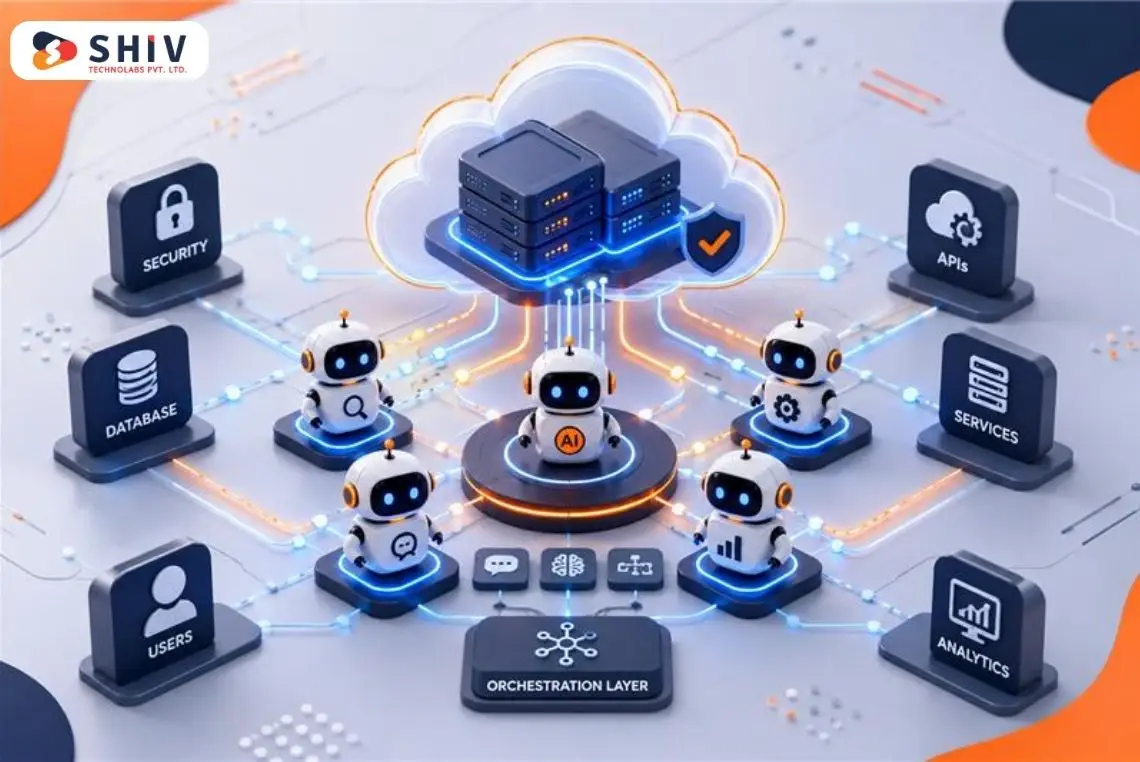
AI agents are software systems that can follow goals, process information, make decisions within set limits, and complete actions across tools. Unlike basic bots, AI agents can work with natural language, documents, emails, CRM records, knowledge bases, support tickets, and other business data.
AI agents are useful when the work is not fully fixed. For example, an AI agent can read a customer request, check order history, summarize the issue, suggest the next step, and create a support response.
Common AI agent use cases include:
- Customer support automation
- Document review
- Research and summarization
- Sales workflow support
- HR onboarding support
- IT helpdesk automation
- CRM follow-ups
- Knowledge base assistance
- Cross-tool workflow automation
Companies planning AI-led workflows often need proper architecture, data planning, integration, and security controls. This is where working with an experienced AI agent development company can help build agents that match real business needs instead of creating disconnected AI tools.
What is the Core Difference Between RPA vs AI Agents
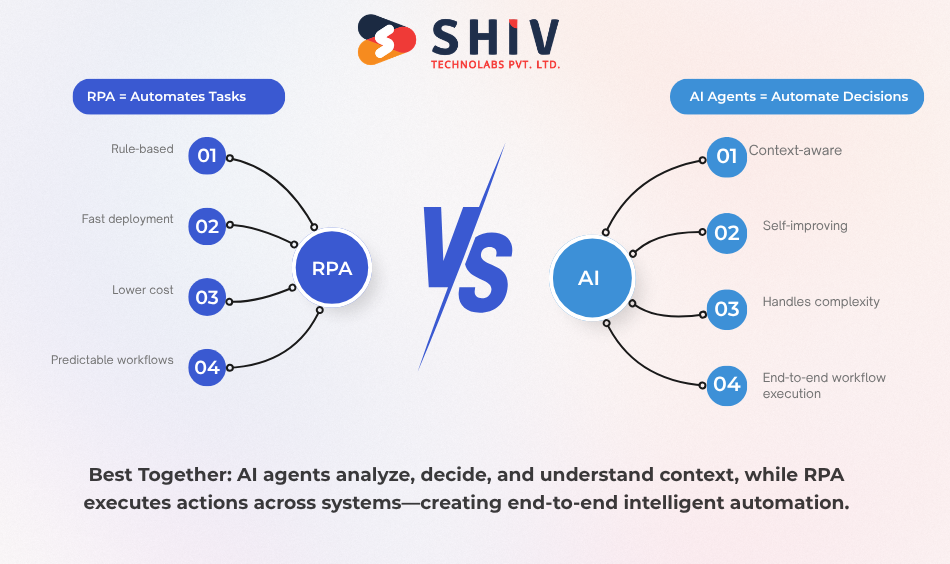
The main difference between RPA and AI agents is how they work.
RPA follows predefined steps. It is strong when the process is predictable. It does not need to “think” through a task. It simply follows the workflow created for it.
AI agents work with goals and context. They can handle natural language, changing inputs, and multi-step tasks. They are better when the work includes judgment, document understanding, or flexible decision-making.
In simple words:
RPA automates clicks and rules. AI agents automate decisions and actions. This does not mean AI agents are always better. If the process is simple and stable, RPA may deliver faster savings. If the process changes often or needs human-like interpretation, AI agents may create better long-term value.
How to Build RPA and AI Agents
Building RPA and AI agents involves different approaches, technologies, and development requirements. Understanding the development process for each helps organizations estimate implementation effort, choose the right tools, and build automation solutions that align with their operational goals.
# Steps to Build RPA
Step 1: Choose the Right Process
Start by selecting a task that repeats often and follows the same steps every time. RPA works best when the process is stable, rule-based, and easy to document. Before building the bot, check whether the task has clear inputs, clear outputs, and fewer exceptions. If your organization is evaluating whether it has the right processes, data, and systems in place for AI adoption, you should check whether the business is ready for an AI agent or not.
Step 2: Map the Complete Workflow
Once the process is selected, write down each action a person takes to complete the task. This includes opening software, logging in, downloading files, copying data, checking fields, updating records, sending emails, and closing the task. A clear process map helps developers understand where automation should start, where it should stop, and what actions the bot must complete.
Step 3: Define Business Rules
RPA bots need clear instructions. Define the rules the bot must follow during the process. For example, if an invoice amount is above a certain limit, the bot should send it for approval. If a field is missing, the bot should move the case to manual review.
Step 4: Prepare the Data and Systems
Before building the bot, check the data format, software access, login permissions, file types, and system availability. RPA depends heavily on stable systems and structured data. If the data is messy, incomplete, or stored in different formats, the bot may fail often.
Step 5: Select the RPA Tool
Choose an RPA platform based on the workflow, budget, team skills, and system requirements. Popular tools include UiPath, Automation Anywhere, Blue Prism, and Microsoft Power Automate. The tool should support the applications used in the workflow.
Step 6: Build the Bot Workflow
Developers create the automation flow. The bot is trained to open applications, read data, fill forms, move files, update records, send emails, and complete the required task. The bot may work through screen actions, APIs, OCR, data extraction, or system integrations.
Step 7: Add Exception Handling
Every process has exceptions. A file may be missing, a login may fail, a field may be blank, or data may not match, and a bot should know what to do in these cases. Exception handling helps the bot avoid complete failure. It can retry the task, skip the record, send an alert, or move the case to a human for review.
Step 8: Test the Bot With Real Cases
Testing is one of the most important stages in RPA development. The bot should be tested with different types of data, real business cases, and possible error situations. Testing helps check whether the bot completes the task correctly, handles exceptions, works at the expected speed, and does not create wrong entries in the system.
Step 9: Launch and Monitoring
After testing, launch the bot on a small scale first. Let it handle a limited number of tasks before using it fully. This helps identify hidden issues before the bot affects larger operations. During the launch phase, track completed tasks, failed runs, processing time, error types, and manual review cases.
Step 10: Maintain and Improve the Bot
RPA bots need maintenance because business systems change. A small change in a button, screen layout, field name, login flow, or business rule can affect the bot. Regular monitoring and updates keep the bot stable. Over time, the workflow can also be improved to reduce errors and increase automation coverage.
# RPA Example
A finance team wants to automate invoice entry.
The RPA bot can:
- Open invoice emails
- Download attachments
- Read invoice fields
- Enter data into ERP
- Match purchase order details
- Flag missing or mismatched invoices
- Send status updates to the finance team
# How to Build AI Agents
AI agents are built for tasks where fixed rules are not enough. They can read information, understand context, choose actions, use tools, and support decisions.
Step 1: Define the Agent Goal
Start by deciding what the AI agent should do. The goal should be clear and specific. For example, the agent may answer customer questions, review support tickets, summarize sales calls, prepare reports, check order status, or assist internal teams. A clear goal helps define the agent’s role, data access, tools, and limits.
Step 2: Identify the Users and Use Case
Decide who will use the AI agent and why they need it. The users may be customers, sales teams, support agents, HR teams, finance teams, or operations teams. Understanding the user helps shape the agent’s tone, response style, workflow, and approval process. A customer-facing agent needs more control and brand consistency, while an internal agent may focus more on speed and task support.
Step 3: Connect Trusted Data Sources
AI agents need reliable data to give useful answers and take correct actions. Connect the agent with trusted sources such as CRM records, ERP data, Shopify orders, product catalogs, help documents, policy files, emails, PDFs, reports, and internal knowledge bases. If the data is outdated or incomplete, the agent may produce weak or incorrect answers.
Step 4: Choose the AI Model
Select an AI model based on the task type, accuracy needs, privacy rules, speed, cost, and integration requirements. Some workflows need a powerful model for reasoning, while others need a faster and lower-cost model for simple responses. The model should match the business need.
Step 5: Design the Agent Workflow
Plan how the agent will complete the task from start to finish. The workflow should define how the agent receives input, checks data, understands context, makes decisions, uses tools, and creates the final response. A well-designed workflow prevents random outputs. It gives the agent a clear path to follow while still allowing flexibility where needed.
Step 6: Add Tools and Integrations
AI agents become more useful when they can connect with business tools. They may work with Gmail, Slack, Shopify, HubSpot, Salesforce, Zendesk, databases, calendars, ticketing systems, or internal APIs. With tool access, the agent can do more than answer questions. It can check order status, create tickets, draft emails, update records, summarize meetings, and prepare reports.
Step 7: Set Guardrails and Permissions
Guardrails define what the agent can and cannot do. This includes data access, action limits, approval rules, restricted topics, brand tone, privacy rules, and safety checks. For example, an AI agent may be allowed to draft a refund message but not approve the refund on its own.
Step 8: Add Human Review for Important Tasks
AI agents should not handle every decision alone. For sensitive tasks, human approval should be added before the agent sends messages, updates records, approves refunds, changes account details, or makes financial decisions. Human review helps businesses use AI safely while still saving time. The agent can prepare the work, and the human can approve or edit the final action.
Step 9: Test With Real Scenarios
Test the AI agent with different types of requests before launch. Include simple queries, complex questions, missing data, unclear messages, angry customer replies, policy-related questions, and edge cases. Testing helps check the agent’s accuracy, tone, reasoning, tool usage, and ability to handle difficult situations. It also shows where prompts, data, or guardrails need improvement.
Step 10: Launch in a Controlled Way
Start with a limited rollout instead of giving the agent full access on day one. You can launch it for one department, one workflow, or one small user group first. This helps collect feedback, measure performance, and fix issues before scaling the agent across the business.
Step 11: Monitor Performance Regularly
After launch, track how the agent performs. Check response accuracy, task completion rate, user satisfaction, failed actions, wrong answers, and human review cases. Monitoring helps identify where the agent is working well and where it needs improvement.
Step 12: Improve Prompts, Data, and Workflows
AI agents improve over time when teams update prompts, refine workflows, clean data, add better examples, and adjust guardrails. This is not a one-time setup. Continuous improvement helps the agent become more accurate, safer, and more useful for the business.
# AI Agent Example
A customer support team wants an AI agent for order queries.
The AI agent can:
- Read the customer’s message
- Check order details from Shopify or ERP
- Review shipping status
- Understand the customer’s issue
- Draft a helpful reply
- Create a support ticket if needed
- Ask a human for approval before sending sensitive responses
Cost Comparison of AI Agents vs RPA
Cost is one of the biggest factors when comparing RPA vs AI agents. Both can reduce manual work, save time, and improve process speed, but their cost structures are different.
| Cost Area | RPA | AI Agents |
|---|---|---|
| Setup cost | Around $5,000 to $25,000 for simple workflows | Around $15,000 to $75,000+ for complex workflows |
| Development cost | Based on process steps, rules, forms, and system actions | Based on tools, data sources, prompts, logic, APIs, and agent workflows |
| License cost | Around $500 to $2,000+ per bot/month, depending on the platform | Based on model usage, API calls, hosting, vector database, and AI platform costs |
| Integration cost | Around $3,000 to $20,000, depending on systems involved | Around $10,000 to $50,000+, especially when CRM, ERP, apps, or internal tools are connected |
| Maintenance cost | Around 15% to 30% of the development cost per year | Around 20% to 40% of the development cost per year, depending on monitoring needs |
| Governance cost | Moderate, mainly for access control, audit logs, and process checks | Higher because AI needs guardrails, permission control, output review, and risk checks |
| Training cost | Lower, as users mostly need process training | Higher, as teams need training for data use, prompts, review workflows, and AI limitations |
| ROI timeline | Usually faster for repetitive work, often within 6 to 12 months | Better for complex work, often within 9 to 18 months, depending on use case |
RPA can look cheaper at the beginning. It is a good fit when the task is stable and does not need much decision-making. For example, automating invoice entry, report downloads, or data transfer between systems may not need a large budget.
AI agents usually need a higher starting budget because the setup is more advanced. They may need access to company data, APIs, knowledge bases, business tools, human review flows, and safety rules. They also need regular monitoring to reduce wrong answers, poor decisions, or hallucinations. For clear cost insights, you can check our guide on AI agent development cost.
The long-term value of AI agents can be stronger when the workflow is complex. For example, customer support, document review, sales assistance, internal research, and decision-heavy workflows can save more expert time than basic task automation.
# Decision Matrix Based On Cost
RPA is usually more cost-effective for simple and repetitive tasks. AI agents cost more to build, but they can create higher value when the work needs context, judgment, and flexible action.
For small automation needs, RPA may be the better starting point. For complex workflows that involve emails, documents, customer conversations, reports, or decision-making, AI agents can give better long-term returns.
# The Three-Year Cost Formula
Use this simple model to compare any single process.
3-year TCO = Build cost + (Run cost x volume) + Maintenance + Human-exception cost
Run the same process through the formula twice, once for RPA and once for an AI agent. The cheaper number is your answer for that process, not for every process.

Which Automation Approach Gives Faster ROI?
Return on investment is one of the most important factors when selecting an automation strategy. Comparing ROI timelines, implementation effort, and business impact helps organizations determine which approach aligns best with their automation goals.
RPA usually gives faster ROI when the process is
- Repetitive
- High-volume
- Rule-based
- Stable
- Structured
- Easy to measure
For example, if a finance team spends 40 hours every week entering invoice data, RPA can reduce that cost quickly.
AI agents may give a stronger ROI when the process is
- Document-heavy
- Decision-heavy
- Customer-facing
- Spread across multiple tools
- Dependent on natural language
- Hard to define with fixed rules
For example, if a support team spends hours reading tickets, checking order history, and writing replies, an AI agent can reduce response time and support cost.
The best ROI often comes from matching the automation type to the task instead of choosing one technology for every process.
Where RPA Saves More Money
RPA delivers the highest ROI when processes are repetitive, rules-based, and follow a predictable path. It helps reduce manual effort, improve accuracy, and increase processing speed without changing existing business systems.
# High-volume Repetitive Tasks
RPA works well when the same task is done many times every day. Data entry, spreadsheet updates, invoice matching, and report downloads are good examples.
# Structured Data Processes
RPA is useful when the data follows a fixed format. If every invoice, form, or report has predictable fields, RPA can process it with fewer errors.
# Legacy System Workflows
Many companies still use older systems that do not connect easily through APIs. RPA can work on top of these systems by copying human actions at the interface level.
# Compliance-heavy Processes
RPA can help create consistent steps and logs for rule-based compliance checks. It is useful when the process must follow the same pattern every time.
Where AI Agents Save More Money
AI agents create more value when work requires understanding information, making decisions, or coordinating actions across multiple systems. For companies that want AI agents connected with existing systems, AI/ML development services can help create custom workflows around data, tools, and business logic.
# Complex Knowledge Processes
AI agents are better for work that involves reading, summarizing, comparing, or interpreting information. This includes documents, emails, reports, tickets, and knowledge bases.
# Customer-facing Workflows
AI agents can support customer service by answering common questions, preparing responses, routing tickets, and helping agents solve issues faster.
# Multi-step Decision Workflows
Some workflows need more than one action. An AI agent can check data, compare options, ask for missing information, and trigger the next step.
# Cross-tool Business Operations
AI agents can work across CRM, ERP, email, chat, helpdesk, and internal tools. This makes them useful for sales operations, HR, finance, and support workflows.
Comparison of RPA vs AI Agents by Business Process
Understanding where each technology fits helps organizations choose the right automation approach for specific workflows. The comparison below highlights how RPA and AI agents perform across common business processes and where each delivers the greatest value.
| Business Process | Better Fit | Reason |
|---|---|---|
| Invoice data entry | RPA | Fixed fields and repeated steps |
| Customer support replies | AI agents | Needs context and language understanding |
| Payroll updates | RPA | Rule-based and structured |
| Document review | AI agents | Needs reading and summarization |
| CRM record updates | RPA | Repetitive system update |
| Sales email follow-up | AI agents | Needs personalization |
| Finance report downloads | RPA | Fixed schedule and steps |
| IT helpdesk triage | AI agents | Needs issue classification |
| Compliance checklist | RPA | Rule-based process |
| Procurement analysis | AI agents | Needs comparison and decision support |
Maintenance Cost: RPA vs AI Agents
Maintenance is where automation costs can change over time. RPA bots can break when a button moves, a screen changes, or a field name changes. This means teams may need to update bot scripts regularly.
AI agents need a different kind of maintenance. They need prompt updates, output checks, data access reviews, security rules, and performance monitoring. If they are connected to business tools, they also need guardrails so they do not take wrong actions.
| Cost Factor | RPA (Typical Cost) | AI Agents (Typical Cost) |
|---|---|---|
| Initial Setup | $5,000–$50,000+ | $15,000–$150,000+ |
| Monthly Infrastructure & Licensing | $500–$5,000+ | $1,000–$20,000+ |
| Workflow Updates & Enhancements | $1,000–$10,000 per major update | $2,000–$20,000 per optimization cycle |
| Monitoring & Support | $500–$3,000/month | $1,000–$10,000/month |
| Scaling Costs | Additional bot licenses are often required | Increased model usage and computing costs |
| Training & Optimization | Minimal after deployment | $2,000–$25,000+/year |
| Error Resolution | $500–$5,000 per incident | $1,000–$10,000 per complex issue |
| Annual Maintenance Cost | 15–30% of project cost ($2,000–$30,000+/year) | 20–40% of project cost ($5,000–$60,000+/year) |
| 5-Year Total Cost of Ownership | $20,000–$200,000+ | $50,000–$500,000+ |
| Best For | Stable, rule-based workflows | Dynamic, decision-driven workflows |
Note: Actual costs vary based on process complexity, software licensing, AI model usage, integrations, compliance requirements, and the scale of deployment. RPA typically has lower maintenance costs for predictable workflows, while AI agents can offer better long-term value for complex processes that require adaptability and decision-making.
RPA maintenance is mostly about process and interface stability. AI agent maintenance is mostly about accuracy, safety, and workflow control.
A company should not only ask, “What is the setup cost?” It should also ask, “What will this automation cost to maintain for the next 12 to 24 months?”
Accuracy and Risk Comparison Between AI Agent and RPA
Accuracy and risk are critical factors when evaluating automation technologies. Understanding the accuracy levels, potential risks, and control mechanisms of each approach helps organizations choose the right solution for reliable and scalable automation.
RPA is usually more predictable because it follows fixed rules. If the workflow is correct and the system does not change, the output can be highly consistent.
AI agents are more flexible, but they need stronger review. They can produce wrong answers if the data is poor, the prompt is unclear, or the workflow has weak controls.
Main RPA risks include:
- Broken bots
- UI changes
- Rule changes
- Poor exception handling
- Manual rework
Main AI agent risks include:
- Wrong output
- Hallucination
- Data privacy issues
- Poor access control
- Lack of human review
AI agents should not be used without governance. For sensitive workflows, human-in-the-loop review is important. This is especially true for finance, healthcare, legal, HR, and compliance-related tasks.
When a Hybrid AI Agent and RPA Approach Ideal for Businesses?
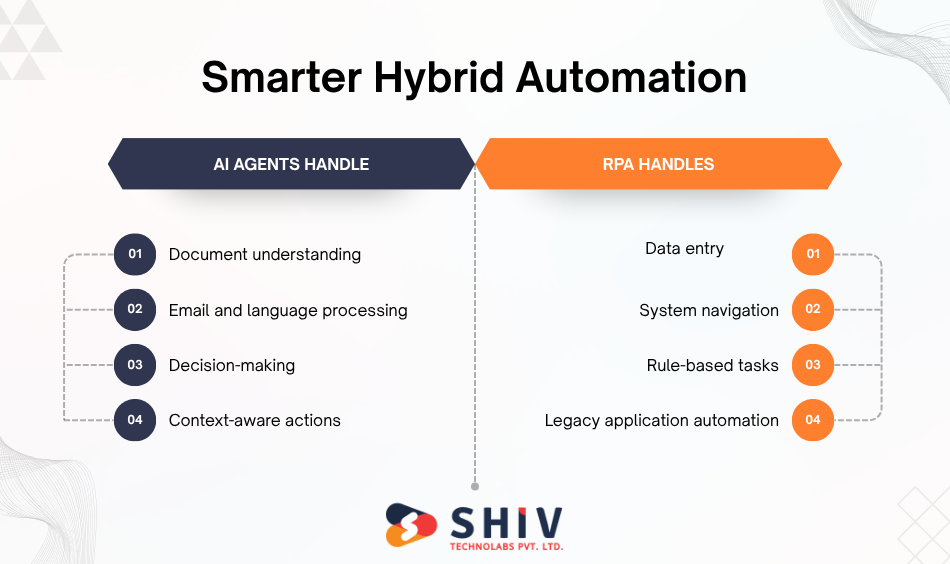
A hybrid model is often the smartest choice. RPA can handle fixed execution tasks. AI agents can handle reasoning, document understanding, and decision support.
For example, an AI agent can read a vendor email, identify invoice details, check whether the invoice is valid, and then trigger an RPA bot to enter the approved data into an old accounting system.
A hybrid approach works well when:
- Some tasks are fixed and repetitive
- Some tasks need language understanding
- Legacy systems are involved
- Human review is still required
- The workflow crosses many tools
- Cost savings depend on both speed and decision quality
This approach can reduce manual work without forcing companies to replace every existing automation system.
Common Mistakes That Reduce Automation Savings
# Automating a broken process
Automation should not be applied to a bad workflow without fixing the workflow first. If the process is messy, automation can make the mess faster.
# Choosing AI agents for simple tasks
Not every task needs AI. If a process is fixed and rule-based, RPA may be cheaper and easier.
# Choosing RPA for changing workflows
RPA can become expensive when the workflow changes often. In that case, AI agents or custom workflow automation may be better.
# Ignoring data security
AI agents often need access to business data. Without access control, logs, and approval rules, automation can create risk.
# Comparing only the setup cost
The cheapest automation at the start may not be the cheapest over time. Maintenance, monitoring, training, errors, and rework must be included.
How Shiv Technolabs Helps You Build Cost-Saving Automation
Choosing between RPA and AI agents becomes easier when the process is reviewed first. Some workflows only need simple rule-based automation, while others need AI agents that can read data, understand context, and support decisions across multiple tools.
Shiv Technolabs helps companies identify where automation can reduce manual work, lower operational costs, and improve team productivity. Custom software development services can help connect automation with existing systems, business rules, and reporting needs.
For repetitive back-office tasks, the team can plan structured automation workflows. For document-heavy, customer-facing, or decision-based processes, Shiv Technolabs can build AI agents that connect with your CRM, ERP, support tools, dashboards, and internal systems.
You can also hire dedicated developers who help you choose and build the right automation model instead of spending on tools that may not fit your workflow.
# Automation Areas Shiv Technolabs Can Help With
- RPA vs AI agent automation assessment
- Business workflow automation planning
- AI agent development for internal operations
- CRM, ERP, and third-party tool integration
- Customer support and ticket automation
- Document processing and data extraction
- Human-in-the-loop approval workflows
- Sales, HR, finance, and operations automation
- Custom dashboards and reporting workflows
- Automation monitoring, testing, and support
Final Verdict: Which Automation Approach Saves More Money?
The real saving does not come from replacing one task with one bot. It comes from removing delays, handoffs, rework, and repeated follow-ups from the workflow. That is where the choice between RPA and AI agents becomes more important.
RPA makes more financial sense when the process already works well but takes too much manual time. In that case, automation helps the same process run faster with fewer errors. AI agents make more financial sense when the process itself is slow because people need to read, compare, decide, respond, or search across different systems. When used together, they can reduce both operational effort and knowledge-work delays.
Before choosing one, review the real cost of your current workflow. Look at manual hours, error rates, rework, approval delays, support volume, and the cost of slow decisions. That will show whether you need a simple automation bot, an intelligent AI agent, or a hybrid workflow that combines both.
FAQs
# What is the difference between RPA and AI agents?
RPA follows fixed rules to automate repetitive tasks. AI agents use context, language, and reasoning to complete more flexible workflows across tools and data sources.
# Is RPA cheaper than AI agents?
RPA is usually cheaper for simple and stable tasks. AI agents may cost more to build, but can create higher savings for complex, decision-heavy work.
# Do AI agents replace RPA?
AI agents do not fully replace RPA. Many companies use both together, where RPA handles fixed execution, and AI agents manage reasoning or communication.
# Which gives better ROI from RPA and AI agents?
RPA gives faster ROI for repetitive back-office work. AI agents can give a stronger ROI for customer support, document review, research, and knowledge work.
# When should a company choose RPA?
Choose RPA when the process is repetitive, structured, rule-based, and does not change often.
# When should a company choose AI agents?
Choose AI agents when the work involves unstructured data, changing workflows, natural language, decisions, or multi-tool tasks.
# Can RPA and AI agents work together?
Yes. RPA and AI agents can work together in a hybrid automation model. AI agents can decide what needs to happen, while RPA bots complete fixed system actions.