Table of Contents
An ERP upgrade can affect much more than the software your team uses. It can change how invoices are checked, purchase orders are managed, warehouse activities are recorded, and employees communicate across departments. That is why businesses evaluating Odoo 20 need to look beyond its feature list.
Released in September 2026, Odoo 20 introduces updates across AI, accounting, purchase, inventory, manufacturing, websites, projects, and everyday productivity. Its growing support for AI-assisted workflows is particularly important for companies planning how employees and AI tools will work with ERP data.
According to the official Odoo 20 release notes, the update also brings practical changes to vendor bill matching, website creation, activity management, reporting, and collaboration.
This guide explains the Odoo 20 features that matter to businesses, how they compare with Odoo 19, and what companies should check before planning an upgrade.
Quick Answer: What Is New in Odoo 20?
Odoo 20 introduces stronger AI-assisted workflows, native Model Context Protocol (MCP) connectivity, improved vendor bill matching, AI-supported website creation, and updates across inventory, manufacturing, projects, and collaboration. Businesses should also review AI usage credits, edition availability, technical requirements, and compatibility before upgrading.
Odoo 20 AI Features: What Businesses Should Know
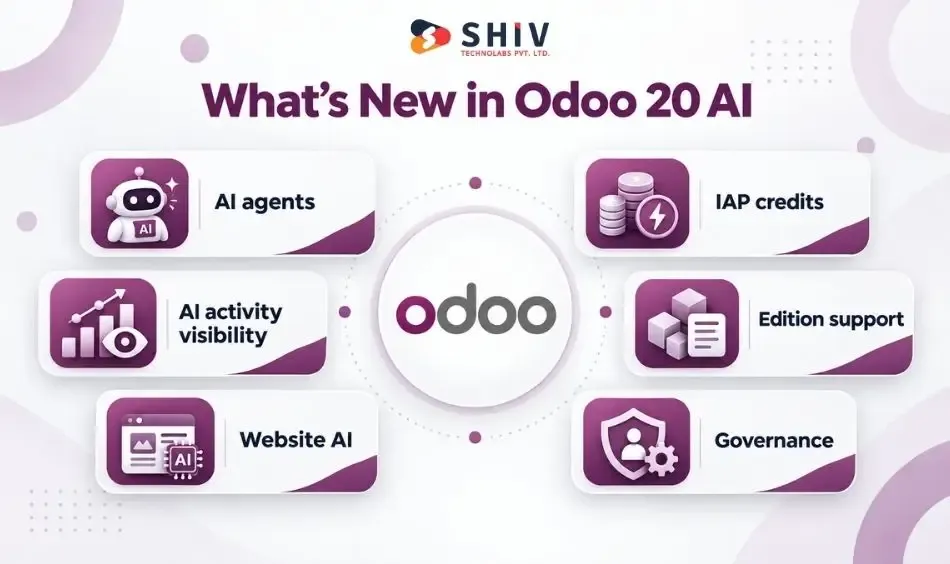
AI is one of the most significant areas of development in Odoo 20. However, companies should assess its value through actual business tasks rather than the number of AI features available. Odoo 19 already introduced AI capabilities for drafting emails, improving text, summarizing conversations, and answering questions using selected information sources. Odoo 20 extends that direction with greater emphasis on agents and connected workflows.
AI Agents Inside Business Workflows
AI agents can assist users with selected activities involving business records and configured tools. For example, an agent may help a sales manager review leads that need attention or support a project manager in identifying overdue tasks. The available actions depend on the configured tools, permissions, and environment.
AI Features Across Odoo Apps
AI assistance is relevant to multiple business areas, including communication, website content, and information retrieval. Teams should start with a defined use case, such as preparing a summary or finding records, before considering more sensitive automated actions.
AI Credits and Usage Costs
An important change is Odoo 20’s credit-based AI usage model. The release notes state that AI features require credits purchased through in-app purchases (IAP). Businesses should estimate usage costs and establish budgets before introducing AI across multiple teams.
Enterprise vs Community Considerations
Feature availability can differ between Odoo Community and Enterprise, as well as by hosting model and installed apps. Companies should confirm which AI capabilities are available in their specific setup before making an investment decision.
Governance Before Automation
AI access should follow existing security and approval practices. Businesses should define who can use AI tools, which records they can access, what actions require approval, and how results will be reviewed. Businesses planning custom AI workflows may also need AI agent development services to connect their requirements with appropriate controls and integrations.


Odoo 20 Native MCP Server and AI Agent Connectivity
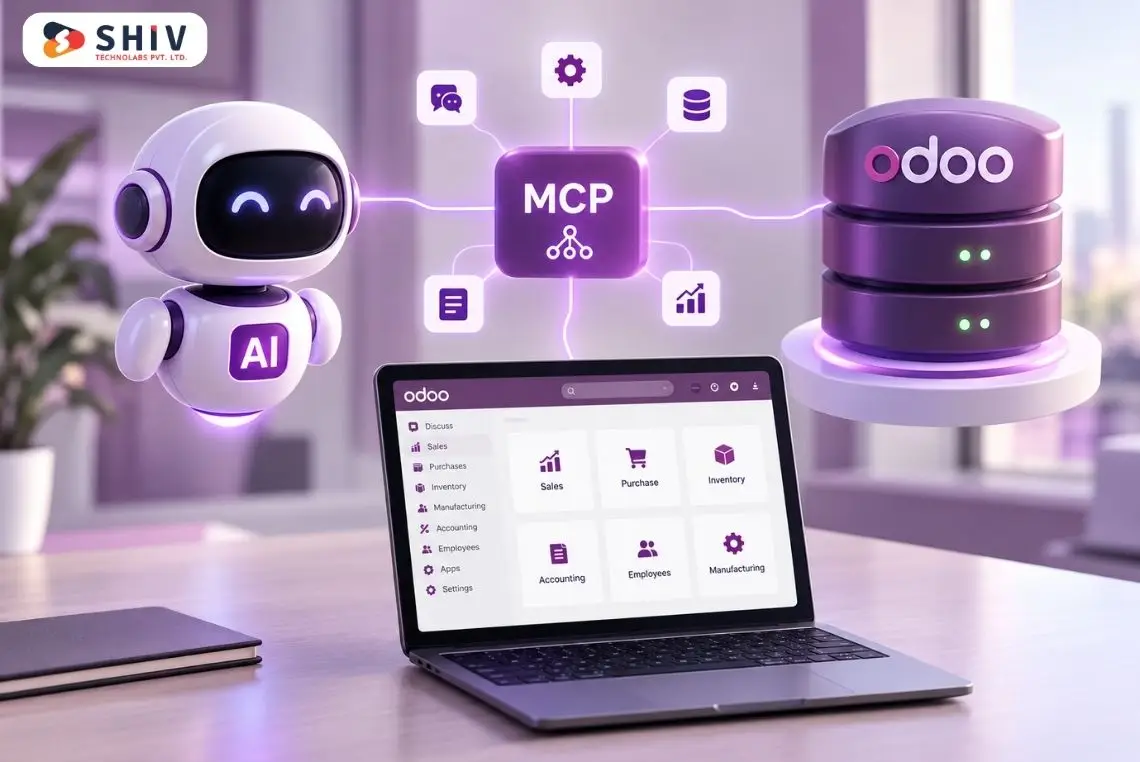
One notable technical addition in Odoo 20 is its native MCP server. Model Context Protocol provides a standard way for compatible AI applications to interact with connected tools and data sources. In Odoo, this can help AI clients work with business information through supported tools and permissions.
MCP in Odoo 20
Odoo’s native MCP server provides an endpoint through which compatible AI clients can request access to supported Odoo capabilities. The connection uses authentication and respects applicable Odoo access controls.
AI Agents and Odoo Data Access
An AI assistant without access to current ERP information may provide only general guidance. Access to authorized Odoo records can help it answer more specific questions about sales, invoices, products, and tasks.
AI Use Cases Across Business Departments
| Department | Example AI Question |
| CRM | Which leads need follow-up this week? |
| Sales | Which quotations are still pending? |
| Finance | Which customer invoices are overdue? |
| Inventory | Which products are approaching reorder levels? |
| Projects | Which tasks are overdue or blocked? |
| Procurement | Which purchase orders need attention? |
These examples illustrate potential use cases. Actual results depend on the connected tools, available records, and permissions.
Security and Permission Planning
AI access should use appropriately scoped credentials and least-privilege permissions. Companies should also review record rules, user access, audit requirements, and approval procedures before allowing AI-assisted actions.
Custom Development for Advanced MCP Integrations
Native MCP connectivity does not replace every integration. Businesses may still require custom middleware, API connections, workflow controls, or additional validation for complex processes. For deeper technical planning, the official Odoo MCP server documentation explains supported configuration and connectivity.
Accounting and Purchase Updates in Odoo 20
Accounting and procurement teams often spend time comparing purchase orders, received quantities, supplier prices, and vendor bills. Odoo 20 introduces improvements intended to make these checks clearer.
| Feature | Practical Value |
| Bill-line matching | Helps avoid unnecessary new lines |
| Matching summary | Makes review easier |
| Price warnings | Highlights pricing discrepancies |
| Quantity warnings | Flags quantity differences |
| Unmatch option | Supports corrections |
| Purchase order connection | Improves purchasing and finance coordination |
Better Vendor Bill and Purchase Order Matching
The auto-complete process checks for matching bill lines before creating new ones. This helps finance teams work with existing information instead of creating unnecessary duplicate lines during matching.
Clearer Matching Summary
Odoo 20 presents a summary of what has been matched. This gives employees a clearer view of the connection between the vendor bill and purchase order.
Price and Quantity Difference Warnings
The system can warn users when prices or quantities differ from expected values. Such warnings can help employees identify discrepancies before completing their review.
Unmatching Vendor Bills and Purchase Orders
Users can unmatch a vendor bill and purchase order when corrections are needed. This gives finance and purchasing teams additional flexibility when resolving incorrect matches.
Why Finance Teams Should Test These Workflows
Companies should test actual purchase orders, partial deliveries, credit notes, price differences, and vendor bill scenarios. The goal is to confirm that matching behaves correctly under the company’s existing accounting and purchasing rules.
Website and eCommerce Updates in Odoo 20
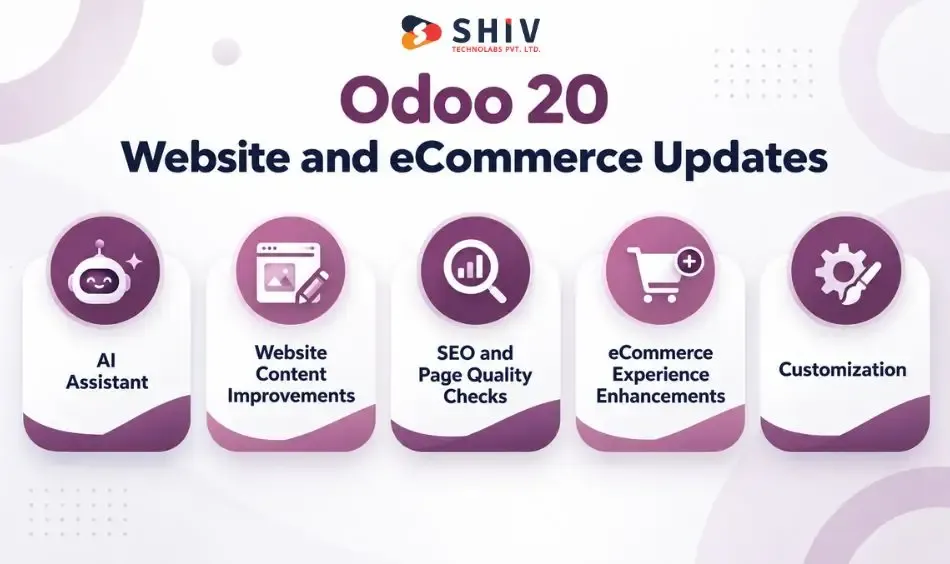
Odoo 20 also introduces website-related improvements, including expanded AI assistance. These changes may interest businesses using Odoo for both internal operations and customer-facing websites.
| Website Area | Important Review |
| AI page creation | Is the output usable? |
| Content | Is the information accurate? |
| SEO | Are technical and on-page settings correct? |
| llms.txt | Does it fit the site’s publishing policy? |
| Design | Does the page follow brand standards? |
| eCommerce | Do buying journeys work correctly? |
| Customization | Are developer changes required? |
AI Website Assistant for New Pages
The AI Website Assistant can help create and edit website snippets and work with page content. It can also assist with image-related tasks, including supported Unsplash and generated-image options.
Website Content Workflow Improvements
Marketing teams may be able to prepare initial page structures and content with less manual work. However, AI-generated content still needs editing for accuracy, product details, readability, and consistency.
SEO and Page Quality Checks
Odoo 20 release notes mention AI-assisted SEO improvements and an option related to llms.txt creation. Website teams should still review:
- Meta titles and descriptions
- Heading hierarchy
- Internal links
- Canonical URLs
- Structured data
- Image accessibility
- Page loading performance
An llms.txt file should not be treated as a guarantee of visibility in AI-generated answers.
eCommerce Experience Review
Businesses using Odoo eCommerce should test product pages, variants, pricing, carts, checkout, payment methods, and order processing. A website update can affect the customer journey even when the change appears mainly visual.
When Custom Website Work Is Still Needed
AI-assisted page creation may be suitable for standard content work, but custom design, integrations, advanced features, and specialized user journeys may still need development.
Inventory and Manufacturing Updates in Odoo 20
Inventory and manufacturing changes deserve careful review because these applications directly affect physical operations. Even when a new version improves usability, businesses must confirm that their stock and production processes continue working as expected.
What Operations Teams Should Test
| Area | Test Before Upgrade |
| Inventory | Stock moves, lots, serial numbers, routes |
| Warehouse | Picking, packing, and shipping |
| Manufacturing | BOMs, work centers, production orders |
| Planning | Resource schedules and assignments |
| Field service | Service tasks and related workflows |
| Reporting | Valuation and operational dashboards |
| Integrations | Barcode systems, shipping, 3PL, APIs |
Inventory Workflow Improvements
Operations teams should review the inventory updates against their existing receiving, storage, picking, transfer, and delivery processes. The impact will differ depending on warehouse configuration and installed modules.
Manufacturing and Production Visibility
Manufacturing teams should check production orders, work centers, bills of materials, and reporting. The most useful improvements are those that make production work easier to track without changing essential business rules unexpectedly.
Stock, Routes, and Warehouse Impact
Custom routes, lot tracking, serial numbers, replenishment rules, and stock valuation require attention during migration. A change in one part of the warehouse process can affect connected activities.
Planning and Field Service Changes
Planning and field service teams should review schedules, assignments, resources, and task-related workflows. Companies using custom scheduling rules should test those rules in a staging environment.
For organizations with several connected departments, ERP and CRM development services may help address workflows that extend beyond standard ERP configuration.
Project, Planning, Calendar, and Collaboration Updates
Small improvements to communication and task handling can make a noticeable difference when employees work across multiple Odoo apps. Odoo 20 includes updates to activities, chatter, email, calendars, and project-related workflows.
Activity Scheduling Improvements
Odoo 20 improves the experience of scheduling, managing, and tracking activities. Teams can review whether the changes make daily follow-ups easier to manage.
Role-Based Activity Assignment
New activities can be assigned to an individual or a role. This can help businesses organize responsibilities when tasks belong to a function rather than one specific employee.
Chatter Filtering
Chatter filtering makes it easier to focus on relevant record conversations. This can be useful when records contain long histories of internal notes, messages, and updates.
Email CC in Odoo Communication
Odoo 20 allows users to add CC recipients when sending emails through supported workflows. This gives employees more flexibility when multiple people need visibility into customer or vendor communication.
Calendar Side Panel Improvements
Users can unschedule records through the calendar side panel. Teams that frequently adjust appointments or planned activities may find this useful.
Project Tracking Framework Changes
Project managers should review how task tracking, activities, and related updates fit their existing processes. Custom project stages, automation, and reporting should be checked during upgrade testing.
| Feature | Business Meaning |
| Activity updates | Easier follow-up management |
| Role assignment | Clearer responsibility |
| Chatter filtering | More focused communication |
| Email CC | Better message visibility |
| Calendar side panel | Easier schedule adjustments |
| Meeting activities | More useful meeting context |
General UX and Productivity Improvements
Not every valuable ERP update introduces a major new module. Some changes improve everyday tasks that employees repeat throughout the week.
Decimal Separator Flexibility
Odoo 20 allows users to enter decimal numbers using a dot or comma regardless of localization settings. This can reduce friction for teams working with different numeric input habits.
Currency Aggregate Exchange Rate Dates
When currency totals are converted, Odoo displays the relevant exchange rate dates. This adds context for employees reviewing multi-currency figures.
PDF Report Editing Warnings
Odoo warns users when they edit PDF report elements shared across multiple reports. The warning helps teams avoid unintended changes to other report layouts.
Notifications Marked as Unread
Users can mark notifications as unread when they want to return to them later. This can help employees manage pending information without losing track of it.
Small Changes That Reduce Daily Friction
Together, these updates can make routine work easier, particularly for employees who regularly enter data, manage notifications, or edit reports.
Odoo 20 Community vs Enterprise: What Should Businesses Check?
Before planning an upgrade, companies should confirm whether the features they want are supported in their Odoo edition and hosting environment. A feature appearing in the release notes does not automatically mean every installation can use it.
| Area | What to Confirm |
| AI agents | Edition and credit requirements |
| MCP | Availability, setup, and permissions |
| Accounting | Localization and feature support |
| Website AI | Access and usage conditions |
| Custom modules | Migration readiness |
| Third-party apps | Version compatibility |
| Support | Available maintenance arrangements |
| Hosting | Odoo Online, Odoo.sh, or on-premise suitability |
AI Feature Availability
Check which AI features are available in your edition, which apps are required, and whether IAP credits apply.
Hosting and Edition Differences
Odoo Online, Odoo.sh, and on-premise installations offer different levels of technical control. Businesses should choose an approach that supports their modules, integrations, and maintenance requirements.
Community Module Compatibility
Community users should review installed modules and their compatibility with Odoo 20. Third-party or community-maintained modules may require updates before migration.
Enterprise Upgrade Value
Enterprise users should compare new functionality with licensing, hosting, AI credits, and implementation costs. The strongest upgrade case comes from improvements that address actual operational needs.
Customization and Support Needs
Custom code, Studio changes, external integrations, and ongoing support can affect the upgrade budget.
Odoo 19 vs Odoo 20: Which Changes Matter to Your Business?
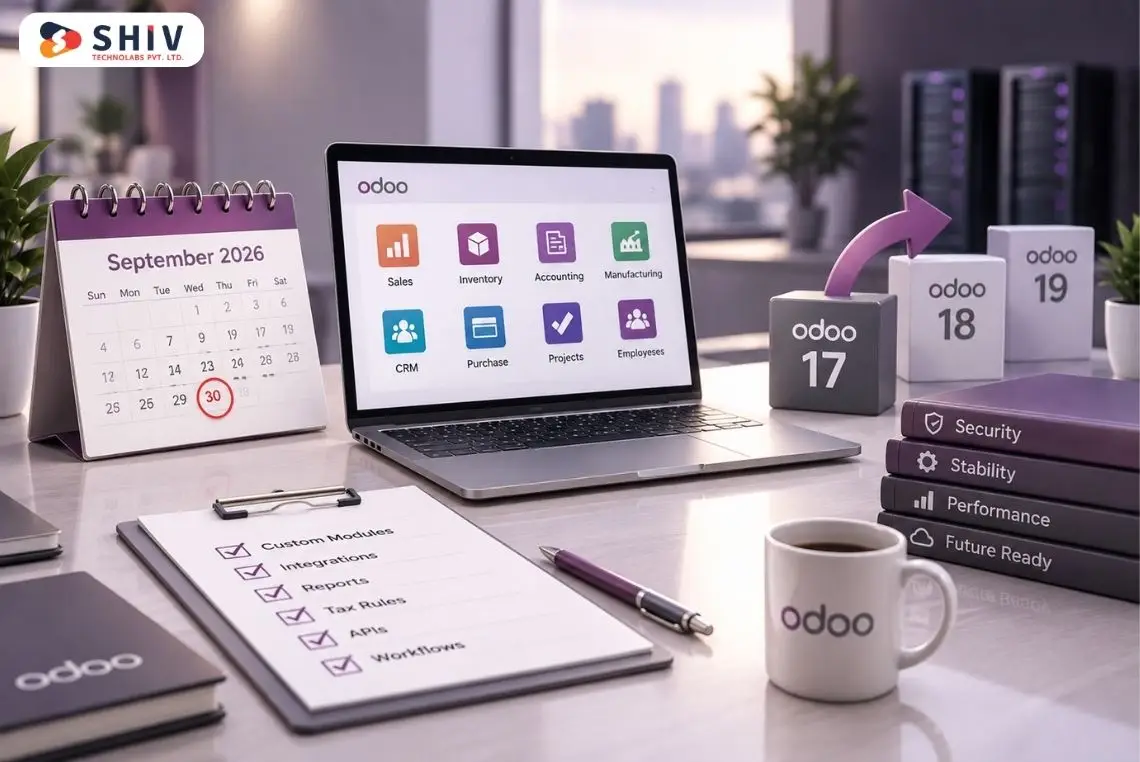
Comparing versions becomes more useful when the focus moves from feature names to business processes. Odoo 19 already introduced AI-assisted communication and information retrieval. Odoo 20 builds on that direction while adding changes to purchasing, accounting, websites, activities, and technical requirements.
| Business Process | Odoo 19 | Odoo 20 | Business Reason to Upgrade |
| AI assistance | Drafting, summarization, and information support | Greater focus on agents and credit-based AI usage | More connected AI-assisted work |
| Website creation | Existing website and AI content tools | Expanded AI Website Assistant | Faster initial page creation |
| Vendor bills | Purchase and bill matching | Improved matching summaries, warnings, and corrections | Clearer finance checks |
| Activities | Scheduling and follow-ups | Improved handling and role assignments | Better team coordination |
| Existing email and chatter tools | CC recipient support | Wider communication visibility | |
| Reports | PDF report customization | Shared-element editing warnings | Fewer accidental report changes |
| Infrastructure | Odoo 19-supported environment | Python 3.12+ and PostgreSQL 16+ for source installations | Requires infrastructure review |
The comparison does not mean Odoo 19 lacks all related functionality. Several Odoo 20 changes extend capabilities that already existed.
Businesses should identify which differences affect their daily work before deciding whether migration is worthwhile.
Odoo 20 Technical Requirements and Upgrade Readiness
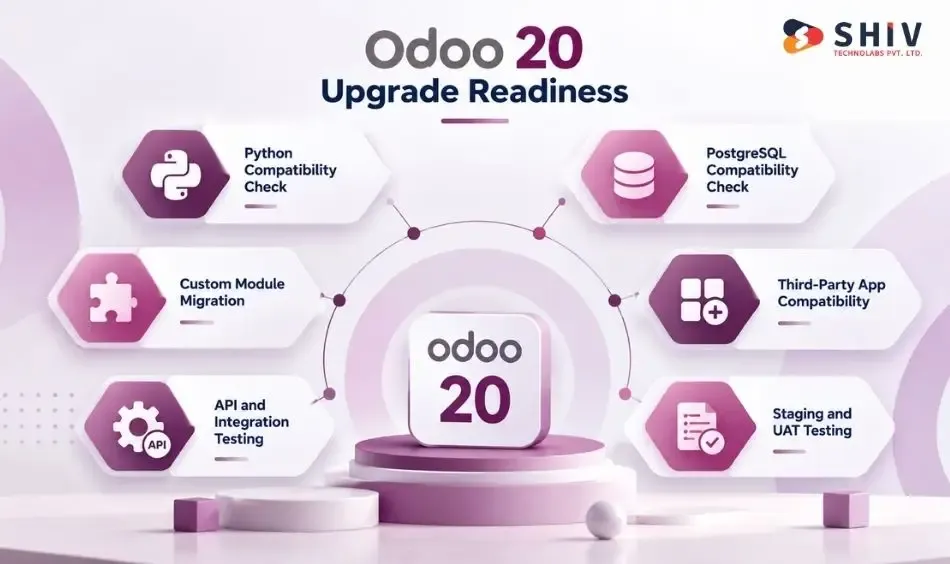
An Odoo upgrade is also a technical project, particularly for businesses running custom modules or integrations. The official Odoo 20 source installation documentation identifies updated Python and PostgreSQL requirements.
| Upgrade Area | Required Review |
| Python | Version and dependencies |
| PostgreSQL | Database version and upgrade path |
| Custom modules | Code and dependency compatibility |
| Third-party apps | Vendor support |
| Studio | Fields, views, reports, and automations |
| APIs | Connected systems and data exchange |
| Reports | Financial and operational accuracy |
| Security | Groups, access rights, and record rules |
| UAT | Real business processes |
Python Version Check
Odoo 20 requires Python 3.12 or later for source installation. Self-hosted teams should confirm the installed version and review compatibility with custom Python dependencies.
PostgreSQL Version Check
The minimum PostgreSQL version for Odoo 20 is PostgreSQL 16. Database administrators should review the current environment, backup procedures, and upgrade path.
Custom Module Migration
Custom modules may depend on older methods, views, fields, or APIs. Developers should review these dependencies and test the modules against Odoo 20 before production migration.
Third-Party App Compatibility
Third-party apps should be checked for Odoo 20 support. Businesses should confirm compatibility with app vendors rather than assuming an older module will work without changes.
API and Integration Testing
Connected systems such as CRM tools, payment providers, shipping platforms, marketplaces, and external databases should be tested. An integration can fail even when the core Odoo interface appears to work correctly.
Staging Database and UAT
A staging database allows teams to test the upgraded environment without interrupting production. User acceptance testing (UAT) should cover actual department workflows, not only whether the application opens successfully. Companies with complex customizations may need custom software development services to update components that no longer fit the new environment.
Should Your Business Upgrade to Odoo 20?
Odoo 20 may offer useful improvements, but the right timing depends on business needs and technical readiness.
| Business Situation | Suggested Decision |
| Mostly standard Odoo setup | Consider upgrading after testing |
| Extensive custom modules | Complete compatibility audit first |
| Enterprise business seeking AI | Review features, governance, and credits |
| Community installation | Verify feature availability |
| Complex accounting | Complete finance UAT |
| Large warehouse or factory | Test operational workflows |
| Many integrations | Run connector and API testing |
| Peak business season | Choose a lower-risk migration window |
Upgrade for AI and New Workflow Features
Companies planning AI-assisted operations or needing specific Odoo 20 improvements may have a stronger reason to upgrade. However, the benefits should be compared with implementation effort and recurring costs.
Delay Upgrades for Complex Custom Modules
Businesses with many custom modules should complete a compatibility audit before choosing a migration date. Waiting for necessary module updates may be safer than forcing an early production change.
Test Critical Finance, Inventory, and Manufacturing Workflows
Organizations that rely heavily on accounting, warehouse, or manufacturing processes should complete detailed testing. The priority is protecting essential operations.
Evaluate Costs Before Adopting AI Features
AI usage can introduce additional IAP costs. Companies should estimate usage volumes, define access, and review spending before expanding AI adoption.
Schedule Upgrades Around Business Operations
Avoid scheduling major ERP changes during peak sales periods, financial closing, or critical production windows whenever possible.
Odoo 20 Upgrade Checklist
| Checkpoint | What to Confirm |
| Business need | Which new features address real requirements? |
| Edition and hosting | Are the required capabilities supported? |
| Custom modules | Are they compatible with Odoo 20? |
| Third-party apps | Are supported versions available? |
| Integrations | Do connected systems still work? |
| Data | Are balances, stock, and records accurate? |
| Permissions | Are access rules and approvals correct? |
| AI | Are credits, access, and review rules defined? |
| Testing | Have departments completed UAT? |
| Go-live | Are backups, rollback, and support ready? |
This checklist provides a starting point. Businesses with complex databases may need additional testing based on their industry and workflows.
How Shiv Technolabs Helps With Odoo 20 Implementation and Upgrade
Odoo 20 introduces useful capabilities, but adopting them requires more than installing a new version. Shiv Technolabs provides Odoo development services for businesses planning ERP implementation, customization, integration, or migration.
Odoo 20 Readiness Audit
We review the current Odoo environment, business workflows, modules, hosting, and integrations to identify upgrade requirements.
Odoo Upgrade and Migration Planning
Our team helps plan database migration, testing, infrastructure preparation, and production transition activities.
Custom Module Migration
We review and update custom modules where compatibility changes affect existing functionality.
AI and MCP Integration Planning
Our AI development services can support businesses evaluating AI agents, MCP connections, and controlled access to ERP information.
Accounting, Inventory, and Manufacturing Testing
We help test essential workflows so teams can identify issues before switching production systems.
API and Third-Party Integration Support
Our custom API development services support connections between Odoo and external business applications.
Post-Upgrade Monitoring
After migration, we help review system behavior, resolve issues, and support employees as they begin using the updated environment.
Contact us to plan your Odoo 20 upgrade, migration, or custom implementation with less business disruption.
Conclusion
Odoo 20 brings meaningful changes across AI, finance, purchasing, website creation, inventory, manufacturing, and daily collaboration. Features such as native MCP connectivity, AI-assisted workflows, improved vendor bill matching, and updated activity management give businesses new ways to work with their ERP data.
However, the value of upgrading depends on how those changes fit existing operations. Companies should compare Odoo 19 and Odoo 20 by department, confirm feature availability, review technical requirements, and test custom modules and integrations before moving to production. A carefully planned upgrade can help businesses adopt useful functionality while keeping essential processes reliable.
Frequently Asked Questions
What Is New in Odoo 20?
Odoo 20 adds AI-assisted workflows, native MCP connectivity, improved vendor bill matching, website AI features, and updates to operational and collaboration apps.
What Are the Best Odoo 20 Features for Businesses?
Important features include AI agents, MCP connectivity, purchase and accounting improvements, website assistance, activity management, and updates affecting inventory and manufacturing.
How Is Odoo 20 Different From Odoo 19?
Odoo 20 extends earlier AI capabilities and introduces additional improvements to bill matching, website creation, communication, reporting, and technical requirements.
Does Odoo 20 Include AI Agents?
Yes. Odoo 20 supports AI agent capabilities and related workflows, although availability, permissions, configuration, and IAP credit requirements should be checked.
Are Odoo 20 AI Features Available in Community?
Availability depends on the specific feature, edition, installed apps, and hosting setup. Businesses should verify support before planning implementation.
What Is the Odoo 20 MCP Server?
It is a native Model Context Protocol interface that allows compatible AI clients to interact with supported Odoo data and tools under configured permissions.
How Does Odoo 20 Improve Accounting and Purchase Workflows?
Odoo 20 improves vendor bill matching with summaries, price and quantity difference warnings, matching checks, and the ability to unmatch records.
What Website Features Are New in Odoo 20?
The update includes AI Website Assistant improvements, supported image and content creation features, AI-assisted SEO options, and llms.txt configuration.
Should Businesses Upgrade to Odoo 20 Now?
Businesses should upgrade when relevant features justify the change and their modules, integrations, infrastructure, data, and critical workflows have passed testing.
What Should Be Checked Before Upgrading to Odoo 20?
Review hosting, custom modules, third-party apps, APIs, database requirements, user permissions, data accuracy, reports, training, backups, and production timing.
Does Odoo 20 Require Python 3.12 and PostgreSQL 16?
Yes. Odoo 20 source installations require Python 3.12 or later and PostgreSQL 16 or later, according to official installation documentation.
How Long Does an Odoo 20 Upgrade Take?
The duration depends on database size, custom modules, integrations, testing needs, and business complexity. A technical assessment is needed for an estimate.
How Can Shiv Technolabs Help With Odoo 20 Implementation?
Shiv Technolabs can assist with readiness audits, migration planning, custom modules, integrations, AI connectivity, workflow testing, and post-upgrade support.