Table of Contents
UK clinics handle thousands of appointment requests every month. Phone-based booking creates delays, missed calls, and scheduling errors. Patients want quick access, while clinics need better control over time slots, staff workload, and patient records.
A doctor appointment app helps solve these problems by bringing booking, reminders, and schedule management into one system.
Doctor appointment app development for UK clinics focuses on patient ease, data safety, and smooth daily operations. These apps allow clinics to reduce missed visits, manage doctors’ availability, and improve the overall care experience.
This guide explains how appointment apps work, the steps involved in building one, and the cost clinics should expect in the UK, so decision-makers can plan with clarity.

Why a UK Clinic Needs an Appointment App?
The healthcare sector in the United Kingdom is moving toward a digital-first approach. Whether it is a private GP clinic in London or a specialist practice in Manchester, an app helps stay organized and accessible.
- 24/7 Access for Patients: Most people want to book their visits outside of normal office hours. An app lets them find a slot at midnight without needing to call the front desk.
- Lower No-Show Rates: Missed visits are a drain on clinic resources. Automatic push notifications and SMS alerts remind patients of their upcoming times, which helps keep the schedule full.
- Lower Admin Workload: Instead of staff spending hours on the phone, the app handles the booking, rescheduling, and basic data entry.
- Digital Health Records: Storing patient data digitally makes it easier for doctors to see health history, allergies, and previous notes before a consultation begins.
Key Features for a Custom Healthcare Booking App (UK-based)
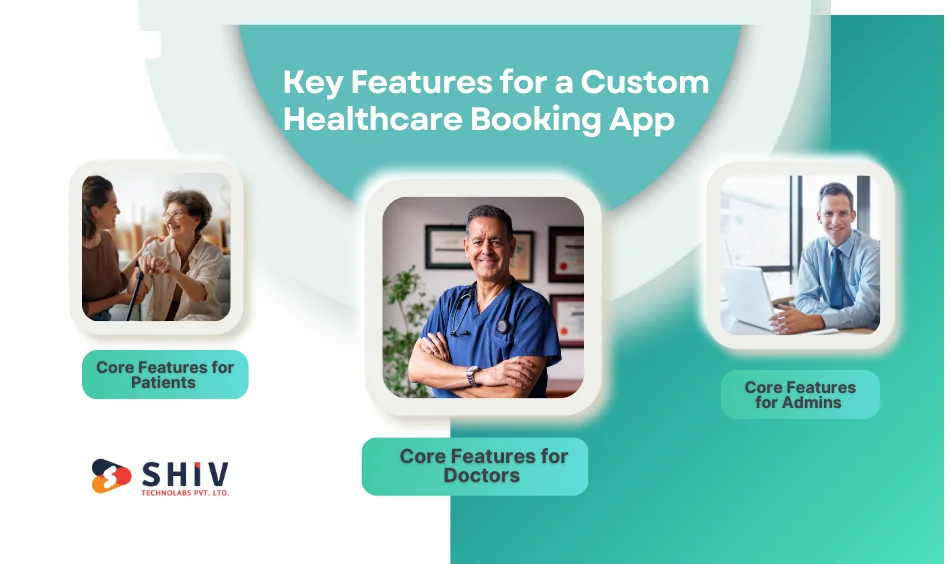
To be successful, a doctor appointment app must serve three main groups: the patients, the medical staff, and the clinic administrators.
Core Features for Patients
- Secure Registration: Simple sign-up using email or NHS Login for better identity verification.
- Advanced Search: Filters to find doctors by specialty, gender, location, or spoken language.
- Instant Slot Booking: A live calendar showing when a doctor is free.
- Video Consultations: Built-in tools for remote visits, which are a standard in the UK.
- Digital Prescriptions: A secure way to receive and view prescriptions on the phone.
Core Features for Doctors
- Schedule Control: A dashboard to set working hours, breaks, and holidays.
- Patient Profiles: Quick access to medical history and previous visit notes.
- E-Prescribing: Tools to generate and send prescriptions directly to a patient’s preferred pharmacy.
- Earnings Tracker: For private practitioners to keep track of their daily or monthly revenue.
Core Features for Admins
- Central Dashboard: A “bird’s eye view” of all appointments across the clinic.
- Staff Management: The ability to add or remove doctors and manage their permissions.
- Analytics: Data on peak booking hours, the most popular services, and no-show rates.


Cost to Build a Doctor Appointment App in the UK
Building a doctor appointment app for the UK market in 2026 involves a specific set of financial considerations. From meeting strict NHS security standards to ensuring the app works across different GP systems, the budget is shaped by both technical and legal requirements.
The total cost to build a healthcare app in the UK generally ranges from £30,000 to £120,000+, depending on the depth of features and integration.
1. Cost of Compliance and UK Health Standards
In the UK, security is not just a feature; it is a legal requirement. Meeting these standards adds to the initial budget but protects the clinic from legal risks.
- GDPR and Data Privacy: Setting up encrypted databases and secure data handling usually costs between £5,000 and £8,000.
- DTAC and DSPT Assessment: Preparing the documentation to prove your app is safe for NHS use can cost £3,000 to £6,000 in specialist time and audits.
- Clinical Safety (DCB0129): Hiring a Clinical Safety Officer to sign off on the app’s safety can add £4,000 to £7,000 to the project.
2. Investment in Technical Integrations (NHS and GP Systems)
An app that “talks” to other systems is more valuable but more expensive to build.
- GP System Links (EMIS/TPP): Connecting your app to existing clinic software so schedules sync in real-time typically costs £8,000 to £15,000.
- NHS Login Integration: Allowing patients to use their national ID to sign in requires specific security work, usually priced around £4,000 to £6,000.
- Payment Gateways: Setting up secure ways for patients to pay for private visits (Stripe or Apple Pay) costs about £2,000 to £4,000.
3. Features and App Complexity Levels
The number of things your app can do is the biggest factor in the final price.
| Development Level | Estimated Cost (GBP) | Features Included |
|---|---|---|
| Minimum Viable Product (MVP) | £30,000 – £45,000 | Basic booking, doctor profiles, SMS alerts, and simple registration. |
| Mid-Tier Solution | £50,000 – £90,000 | Adds video calls, digital prescriptions, and GP system sync. |
| Advanced Platform | £100,000+ | Includes AI triage, wearable device sync, and multi-clinic management. |
4. Design and User Experience (UX) for Patients
Healthcare apps must be easy for everyone to use, including elderly patients or those with disabilities.
- Accessibility Design: Following UK WCAG 2.1 standards for high-contrast and easy-to-read text costs about £5,000 to £10,000.
- Prototyping: Building a “test version” for clinic staff to try out before the final build costs around £3,000 to £5,000.
Hidden Costs of Running a Health App
After the app is built and launched, there are ongoing fees to keep it running safely.
- Hosting and Servers: Secure, health-compliant cloud storage (like AWS UK or Azure) costs £150 to £500 per month.
- Annual Maintenance: Expect to spend about 15% to 20% of the original build cost each year on updates and bug fixes.
- Security Audits: Regular “penetration tests” to ensure hackers cannot get in usually cost £2,000 to £4,000 per year.
Step-by-Step Development Process for UK Health Apps
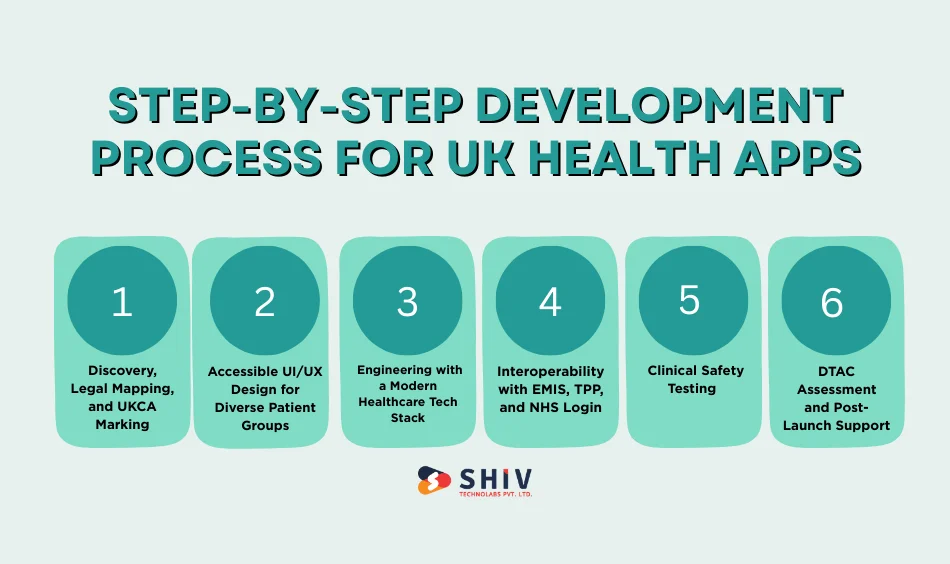
Creating a medical app for the UK is a technical task that requires a clear plan to meet national health standards. Following a set path ensures the app is ready for both patients and clinical staff.
1. Discovery, Legal Mapping, and UKCA Marking
The first step is to define the goals of the clinic and the legal path for the app.
- User Interviews: Talk to staff and patients to find out where the current booking system fails.
- Legal Classification: Identify if the app is a “medical device” under UK MDR 2002. If the app provides advice or triage, it may need a UKCA mark.
- Governance Roles: Set up roles needed for UK law, such as a Clinical Safety Officer (CSO).
2. Accessible UI/UX Design for Diverse Patient Groups
Designers create a visual map of the app, focusing on simplicity and national accessibility standards.
- Wireframing: Low-fidelity blueprints showing how a patient moves from login to a confirmed booking.
- WCAG 2.1 Compliance: In the UK, health apps must meet “AA” standards. This means using high-contrast colors and font sizes that are easy for elderly patients to read.
3. Engineering with a Modern Healthcare Tech Stack
This is where the coding happens. In 2026, developers use specific tools to ensure the app is fast and safe.
- Frontend: Frameworks like Flutter or React Native are used to build one app that works on both iPhone and Android.
- Backend Logic: Reliable environments like Node.js or Python handle the “brain” of the app, managing high volumes of booking requests.
- Database Choice: We use PostgreSQL or MongoDB for secure data storage, often combined with in-memory caching to power real-time scheduling.
4. Interoperability with EMIS, TPP, and NHS Login
For a UK clinic, the app must connect with the wider health network to be useful.
- GP System Sync: Connecting to systems like EMIS Web or TPP SystmOne using IM1 standards.
- National Identity: Integrating with the NHS Login service so patients can use their national identity to sign in.
- FHIR API Standards: Using FHIR (Fast Healthcare Interoperability Resources) for safe data exchange between different platforms.
5. Clinical Safety Testing (DCB0129 and DCB0160)
Before launch, the app goes through rigorous testing to check for errors and safety risks.
- Clinical Risk Management: The Clinical Safety Officer reviews the app to ensure it does not cause harm (e.g., booking a patient with the wrong specialist).
- Security Testing: Ethical hackers perform penetration tests to find and fix any security gaps.
6. DTAC Assessment and Post-Launch Support
Once live, the work continues to ensure it stays safe and useful for the clinic.
- DTAC Certification: Helping the clinic complete the Digital Technology Assessment Criteria (DTAC) for official NHS adoption.
- Live Monitoring: Keeping an eye on the app for bugs and releasing updates to match new phone software.
Security Standards and Legal Compliance for UK Medical Apps
In the UK, health data is protected by strict laws. Any app developed for a clinic must meet these standards to stay legal.
UK GDPR
This law dictates how personal and health data is handled. The app must have a clear privacy policy, and patients must have control over their data.
NHS Data Security and Protection Toolkit (DSPT)
If the app handles NHS patient data, it must follow the DSPT guidelines. This involves a self-assessment to prove that the data is stored and shared safely.
Cyber Essentials
This is a UK government-backed scheme that helps protect organizations against common online threats. Having this certification builds trust with patients.
Let’s Build a Better Way for Your Patients with Shiv Technolabs
Shiv Technolabs is a software team that specializes in creating custom digital tools for the healthcare sector. We know that UK clinics face specific challenges, from strict data privacy laws to the need for simple designs that work for everyone.
We focus on building apps that are easy to use, safe, and built to last as your practice grows. Our team takes care of the technical side so you can stay focused on patient care:
- Tailored Solutions: We build apps that fit the specific workflow of your clinic.
- Security Focused: We keep patient data safe using high-level encryption and UK-compliant standards.
- Ongoing Support: Our work does not end at launch; we stay with you to provide updates and help.
- Clear Communication: We explain the technical parts in plain English, keeping you updated at every step.
If you are ready to move away from busy phone lines and paper diaries, we can help you get there.
Conclusion
Building an Android app for UK clinic is a smart move that pays off in better efficiency and happier patients. By focusing on the right features, understanding the costs, and following a solid development process, any clinic can move into the digital age. Moving away from busy phone lines and manual booking helps your staff stay calm, and your patients stay satisfied.
If you are ready to build a tool that makes healthcare easier for everyone, reach out to our team. Contact Shiv Technolabs to discuss how we can build an app that fits your clinic perfectly.
Frequently Asked Questions
1. How long does it take to build a doctor appointment app for the UK?
A basic version (MVP) usually takes about 3 to 5 months. If you need advanced features like AI-powered triage or deep integration with NHS systems, the timeline can extend to 9 months or more.
2. Can the app connect with existing GP systems like EMIS or TPP?
Yes. We can link the app with common UK systems like EMIS Web or TPP SystmOne using secure APIs. This ensures that your bookings, patient records, and doctor schedules stay in sync without any manual data entry.
3. Is the app compliant with UK data laws like GDPR and DSPT?
Yes. Every health app we build is designed to meet UK GDPR requirements. We also follow the Data Security and Protection Toolkit (DSPT) guidelines to make sure patient information is handled according to NHS standards.
4. How can a custom app reduce patient no-shows in my clinic?
The app helps reduce missed appointments through automated push notifications and SMS reminders sent 24 hours and 2 hours before the slot. It also allows patients to reschedule or cancel with a single tap, making it easier for you to fill that gap immediately.
5. Does the app support remote video consultations for UK patients?
Yes. We integrate secure, high-definition video tools that allow doctors to conduct virtual visits directly within the app. This is built using encrypted channels to keep the conversation private and safe.
6. Will the app support NHS Login for patients?
We can integrate NHS Login, which allows patients to access your clinic app using their existing NHS credentials. This speeds up the sign-up process and provides a higher level of identity verification.