
Table of Contents
Manual operations still eat up a surprising amount of time in many companies. Teams copy data between systems, chase approvals, answer the same requests, and fix small process errors that keep showing up. None of that work is strategic, yet it fills calendars, delays output, and creates pressure across departments.
Because of that, more businesses now invest in AI development services that match the way their operations actually run. They want systems that can sort incoming data, trigger routine actions, and remove work that staff should not have to repeat all day. When that happens, teams spend less time on admin-heavy tasks and more time on work that needs judgment.
That shift has made AI automation solutions far more practical for modern businesses. Companies use them to speed up tasks, reduce avoidable mistakes, and keep workflows steady even when volumes rise. In simple terms, AI automation for business helps teams get more done without building new bottlenecks in the process.
The need grows stronger as operations become more complex. A process that feels manageable in a small team often breaks once order volume rises, reporting expands, or customer requests increase. At that stage, many businesses stop patching problems by hand and start building automation around real workflows.

Why Are Businesses Investing in AI Automation Solutions for Operational Efficiency?
Operations have become heavier, faster, and harder to control. Most teams now work across multiple tools at once, and every handoff creates another chance for delay or error. When staff move data manually, follow up on routine tasks, or repeat the same checks each day, process costs rise quickly.
That is one reason companies keep investing in AI automation solutions. They want quicker workflows, fewer manual dependencies, and better consistency across departments. For many firms, enterprise AI automation solves a practical business issue: too much routine work moving through systems that were never built to work well together.
Leaders also want stronger visibility into what is happening across operations. They need tasks to move on time, records to stay current, and workflows to support growth without constant intervention. This is where AI/ML development services start showing real value.
Benefits of enterprise AI automation include:
- Faster workflows
- Lower operational costs
- Better data accuracy
- Automation that scales with growth
What Business Operations Can AI Automation Improve?
AI can improve much more than customer support or simple task routing. It can help finance teams process invoices, help HR teams review candidates, help sales teams track leads, and help supply chain teams plan demand with less guesswork. With operational automation using AI, companies reduce repetitive work across several functions at the same time.
A second gain comes from fixing disconnected workflows. In many businesses, tools do not pass updates cleanly from one system to another, so employees fill the gap manually. Intelligent workflow automation reduces that burden by moving data, triggering actions, and cutting the back-and-forth that slows teams down.
Business Operations That Benefit from AI Automation
| Business Function | AI Automation Impact | Efficiency Benefit |
|---|---|---|
| Customer support | Automated response systems | Faster query resolution |
| Finance operations | Invoice and data processing | Reduced manual errors |
| Supply chain | Demand forecasting and planning | Improved logistics efficiency |
| HR operations | Resume screening automation | Faster hiring cycles |
| Sales processes | CRM automation | Better lead management |
These use cases matter because they touch work that happens every day. When businesses remove repeated handoffs and routine review steps, teams get cleaner processes and more time for higher-value work.
Which AI Automation Solutions Are Businesses Using to Improve Operations?
No two businesses start from the same place. One may begin with support tickets, another with invoice processing, and another with internal approvals that keep slowing down work. The right starting point usually depends on where manual effort piles up first.
Still, some solutions appear again and again because they solve common operational problems. Businesses choose them to cut repetitive work, keep data moving, and improve day-to-day efficiency without adding more pressure on teams. The 10 solutions below are common picks for companies that want stronger operational performance.
Top 10 AI Automation Solutions Used in Business Operations
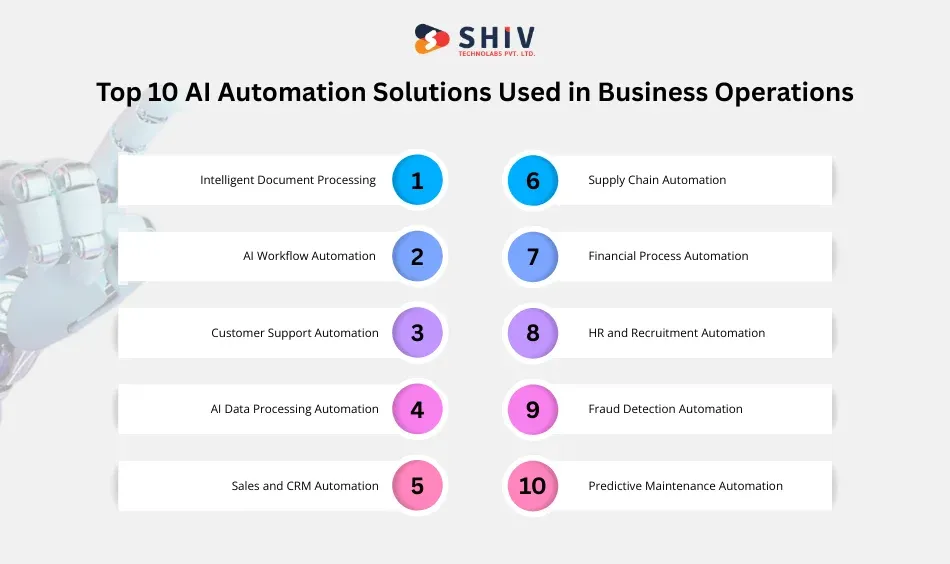
Businesses usually start automation where daily work feels frustrating. It may be a slow approval chain, a messy document flow, or a support queue that never seems to shrink. Once one fix starts saving time, teams usually spot the next weak point right away.
1. Intelligent Document Processing
Document-heavy work drains hours from finance, legal, and operations teams. People still open invoices, contracts, bills, and records one by one, then pull out details and type them into another system. Intelligent automation solutions change that routine. AI reads the file, captures the needed fields, sorts the record, and sends it where the business needs it. Staff step in for review, not for endless copy-paste work.
2. AI Workflow Automation
Some business delays have nothing to do with skill or effort. Work simply gets stuck between steps. One person submits a request, another forgets to approve it, and the task sits there until someone follows up again. Business AI agent workflow automation removes that drag. It routes requests, marks priority, moves the next step forward, and keeps internal work from disappearing into inboxes.
3. Customer Support Automation
Support teams hear the same themes every day. Customers ask about refunds, order updates, returns, account access, and shipping times. When agents spend most of their day answering familiar questions, response quality slips on the cases that actually need care. AI automation for business takes pressure off the queue. It handles common requests first and passes the tougher ones to the right support agent.
4. AI Data Processing Automation
Business data rarely arrives in a clean, ready-to-use format. It comes from forms, CRM entries, finance tools, support logs, sales platforms, and internal reports. Someone then has to clean it, sort it, and make sense of it before leadership can use it. Data analytics services help cut through that mess. They support faster sorting, cleaner reporting, and better visibility across large data sets.


5. Sales and CRM Automation
Sales teams lose a surprising amount of time on work that never shows up in a revenue report. They update lead status, log activities, write reminders, assign records, and clean up CRM fields that went stale two weeks ago. Automation for business operations takes those routine tasks off their plate. Reps spend more time speaking with buyers, and managers get a pipeline view they can actually trust.
6. Supply Chain Automation
Supply chain issues tend to start quietly. A forecast slips, stock data lags behind, or demand shifts faster than the team expected. Then fulfillment problems show up. Enterprise AI automation gives planners a stronger read on what is changing. It looks at buying patterns, stock movement, and timing signals, then supports faster decisions through predictive AI development services, purchasing, replenishment, and inventory planning.
7. Financial Process Automation
Month-end work can turn into a grind when finance teams still handle too much by hand. Invoice checks, expense reviews, reconciliations, payment matching, and exception handling all pile up at once. AI automation solutions reduce that routine load. The system processes standard records quickly and flags unusual cases for human review. Finance teams then spend their time where judgment matters, not where repetition wins.
8. HR and Recruitment Automation
Hiring creates admin work from every direction. Recruiters review resumes, move candidates across stages, send updates, arrange interviews, and answer the same questions over and over. That becomes hard to manage when hiring picks up. AI workflow automation keeps the process from turning messy. It sorts candidate data, ranks profiles, and moves applicants forward with fewer manual touchpoints.
9. Fraud Detection Automation
Fraud rarely arrives with a warning label. It often looks like a normal transaction until a pattern starts forming underneath it. Manual review catches some of it, but not always early enough. Intelligent automation solutions give risk teams a better shot at stopping damage sooner. AI spots unusual behavior, flags suspicious activity, and pushes alerts out while there is still time to act.
10. Predictive Maintenance Automation
A machine usually gives signals before it fails. Output drops, vibration changes, heat rises, or error rates creep up. Busy teams may miss those clues until production stops or a delivery window gets hit. AI automation for business reads those signals as they happen. That lets operations teams schedule maintenance before a breakdown turns into lost time, missed targets, and a bigger repair bill.
Also Read: AI vs Automation: Which One Drives Better Business Efficiency?
What Is the AI Automation Project Cost for Businesses?
The AI automation project cost can vary more than most buyers expect. One business may need a simple approval flow for a single department. Another may want finance, support, reporting, and internal tools tied together inside a wider enterprise AI automation setup. Those are very different jobs, so the budget rarely lands in the same place.
Many teams first look at the AI feature and assume that it drives most of the quote. In real projects, the heavier work often sits around the feature, not inside it. API links, user access rules, testing, cleanup of old records, and custom business logic all add time and cost.
A small project may only cover invoice routing or support ticket sorting. A larger one may include audit logs, role-based access, security checks, and workflows built around company-specific rules. That is why two businesses with a similar goal can still receive very different estimates.
Estimated AI Automation Project Cost by Solution Type
| Automation Type | Estimated Cost Range | Typical Implementation Time |
|---|---|---|
| Workflow automation | $10,000 – $40,000 | 4–8 weeks |
| Document automation | $15,000 – $50,000 | 6–10 weeks |
| Customer support automation | $20,000 – $60,000 | 6–12 weeks |
| Data processing automation | $25,000 – $80,000 | 8–12 weeks |
| Enterprise automation systems | $50,000+ | 12–20 weeks |
In most cases, price moves for three simple reasons: the systems are old, the data is messy, or the workflow has too many exceptions.
How Do Businesses Implement AI Automation Solutions Successfully?
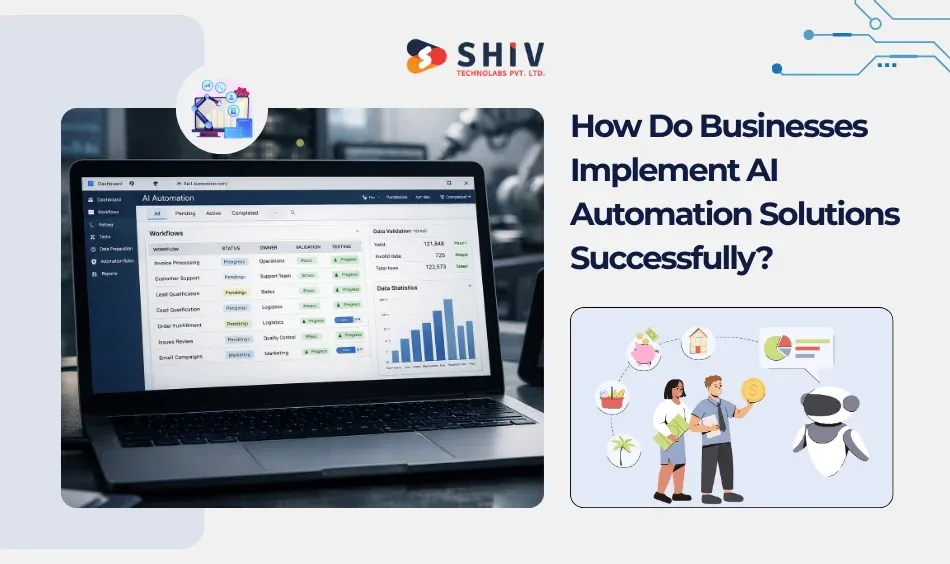
Good projects usually begin with one painful process, not a huge wishlist. A business picks the task that wastes time every week, creates repeat errors, or visibly slows teams. That gives the project a clear starting point and a result people can actually measure.
A practical rollout often follows these steps:
1. Identify a workflow with heavy manual work
2. Review each step and find the slow points
3. Prepare the data and system access
4. Build the automation and test it in real use
5. Track the outcome and fix weak areas
Teams often struggle when they try to change too much at once. One working rollout builds trust faster than several unfinished pilots. Once the first system does its job well, AI automation solutions become easier to extend across more teams. That is also how enterprise AI automation grows without becoming another tool people work around.
What Challenges Do Businesses Face When Implementing AI Automation?
Most problems start before launch. Two teams may follow the same process in different ways. Important fields may be missing from the data. Older systems may not pass updates cleanly. None of that looks dramatic at first, but it causes friction later.
Scale can create another problem. A flow that works well for one team may struggle after more users, more rules, and more records get added. Businesses usually get better results when they clean up the process first and keep the first version tight.
Conclusion
Manual processes may work for a while, but they usually create pressure as operations expand. Teams then deal with more follow-ups, more repeated work, and less clarity across daily tasks. In that situation, businesses often partner with an experienced AI development company such as Shiv Technolabs to create AI automation that fits their actual process flow and business rules.
FAQs
What are AI automation solutions?
They are software systems that take routine work off a team’s plate. Businesses use them for approvals, document reading, repeated data tasks, support routing, and similar jobs that staff would otherwise handle step by step.
How does AI automation improve operational efficiency?
It cuts out a lot of low-value manual work. Teams spend less time copying data, following up on status, or fixing the same small mistakes, so work moves with fewer delays.
What industries benefit most from AI automation solutions?
There is no single answer. Retail, finance, logistics, manufacturing, healthcare, and service businesses all find useful use cases, especially when daily work includes repeated steps, large data volume, or too many handoffs.
How long does it take to implement AI automation systems?
A focused workflow may go live in a few weeks. A larger setup that touches several systems can take a few months, especially when custom rules, testing, and data cleanup are part of the work.
How do businesses start implementing AI automation?
Most start with one process that already causes delays, rework, or extra labor. They fix that first, review the result, and then decide where the next automation project should go.