Table of Contents
Picture this. Your operations head walks into your Monday meeting with a spreadsheet. It has last quarter’s sales numbers, some gut-feel adjustments for the upcoming season, and a note at the bottom that says “check with warehouse before ordering.” You’ve been running demand planning this way for three years. It works fairly well until growth exposes its limits. You overstock one product line, understock another, and spend the next six weeks firefighting.
So you start looking at AI demand forecasting software. The pricing pages have no prices. The case studies are from companies ten times your size. The implementation timelines assume you have a data science team sitting idle.
This guide fills that gap. It is helpful for those evaluating custom AI demand forecasting and want straight answers on what it costs, how long it takes, and what return to expect.
Why Do Off-the-Shelf Forecasting Tools Fail Mid-Market Companies?
Most SaaS demand planning tools are built for the average customer. If your data, supply chain, or business sits outside that median, you end up with a tool that is 70% useful and 30% workaround. Over time, that 30% becomes the thing your team spends all their time managing.
The most common reasons off-the-shelf tools fail for mid-market companies usually come down to four core problems.
- Fragmented data sources: Your demand signal lives across your ERP, CRM, eCommerce platform, 3PL’s portal, and sometimes a spreadsheet someone emails on Fridays. SaaS tools usually connect smoothly with one or two of these systems. The rest requires manual export-import cycles or expensive middleware that breaks whenever an API updates. Your team ends up spending more time feeding the tool than reading its outputs.
- Generic forecasting models: A retail company selling seasonal apparel has completely different demand patterns from a B2B manufacturer with long-cycle purchasing. Most SaaS tools run one-size-fits-all statistical models. These models do not know your business. They cannot be trained on your specific history, promotions, customer segments, or supplier constraints. The result is a forecast that gives general guidance but lacks reliability for daily operations.
- Missing ERP write-back: The forecast remains isolated within one system. Your purchasing, production planning, and inventory decisions are managed separately in another system. For the forecasting tool to affect daily operations, you need either a custom integration, which adds extra cost, or someone manually moving data between systems. This weakens the purpose of automation.
- Pricing that scales badly: Many AI forecasting SaaS tools charge per SKU, per user, or per location. As your business grows, the tool gets progressively more expensive for the same core functionality. You end up paying a growth penalty for a tool that still has the same limitations it had on day one.
Should You Build Custom or Buy a SaaS Tool?

Most “build vs. buy” content online is written by SaaS vendors, so it usually recommends buying their tool. Here is a more balanced version of that decision.
Buying a SaaS tool makes sense in specific situations. If your data is clean and centralized, your forecasting needs are standard, and you need something running in 30 to 60 days, a well-integrated SaaS tool is a reasonable starting point. Tools like Blue Yonder, o9 Solutions, and Relex work well for companies whose data environment fits the tool’s assumptions.
Building custom software makes sense when your situation does not fit those assumptions.
Your data is spread across multiple systems. No single SaaS tool connects to all of them natively, and you have already priced the integration work. At that point, you are paying for custom integration regardless. Building a custom model on top of that integration gives you more control for roughly the same cost.
Your business model is non-standard. Highly seasonal demand, multi-echelon supply chains, made-to-order manufacturing, or heavy promotional influence on sales are all scenarios where generic models underperform. A custom model is trained on your actual data, so it knows these patterns from the start.
You want to own the output. With a SaaS tool, the model belongs to the vendor. The logic, training data, weights, and roadmap for improvement are all of it is behind a paywall and subject to the vendor’s decisions. With a custom build, the model is yours. You can retrain it, modify it, and carry it forward without dependency on a vendor’s pricing or product direction.
You need the forecast to drive decisions inside your existing systems. If you need forecast outputs to write back into your ERP and trigger purchase orders, production schedules, or replenishment workflows, custom integration is cleaner and more reliable than bolting a SaaS tool onto a system it was not designed for.
Read More: Build vs Buy Software
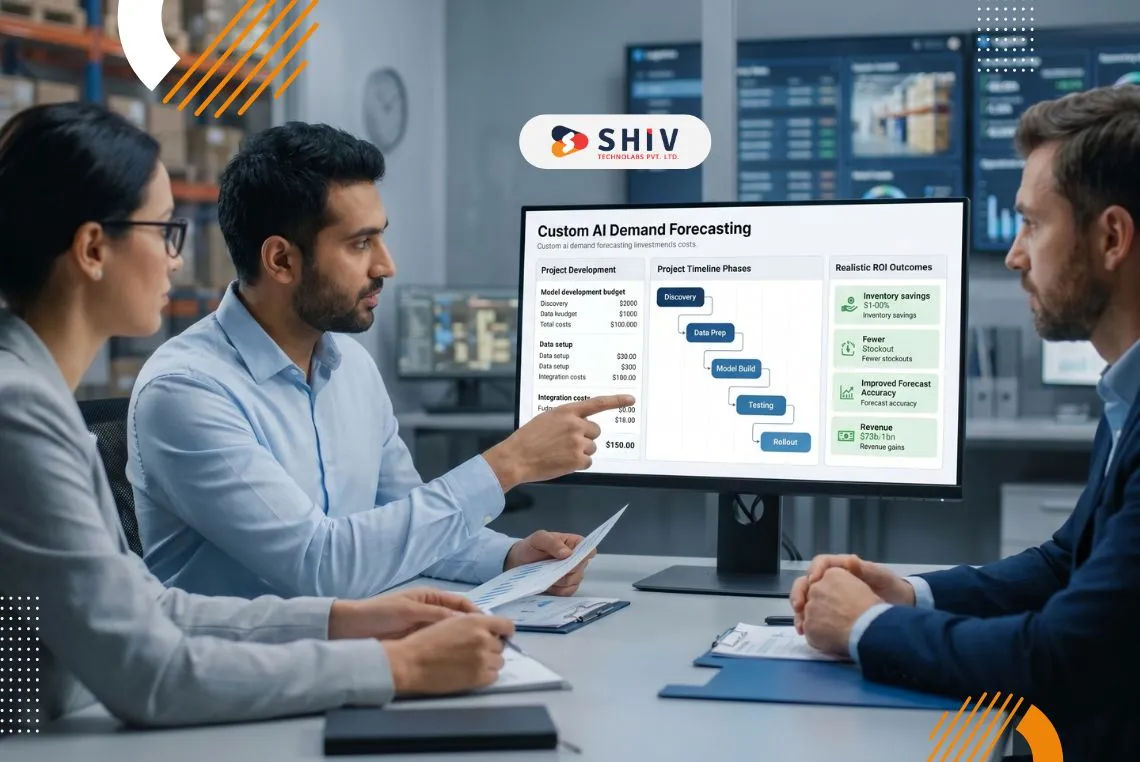
What Does Custom AI Demand Forecasting Cost?
Custom AI demand forecasting usually costs $40,000 to $250,000+, depending on data quality, integrations, number of SKUs, and workflow complexity. A smaller company may start with a focused MVP, while larger operations often need a broader planning system.
The right budget depends on whether you need only better forecasts or a full solution connected to ERP, inventory, purchasing, and reporting.
1. Cost by Project Scope
This table gives a practical view of pricing based on project size and business needs. It helps compare a simple forecasting setup with a more advanced platform.
| Project Type | Estimated Cost | Best For |
|---|---|---|
| Basic forecasting MVP | $25,000 to $60,000 | One product line, limited data sources, simple dashboard |
| Mid-level forecasting system | $60,000 to $150,000 | Multiple SKUs, ERP/POS/eCommerce data, automated reports |
| Advanced forecasting platform | $150,000 to $250,000+ | Multi-location planning, custom workflows, deeper integrations |
| Enterprise-grade AI forecasting | $250,000 to $400,000+ | Large operations, real-time planning, advanced automation |
For many mid-market companies, the best value is often in the mid-level range. It gives enough functionality without the cost of a large enterprise rollout.
2. Cost by Development Stage
Not every budget goes into model building. A large share of the cost comes from preparing data, building integrations, and testing the system properly.
This breakdown helps show where investment is usually spent.
| Stage | Estimated Cost | What It Covers |
|---|---|---|
| Discovery and requirement planning | $5,000 to $15,000 | Business goals, process review, and technical planning |
| Data cleaning and preparation | $10,000 to $40,000 | Historical sales cleanup, SKU mapping, and missing data fixes |
| Forecasting model development | $20,000 to $80,000 | AI model creation, training, testing, tuning |
| Dashboard and reporting | $10,000 to $35,000 | Forecast screens, alerts, and planning reports |
| ERP, POS, or eCommerce integration | $15,000 to $75,000 | Syncing forecasts with operations |
| Deployment and testing | $10,000 to $30,000 | QA, launch setup, user testing |
Companies often underestimate data preparation and integrations. In many real projects, those two areas take more time than the model itself.
3. Ongoing Monthly Costs
Custom forecasting systems also need support after launch. Forecast accuracy can drop if demand patterns change and the model is not maintained.
Monthly support costs should be part of long-term planning.
| Ongoing Item | Monthly Cost | Why It Matters |
|---|---|---|
| Cloud hosting and storage | $500 to $5,000+ | Runs the platform and stores data |
| Model monitoring | $1,000 to $5,000 | Tracks forecast quality |
| Model retraining | $2,000 to $10,000 | Updates the model as trends shift |
| Support and maintenance | $2,000 to $12,000 | Bug fixes, upgrades, improvements |
A realistic ongoing budget for many businesses is $3,000 to $15,000 per month, depending on system size and support needs. Planning for maintenance early prevents surprises later.
4. What is Typically Out of Scope
Several cost items consistently surprise companies when they review the first project invoice. Data cleaning and historical data preparation add cost if your historical data is incomplete or inconsistent. Change management and training for your operations team are usually not included in a development engagement. Ongoing model monitoring and retraining after go-live is typically handled as a separate retainer or support agreement rather than part of the initial build.


How Long Does Implementation Actually Take?
One timeline often mentioned in searches is 2 to 4 months for in-house AI model development. That can be realistic when a company already has a data science team, internal infrastructure, and clean data ready to use. Most mid-market companies do not start from that position.
Working with a development partner compresses the timeline significantly because the infrastructure, tooling, and model development experience already exist. Here is what a full production build typically looks like week by week.
Weeks 1 to 2: Discovery and data audit.
Your development partner reviews existing data sources, data quality, and current systems. Project scope is finalized, and the technical approach is confirmed. This phase helps identify risks early.
Weeks 3 to 4: Data pipeline and integration setup.
Connections to ERP, POS, eCommerce, or other sources are built. Historical data is cleaned and standardized so the model can use reliable inputs.
Weeks 5 to 8: Model development and training.
The forecasting model is built, trained, and tested using historical business data. Initial forecast outputs often appear during this stage, followed by accuracy improvements.
Weeks 9 to 12: Dashboard and operational integration.
User dashboards, reports, or APIs are developed. Forecast outputs are connected to planning workflows, inventory systems, or purchasing processes.
Weeks 13 to 16: Testing, refinement, and go-live.
Your team validates forecasts with real scenarios, final issues are resolved, and the system goes live. Ongoing monitoring during the first few weeks helps improve performance after launch.
What ROI Should You Expect, Realistically?
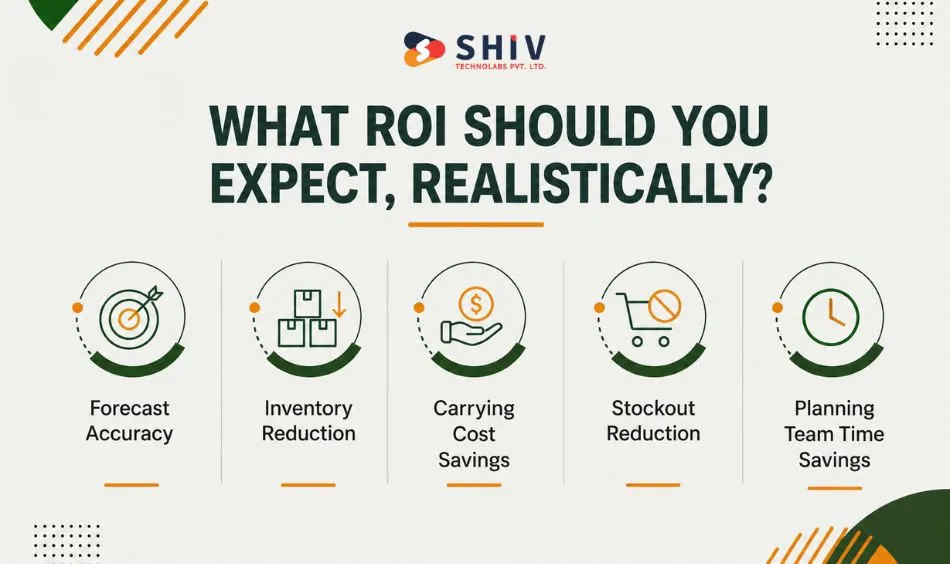
The numbers below come from published supply chain and operations research, not vendor marketing. They reflect outcomes reported across retail, distribution, and manufacturing companies that moved from spreadsheet-based or basic statistical forecasting to AI-driven models.
Forecast accuracy: AI-driven forecasting can reduce supply chain forecasting errors by 20% to 50%. McKinsey reports this range for AI-driven operations forecasting.
Inventory reduction: AI can reduce inventory levels by 20% to 30% by improving demand forecasting and inventory optimization. McKinsey reported this in distribution operations research.
Carrying cost savings: Inventory carrying costs commonly run around 20% to 30% of inventory value annually, covering storage, insurance, taxes, depreciation, shrinkage, and opportunity cost. NetSuite both supports this range and definition.
Stockout reduction: Instead of saying “5% to 15% improvement in order fill rates,” use this stronger sourced line: AI-driven forecasting can reduce lost sales and product unavailability by up to 65%, according to McKinsey.
Planning team time savings: Replace “30% to 50% less time” with this sourced line: McKinsey reports AI-driven forecasting can reduce administration costs by 25% to 40%, which includes less manual planning, reconciliation, and operational coordination work.
What Does the Return on Investment Look Like?
Here is a conservative example for a mid-market company with $5 million in annual revenue, $1 million in inventory, and a $50,000 custom build:
- Inventory reduction of 20% to 25% frees $200,000 to $250,000 in working capital
- Carrying cost savings at 25% of freed inventory: $50,000 to $62,500 annually
- Stockout revenue recovery at a conservative 3% of revenue: $150,000
- Combined first-year financial impact: $200,000 to $212,500
- Payback period on a $50,000 build: 3 to 4 months
This is a conservative estimate. Companies with higher inventory values, tighter margins, or significant stockout exposure will see faster payback.
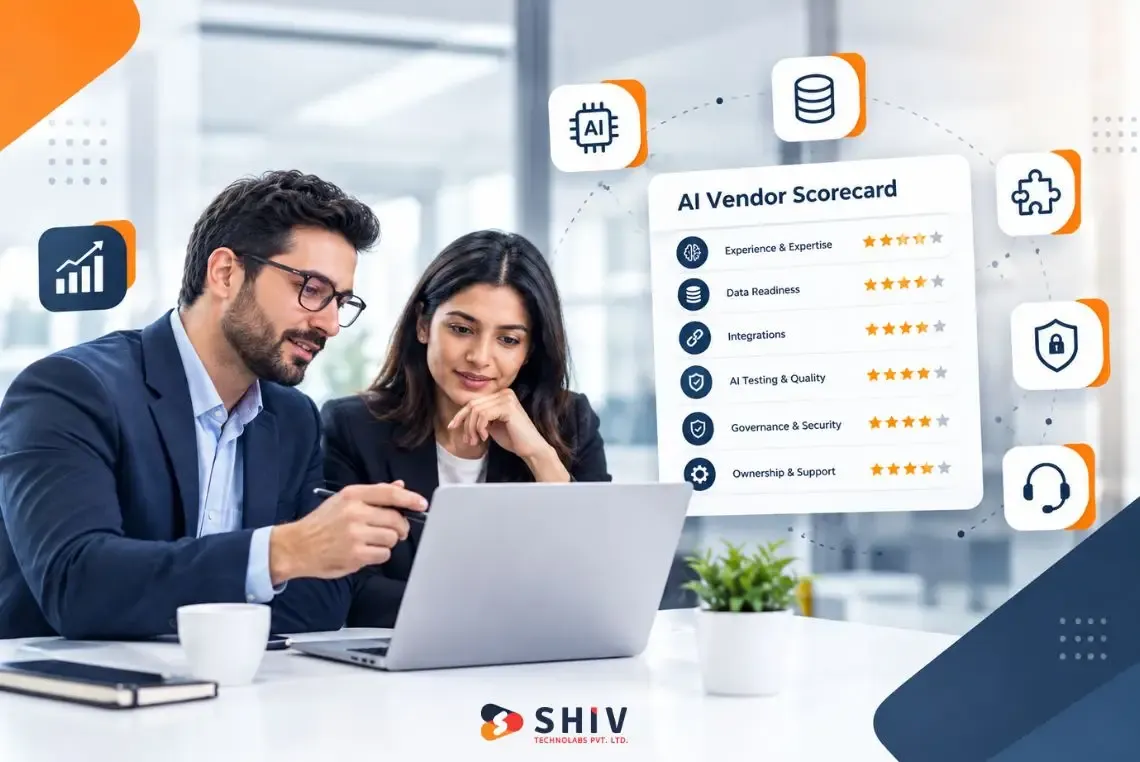
How Should You Evaluate an AI Demand Forecasting Development Partner?
Choosing a development partner is a different decision from choosing a SaaS vendor. You are not buying a product. You are entering an engagement where the quality of the partner’s process directly determines the quality of what gets built. Here are the key areas to evaluate carefully.
Ask about ERP integration experience specifically. The model is only as good as the data feeding it. A partner who has built integrations with Odoo, SAP, Microsoft Dynamics, or NetSuite, and who understands the data structures of those systems, will save you months of integration work. Ask directly: which ERPs have you integrated with, and what did that integration look like in practice?
Ask how they handle poor data quality. Most mid-market companies have incomplete or inconsistent historical data. A good partner has a defined process for assessing data quality during discovery and a clear approach for what happens when the historical data is not clean enough to train on directly. If they do not have a clear answer to this question, that is a signal.
Ask what happens to the model after go-live. A demand forecasting model degrades over time as your business changes. Seasonal patterns shift, new products get added, and customer behavior evolves. Ask the partner who owns the retraining process, how often it happens, and what it costs. A partner who has no answer to this has not thought past the initial build.
Ask about model explainability. Your planning team needs to trust the forecast enough to act on it. If the model is a black box, adoption will be low regardless of how accurate it is. Ask whether the system can show users why a particular forecast was generated, which signals drove it up or down, and where the model has lower confidence.
Ask about data privacy and data handling. US and UK companies working with an offshore development partner are sending operational business data across borders. Understand where data is stored, who has access to it, and whether the engagement can be structured to meet your data handling requirements. A reputable partner will have clear answers and be willing to sign appropriate agreements.
Ask for a scoped proposal after a discovery conversation, not before. Any partner who gives you a fixed price before understanding your data environment is either guessing or will adjust the price later. A legitimate partner will conduct a discovery engagement first, then scope the project with real numbers attached.
How Shiv Technolabs Approaches Custom AI Demand Forecasting?
Shiv Technolabs builds custom predictive AI systems for mid-market companies across retail, manufacturing, distribution, and wholesale. Our work in predictive AI includes demand forecasting models, inventory optimization systems, and supply chain intelligence tools built to integrate with your existing ERP and operational data.
Engagements start with a scoped discovery conversation where we assess your data environment and give you a realistic picture of what is buildable, on what timeline, and at what cost, before you commit to anything.
If you are evaluating whether custom AI demand forecasting makes sense for your business, that conversation is the right starting point.
Frequently Asked Questions
What is the ROI of switching to AI-based demand planning?
For mid-market companies, the most consistently measurable returns come from inventory reduction, carrying cost savings, and reduced stockouts. On a $50,000 implementation, payback periods of 3 to 6 months are achievable for companies with meaningful inventory exposure. The business case is strongest when your current forecasting has high error rates, and your company carries significant inventory or suffers frequent stockouts.
How much does custom AI demand forecasting software cost to build?
MVP builds typically run $12,000 to $25,000. Full production builds with ERP integration run $35,000 to $80,000. Enterprise-scale or multi-entity builds run $80,000 to $150,000 and above. The biggest cost drivers are the number of data sources, integration requirements, and model sophistication.
How long does AI demand forecasting implementation take with a development partner?
A full production build typically takes 12 to 20 weeks. An MVP takes 6 to 10 weeks. These timelines assume a clean scope definition upfront. Messy data or scope changes during the engagement will extend them.
What data does a company need to get started?
At minimum, 12 to 24 months of historical sales data at the SKU or product level, with dates and quantities. Better inputs include promotional calendar data, supplier lead times, and any external signals that correlate with your demand. Your development partner should assess your data during discovery and tell you whether it is sufficient to train a reliable model.
Can AI demand forecasting integrate with an existing ERP?
Yes, when built correctly. The most common ERP integrations for demand forecasting are Odoo, SAP Business One, Microsoft Dynamics, and NetSuite. Integration complexity, and therefore cost, depends on how your ERP is configured and whether it exposes clean APIs or requires custom connectors.
What is a realistic timeline for building an AI forecasting model in-house?
In-house builds without a dedicated data science team typically take 9 to 18 months to reach production, plus significant ongoing infrastructure costs. Working with an external development partner compresses this to 3 to 5 months while you retain ownership of the model output.
How do we evaluate AI demand forecasting development partners?
Focus your evaluation on ERP integration experience, data quality handling process, post-launch model maintenance approach, explainability of model outputs, and data privacy practices. Ask for a scoped proposal only after a discovery conversation, not before.