Table of Contents
ERP projects rarely announce their failure. They slow down quietly while reports run late, teams drift back to old spreadsheets, and the new system raises more questions than it answers. The project still runs each day, so leaders often overlook the real problem for months.
Most teams feel these warning signs well before anyone says the word failure aloud. Numbers stop matching, simple tasks take longer, and people trust the system less with each passing week. These early signals carry more weight than they appear to, because the cost of waiting grows fast.
A failed ERP implementation costs more than software and consulting fees. It creates hidden costs through manual work, delayed reporting, poor data quality, employee resistance, process gaps, lost productivity, missed revenue, and expensive rework. These costs build slowly, and they rarely appear on the original budget sheet.
This guide breaks down where the money leaks, which failure patterns to catch early, and how to plan a realistic recovery. Strong projects often start from the same habits covered in these proven tips for a successful ERP implementation, and the same habits guide a recovery once a project drifts. The goal is clarity, so you can decide whether to fix, pause, or rebuild with confidence.
How Often Do ERP Projects Miss Their Goals?
Research across the enterprise software industry shows a consistent pattern. Many ERP projects run over budget, slip past deadlines, and struggle to deliver the expected business value.
These numbers matter because they shape realistic expectations. They also show that early action protects far more value than late firefighting.
Panorama Consulting research found that more than a quarter of organizations exceeded their planned budgets, with extra technology needs cited as a leading cause, as detailed in Panorama’s ERP implementation research. Scope expansion and late-stage custom builds often follow once teams find a poor fit deep into the project.
ERP touches connected functions like finance, supply chain, procurement, manufacturing, sales, HR, and reporting. When one area breaks, the impact spreads quickly across the whole operation, which is why hidden costs grow fast.
Where Do the Hidden Costs of ERP Failure Show Up?
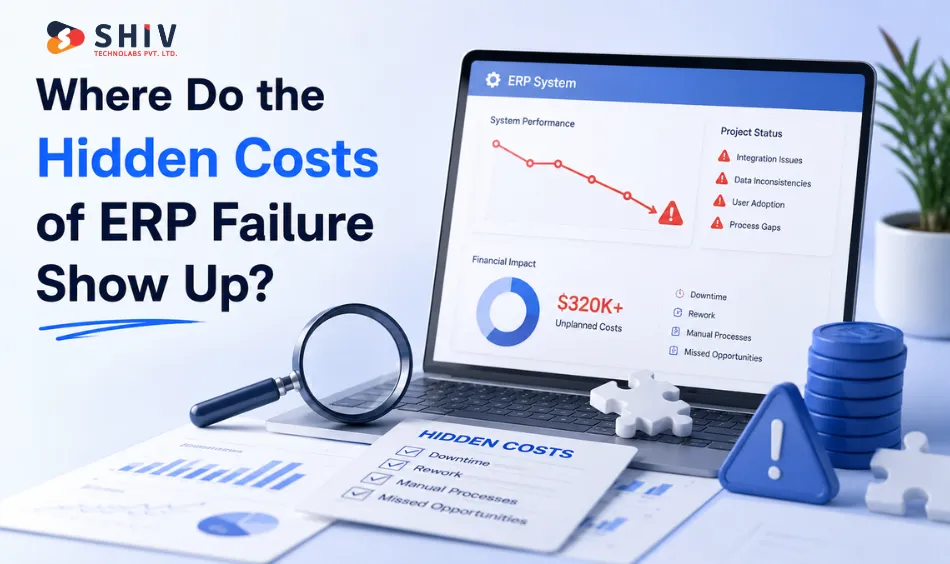
Hidden ERP failure costs hide inside daily operations, not on invoices. They show up as extra hours, repeated work, and decisions made on stale data.
The table below maps each hidden cost to where it appears, why it hurts, and the early warning sign to watch.
| Hidden Cost | Where It Shows Up | Why It Hurts the Business | Early Warning Sign |
|---|---|---|---|
| Manual workarounds | Daily operations | Staff time leaks into tasks the ERP should automate | Teams keep side spreadsheets |
| Data cleanup | Finance and inventory | Bad records force constant correction | Frequent mismatch in stock or ledgers |
| Duplicate entry | Order and billing flows | Same data entered twice raises error risk | Records repeated across modules |
| Delayed reporting | Leadership reporting | Slow numbers delay business decisions | Month-end close runs long |
| Integration patching | Connected systems | Quick fixes pile up technical debt | Recurring sync failures |
| Employee resistance | All departments | Low adoption blocks expected value | Users avoid the new system |
| Training gaps | End-user teams | Confused users create more tickets | Repeated how-to questions |
| Scope creep | Project delivery | New requests stretch timeline and cost | Change list keeps growing |
| Vendor rework | Customization layer | Rebuilt features add fees and delay | Same modules reopened often |
| Downtime | Go-live periods | Stalled operations interrupt revenue | Frequent system slowdowns |
| Missed revenue | Sales and fulfillment | Broken flows delay shipments and invoices | Orders stuck mid-process |
| Compliance risk | Finance and audit | Inaccurate records create audit exposure | Reconciliation gaps appear |
Which Failure Patterns Should Teams Catch Early?
Most troubled projects share a familiar set of patterns. These signals appear early, often during discovery and design, well before go-live.
Use the checklist below as a quick health scan. When several items match your project, treat it as a signal to pause and review before spending more.
- Unclear process ownership across departments
- Weak discovery that skips real business needs
- Poor requirement mapping before configuration
- Old processes copied straight into the new ERP
- Messy data migration with little validation
- Too many customizations added too early
- Limited user training before go-live
- Weak change management and low buy-in
- No phased rollout plan to reduce risk
- Poor integration planning with key systems
- Unclear success metrics for the project
- Leadership disengagement during delivery
Each pattern adds risk on its own. Together, they explain most cases of a failed ERP implementation that teams report after a difficult go-live.
Teams facing repeated process gaps and rework often benefit from structured ERP implementation services before layering on more custom fixes that hide the real problem.
How Does ERP Failure Hit Each Department?
ERP failure rarely stays in one place. A single broken workflow ripples across finance, sales, inventory, and beyond.
The table below shows what tends to break in each department and the hidden cost that follows.
| Department | What Breaks | Hidden Cost |
|---|---|---|
| Finance | Slow close and reconciliation errors | Delayed reporting and audit risk |
| Sales | Broken quote-to-order flow | Lost deals and slow response |
| Inventory | Stock counts drift from reality | Overstock, stockouts, and waste |
| Procurement | Purchase approvals stall | Late orders and rushed buying |
| Manufacturing | Production data misaligns | Schedule delays and idle time |
| HR | Payroll and records misfire | Compliance gaps and rework |
| Customer service | Order status stays unclear | Lower satisfaction and churn |
| Leadership reporting | Dashboards show stale numbers | Decisions made on weak data |
When inventory and procurement data drift apart, a focused review through enterprise software development can realign workflows before the gaps reach customers and finance.
How Can a Company Recover a Troubled ERP Project?
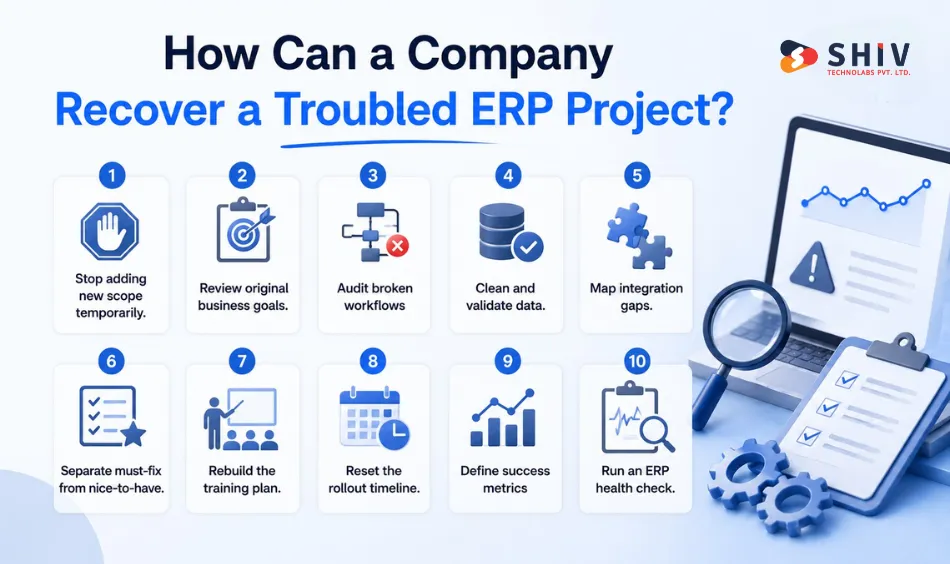
Recovery from a failed ERP implementation starts with a pause, not panic. A clear, staged plan helps you stabilize operations and protect the value already invested.
Work through these steps in order. Each one removes noise so the team can focus on what truly matters.
# Steps in a Practical ERP Recovery Plan
- Stop adding new scope temporarily. Freeze new requests so the team can stabilize the core system first.
- Review original business goals. Compare what the ERP was meant to deliver against current results.
- Audit broken workflows. Map every process that breaks and rank it by business impact.
- Clean and validate data. Fix duplicates and errors, then confirm records match real operations.
- Map integration gaps. List every system that should connect and check where data flow fails.
- Separate must-fix from nice-to-have. Focus first on items that block daily operations.
- Rebuild the training plan. Tailor training by role so users gain real confidence.
- Reset the rollout timeline. Set a phased schedule that matches the team’s real capacity.
- Define success metrics. Agree on clear measures so progress stays visible and honest.
- Run an ERP health check. Review the full project against a structured framework before spending more.
When the data layer carries years of errors from an older platform, planned Odoo migration services help you move clean, validated records instead of repeating past mistakes.
Should You Fix, Pause, or Rebuild the ERP?
Many troubled projects recover without a full restart. The right move depends on how deep the problem runs and whether the core fit still holds.
Use this decision table to match your situation with a sensible next step.
| Situation | Best Move | Why |
|---|---|---|
| Minor workflow gaps | Fix | Small config changes restore flow quickly |
| Poor user adoption | Fix | Training and change support lift usage |
| Messy but recoverable data | Fix | Cleanup and validation repair the core |
| Serious integration failure | Pause | Replan connections before more spend |
| Wrong ERP fit | Rebuild | A mismatched system rarely improves with patches |
| Uncontrolled customization | Pause | Reset scope and trim the custom load |
| No process ownership | Pause | Assign owners before resuming work |
| Repeated go-live failures | Rebuild | Deeper redesign protects future stability |
A pause is a planning step, not a defeat. It gives leadership room to assess facts and choose the path with the best return.
What Should an ERP Health Check Review?
An ERP health check gives you an honest, structured picture of project health. It reviews the system, the data, and the people who rely on it.
A strong review covers each area below and scores it against your business goals.
- Process fit: how well the ERP matches real workflows
- Data quality: accuracy, duplicates, and validation status
- Integration health: stable data flow across systems
- Customization load: how much custom code adds risk
- User adoption: whether teams use the system daily
- Reporting accuracy: trust in the numbers leaders see
- Performance: speed and reliability under real load
- Security: access control and data protection
- Support model: how issues get resolved over time
- Rollout plan: phasing, timeline, and readiness
The output should read like a plain scorecard, not a technical report. It points to a clear next move for each weak area.
If the review flags too much custom code, lean custom software development can replace fragile patches with maintainable logic that supports business process automation across teams.
A health check works best as a regular habit. Many teams book an ERP health check at each phase, so problems surface while fixes stay small and affordable.
Does ERP Failure Always Mean Replacement?
ERP failure does not always mean the system must go. Many projects recover through better process design, data cleanup, training, and stronger integrations.
Some projects do need a rebuild. When the ERP selection, architecture, or implementation approach does not fit the business, more patches only deepen the cost.
The right answer comes from evidence, not emotion. A clear health check shows whether your project sits closer to a fix or a fresh start.


Final Takeaway on Hidden ERP Costs
A failed ERP implementation rarely fails loudly. It drains value through quiet, hidden costs that grow until leaders act.
Early signals give you the advantage. When you catch failure patterns, clean your data, and review project health, you protect both budget and operations.
Treat your ERP as a living system that needs regular checkups. With the right plan, even a difficult project can return to solid, dependable footing.
Frequently Asked Questions
These short answers address the questions leaders ask most about ERP failure and recovery. Each one stays practical and direct.
# What Is a Failed ERP Implementation?
A failed ERP implementation is a project that misses its goals on budget, timeline, adoption, or business value. The system may run, yet teams still rely on manual work because core workflows do not deliver expected results.
# What Are the Hidden Costs of ERP Implementation Failure?
Hidden ERP failure costs include manual workarounds, data cleanup, duplicate entry, delayed reporting, integration patching, low user adoption, scope creep, vendor rework, downtime, missed revenue, and compliance risk. These costs grow quietly inside daily operations long after go-live.
# Why Do ERP Implementations Fail?
ERP implementations fail mainly through weak discovery, poor requirement mapping, messy data migration, heavy customization, limited training, and weak change management. Leadership disengagement and unclear success metrics often make these ERP implementation risks much harder to manage.
# Can a Failed ERP Project Be Recovered?
Yes, many troubled projects recover with a staged plan. Freeze new scope, audit broken workflows, clean data, fix integrations, rebuild training, and reset the timeline. A structured ERP health check then confirms whether to continue, fix, or rebuild.
# When Should a Company Pause an ERP Implementation?
A company should pause when scope keeps growing, integrations keep failing, no one owns key processes, or go-live repeats without success. A pause creates space to replan, protect operations, and choose the path with the best return.
# What Does an ERP Health Check Include?
An ERP health check reviews process fit, data quality, integration health, customization load, user adoption, reporting accuracy, performance, security, support model, and rollout plan. It produces a clear scorecard and a next step for every weak area found.