Table of Contents
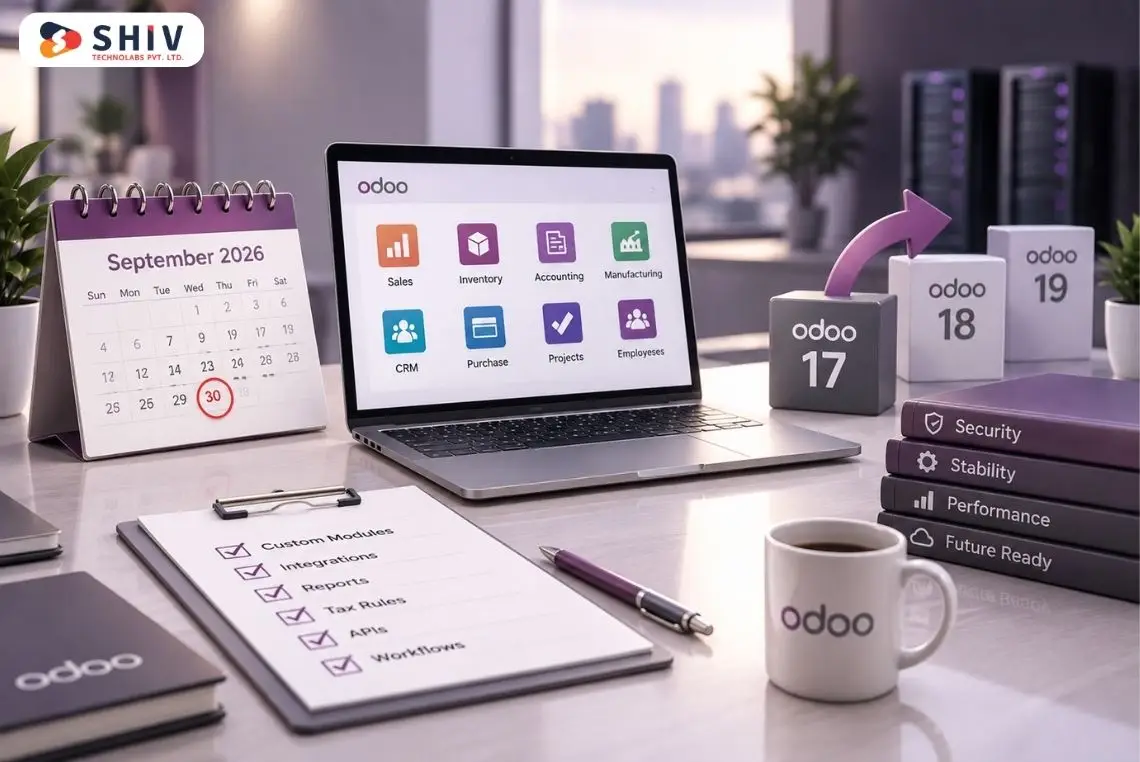
Every Odoo upgrade looks simple until you list the custom modules, integrations, and reports that need to survive the move. That is the real decision behind Odoo 18 vs Odoo 19. The question is not whether Odoo 19 is better. It is whether your setup is ready for it today.
Odoo 19 is getting attention for good reason. Odoo released version 19 in September 2025, and the platform now ships 2026 updates in 19.1, 19.2, and 19.3, with AI built across the system (Odoo). The new version brings stronger AI direction, new apps, business workflow updates, and newer improvements.
Still, the right answer depends on your setup. If your Odoo 18 system is stable and heavily customized, rushing into an upgrade can create avoidable risk. If your setup is standard and your team wants newer features, an Odoo 19 upgrade may be a smart next step.
This guide compares both versions by feature, by business module, and by technical risk. You also get a quick answer up top, a decision matrix, an upgrade checklist, and a timeline estimate.
Quick Answer: Should You Upgrade from Odoo 18 to Odoo 19?
Upgrade to Odoo 19 if your setup runs mostly standard apps and your team can test before launch. Stay on Odoo 18 if your system is heavily customized or recently implemented. The right call depends on customization, integrations, and testing time, not the version number alone.
The safest approach is to run an upgrade audit first. This helps you check custom module compatibility, third-party app readiness, user workflows, and testing requirements before migration.
Use the two lists below to place yourself quickly.
# Upgrade Now to Odoo 19 If
- You use mostly standard Odoo apps with light customization.
- You want access to newer Odoo 19 features and AI workflows.
- You need stronger AI-based assistance across daily tasks.
- Your current setup has a few custom modules to rework.
- Your Odoo 18 system shows performance or process gaps.
- You already run a staging environment for safe testing.
# Wait to Upgrade in Odoo 19 If
- Your Odoo 18 system carries heavy customization.
- You depend on third-party modules that are not Odoo 19-ready.
- Your accounting, inventory, POS, or manufacturing setup is complex.
- Your team cannot test workflows properly right now.
- You recently finished an Odoo 18 implementation.
Odoo 18 vs Odoo 19: Core Difference at a Glance
The main difference between Odoo 18 and Odoo 19 is direction. Odoo 18 focused strongly on usability improvements, mobile experience, and app refinements. Odoo 19 moves further toward AI, new apps, stronger automation, and newer business workflows. The table below shows the core contrast.
| Area | Odoo 18 | Odoo 19 |
|---|---|---|
| Release timing | Released October 2024 | Released September 2025 |
| Main focus | Usability, mobile improvements, better views, app refinements | AI features, new apps, updated workflows, stronger automation |
| AI | More limited compared to Odoo 19 | Stronger AI direction with AI app and AI agents |
| Mobile usability | Improved mobile search panel and editor toolbar | Continues app-level refinements |
| New apps | Standard business app improvements | AI, Equity, ESG apps |
| Upgrade risk | More stable for current Odoo 18 users | Needs compatibility testing before migration |
| Best for | Companies wanting stability | Companies wanting newer features and future ERP planning |
Odoo 18 remains a reliable version for companies that already have stable workflows. Odoo 19 is more appealing for teams that want newer tools, AI-driven assistance, and long-term ERP planning.
If your business depends on custom workflows, you should not compare only features. You should compare upgrade risk, module readiness, integration stability, and user testing effort.
What’s New in Odoo 19?
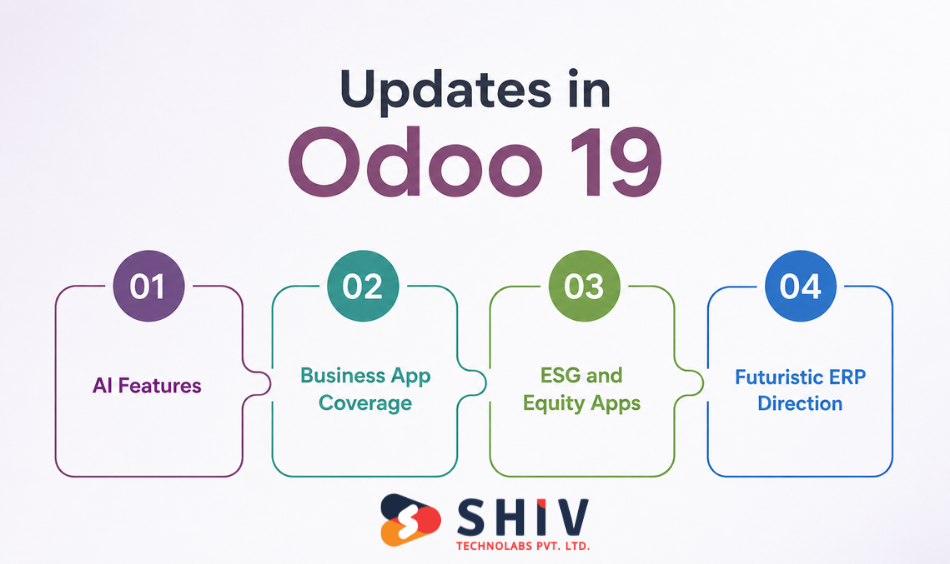
Odoo 19 puts AI at the center of the ERP, then expands app coverage and reporting. The release adds new apps, smarter workflows, and a clear path toward future versions. Here is what stands out for most businesses.
The official Odoo 19 release notes mention new apps, including AI, Equity, and ESG. These additions show that Odoo is expanding beyond standard ERP processes into smarter support, governance, and reporting needs.
# New AI-Focused Features
Odoo 19 introduces a dedicated AI direction, with assistance built across modules. The 19.1 update added AI document querying, so users upload a file and ask questions directly (Odoo). The 19.3 update went further, with AI agents that create and update records on their own, including from uploaded PDFs.
Odoo 19 AI-related improvements can support:
- File-based questions
- Admin assistance
- Natural language support
- Faster business data interaction
- Smarter collaboration
- Better user guidance inside Odoo
If your business wants to add AI features beyond standard ERP capabilities, AI development services can help connect ERP data with custom automation and decision-support systems.
# Better Business App Coverage
Odoo 19 improves the apps your team uses every day. The updates touch most of the suite, so the gains spread across departments.
- CRM and Sales: AI replies and clearer lead insights
- Inventory: smarter routing and push routes by destination
- Accounting: broader localization and e-invoicing support
- Manufacturing: a redesigned Kanban view and offline mode (added in 19.3)
- POS: local compliance and faster sessions
- Website, Project, HR, and Documents: workflow and UX gains
# New ESG and Equity Apps
Odoo 19 adds ESG and Equity apps for structured, modern reporting. The ESG app supports sustainability data, and 19.2 uses AI to assign emission factors automatically (Odoo). The Equity app supports ownership and governance records.
These apps matter for companies that report on sustainability, ownership, or governance. They bring that reporting inside the ERP instead of a separate tool.
# More Future-Ready ERP Direction
Odoo 19 is the better choice for companies that want newer features and long-term ERP planning. It gives businesses access to the latest Odoo direction and prepares them for future app improvements.
Still, a newer version does not automatically mean a safer upgrade. Your upgrade decision should depend on:
- Current system stability
- Custom module readiness
- Third-party app support
- User testing time
- Business season
- Integration complexity
If your current ERP has too many custom changes, it may be smarter to audit first and upgrade later.
# Global Compliance and Performance Gains
Odoo 19 also strengthens compliance and speed, which matter for growing and cross-border teams. The release expands global e-invoicing to around 58 countries, with one-click PEPPOL activation in supported regions.
It also improves load performance for large datasets, so big record sets open faster even on slow connections. This makes 19 a strong fit for multi-country operations and data-heavy workflows.
What Made Odoo 18 a Strong Version?
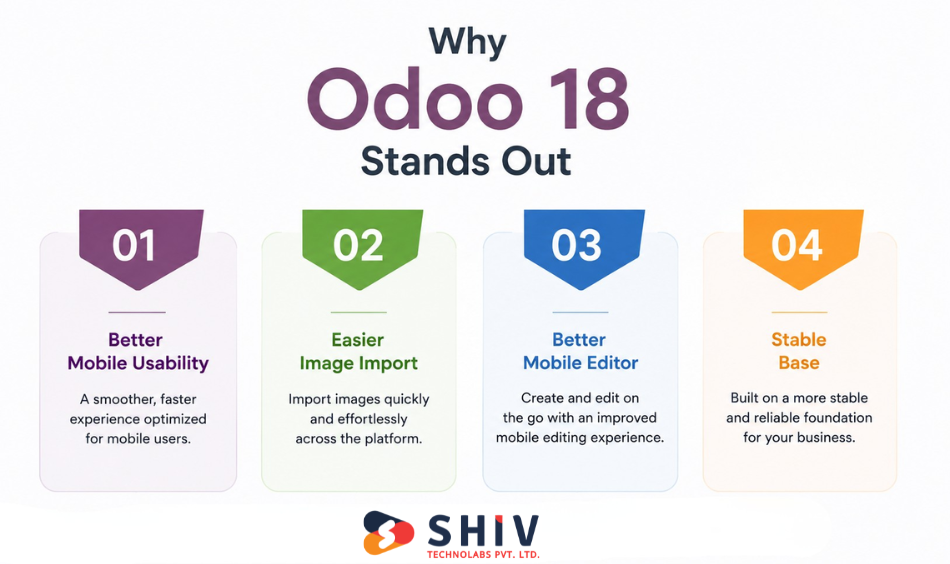
Odoo 18 remains a strong version because it has improved usability, mobile experience, views, and day-to-day user workflows. Many businesses can continue using Odoo 18 confidently if their system works well.
These improvements explain why Odoo 18 remains a solid base.
# Better Mobile Usability
Odoo 18 added a mobile search panel that filters records directly inside apps. The official Odoo 18 release notes highlight improvements such as the mobile search panel, Gantt view updates, image import, and mobile editor toolbar improvements. For teams using HR, expenses, CRM, field service, or sales on mobile devices, these changes can save time.
This matters because many employees now work from tablets or phones. A cleaner mobile experience helps users perform daily tasks faster. Odoo 18 improved Gantt view usability, including better horizontal scrolling. This helps planning-heavy teams that manage schedules, projects, resources, or work orders.
Project teams, manufacturing planners, and service departments can benefit from clearer timeline views. If your business depends on planning, Odoo 18 may already provide enough value without immediate migration.
# Easier Image Import
Odoo 18 supports importing files and images through the importer. This helps teams that manage product records, employee data, website content, and catalog-heavy business modules.
For eCommerce and product-based companies, easier image import can reduce manual upload work. This is useful for teams that manage large product catalogs or frequently update product details.
# Better Mobile Editor Toolbar
Odoo 18 improved the editor toolbar for mobile users. This helps users who update records, content, notes, or website sections from mobile devices. For distributed teams, small usability changes can improve daily adoption.
That is why many companies may not need to move immediately if Odoo 18 already solves their current problems.
# Stable Base for Many Companies
Odoo 18 can remain the better choice when your system is stable, users are trained, and custom workflows already work well.
ERP stability has business value. A version upgrade should not interrupt accounting, sales, operations, inventory, manufacturing, or customer service unless the benefits justify the risk. If Odoo 18 supports your current business processes, waiting can be a practical decision.
Odoo 18 vs Odoo 19 by Business Module
The upgrade case changes by module, since each app gained different updates. The table gives a quick view, and the sections below add detail. Match this against the apps your business depends on.
| Module | Odoo 18 | Odoo 19 |
|---|---|---|
| Sales and CRM | Solid lead and quote flows | AI replies, lead insights |
| Accounting | Strong localization base | Wider e-invoicing, compliance |
| Inventory | Reliable stock control | Push routes, smarter rules |
| Manufacturing | Stable work orders | Redesigned Kanban, offline mode |
| Website and eCommerce | Capable builder | Conversion tools, AI assistant |
| POS | Dependable sessions | Local compliance, faster flows |
| HR and payroll | Complete records | New localizations, UX gains |
Odoo 18 vs Odoo 19: Technical Comparison for Upgrade Planning
The technical work decides whether your upgrade runs smoothly or stalls. Custom code, third-party apps, data, and integrations all need review. This section helps CTOs, developers, and consultants scope the move.
| Technical area | What to review |
|---|---|
| Custom modules | Dependencies, deprecated methods, views, security |
| Third-party apps | Vendor updates, licenses, conflicts |
| Database migration | Data mapping, custom fields, duplicates |
| Integrations | Payments, shipping, BI, APIs |
| Hosting and performance | Odoo.sh, cloud, on-premise, staging |
# Custom Module Compatibility
Custom modules are often the biggest upgrade risk. If your Odoo 18 system includes custom workflows, reports, screens, security rules, or automation logic, each module needs review before migration.
Check whether your custom modules depend on older methods, changed views, outdated JavaScript, or modified business logic.
Your technical review should include:
- Module dependency checks
- Manifest file updates
- Python code review
- XML view changes
- JavaScript compatibility
- Security rule validation
- Access rights review
- Automated action testing
- Custom report testing
For example, a custom sales approval module may work perfectly in Odoo 18. After migration, it may need changes because of updated models, views, or access rules.
This is why custom module testing should happen in a staging database before any live upgrade.
If your system depends on custom features, Odoo customization services can help review modules and reduce upgrade risk.
# Third-party App Readiness
Many Odoo users depend on third-party apps from vendors or the Odoo Apps Store. These apps may not support Odoo 19 immediately.
Before upgrading, list every third-party app and confirm whether the vendor has released an Odoo 19-compatible version.
Check:
- Vendor support status
- License compatibility
- Module version availability
- App conflicts
- Upgrade documentation
- Support response time
- Replacement options if needed
This step is especially important for apps connected to accounting, shipping, ecommerce, inventory, POS, payroll, or payment gateways.
A single unsupported app can delay the entire Odoo migration.
# Database Migration Complexity
Database migration becomes more complex when your Odoo system has years of records, custom fields, duplicated contacts, old attachments, or unused modules.
Data should move cleanly from Odoo 18 to Odoo 19. But old or messy data can create errors during testing.
Your database review should include:
- Customer records
- Vendor records
- Product data
- Inventory quantities
- Accounting entries
- Employee data
- Attachments
- Custom fields
- Duplicate records
- Archived records
- Old automation rules
Data cleanup before migration reduces errors and improves system performance after upgrade.
For companies with large databases, Odoo migration services can help manage data mapping, testing, backups, and validation.
# Integration Testing
Most businesses connect Odoo with external systems. These integrations must be tested carefully during an Odoo ERP upgrade.
Common integrations include:
- Payment gateways
- Shipping providers
- Marketplace connectors
- BI tools
- Accounting tools
- CRM platforms
- eCommerce stores
- Warehouse systems
- Custom APIs
- Third-party reporting tools
Do not assume integrations will continue working after migration. API behavior, module logic, field names, or authentication methods may require updates.
Test both directions of data movement. For example, if Shopify sends orders into Odoo, confirm that Odoo receives orders, updates stock, sends fulfillment status, and reports correct sales data.
For eCommerce and ERP connections, Odoo integration services can help test business-critical data flows before launch.
# Hosting and Performance Checks
Hosting affects migration speed, system stability, and user experience. Whether you use Odoo.sh cloud hosting or an on-premise setup, performance testing matters.
Before upgrading, check:
- Server resources
- Database size
- Backup process
- Restore process
- Worker configuration
- Cron jobs
- File storage
- Email delivery
- Page loading speed
- Report generation time
You should also test the upgraded database with real user activity. Ask teams to use sales, inventory, accounting, manufacturing, and reports inside staging.
If performance drops after migration, identify the cause before going live.
Final Decision Table for Odoo 19 Upgrade vs Wait
Before choosing Odoo 19, compare your current system condition with your upgrade goals. A quick decision table helps you see where upgrading makes sense and where waiting is safer. It also makes the decision easier for teams that need to balance new features, testing time, custom modules, third-party apps, and daily ERP stability.
| Situation | Upgrade to Odoo 19 | Wait Before Upgrading |
|---|---|---|
| AI roadmap | Upgrade if your company wants AI-led ERP improvements, smarter assistance, and better access to business data through newer Odoo capabilities. | Wait if AI features are not part of your current ERP plan and your existing workflows already meet daily needs. |
| Customization level | Upgrade if your Odoo setup is close to standard and uses limited custom modules, as the migration path may be easier. | Wait if custom modules control accounting, inventory, production, payroll, pricing, approvals, or eCommerce workflows. |
| Version support | Upgrade if your team wants to stay closer to Odoo’s latest roadmap and reduce future version gaps. | Wait if your current version still works well, and your team needs more preparation before a major system move. |
| Workflow condition | Upgrade if your current workflows need cleanup, report improvements, process simplification, or unused module removal. | Wait if your workflows are already stable and your team does not have time to review or improve them now. |
| Third-party apps | Upgrade if all third-party apps are ready for Odoo 19 and vendors confirm compatibility. | Wait if vendors have not confirmed app support, migration documents, license impact, or known bugs. |
| Testing availability | Upgrade if users can complete proper UAT across sales, invoices, stock, payroll, POS, manufacturing, reports, and approvals. | Wait if your team has no time for UAT, because untested workflows can create serious operational issues. |
| Business season | Upgrade if your team has a safer window with lower business pressure and enough time for testing. | Wait during year-end closing, stock audits, seasonal sales, retail peaks, production rushes, or major launches. |
Odoo 19 Upgrade Checklist Before You Decide
A short checklist tells you whether your business is ready to upgrade. Run through the functional, technical, and data lists below. Clear answers turn the decision into a plan.
# Functional Checklist
- Which apps does your team use daily?
- Which workflows are business-critical?
- Which reports must match after the upgrade?
- Which approval flows need testing?
- Which users need training?
# Technical Checklist
- List all custom modules.
- List all third-party apps.
- Check API integrations.
- Test custom reports.
- Review security groups.
- Check scheduled actions.
- Review automated emails.
- Test website and eCommerce flows.
- Check payment and shipping connectors.
# Data Checklist
- Clean duplicate contacts.
- Review product data.
- Check accounting records.
- Validate inventory quantities.
- Review old custom fields.
- Back up all data before migration.
# AI and Compliance Checklist
- Confirm data quality for AI agents.
- Decide which workflows use AI assistance.
- Check e-invoicing and tax compliance for your regions.
- Set ownership for any new ESG or equity reporting.
For a deeper view of timing and readiness, our guide on what Odoo migration involves and when to upgrade walks through the full process.
Common Odoo Upgrade Mistakes to Avoid
Most upgrade problems trace back to a few avoidable mistakes. Knowing them upfront protects your budget and timeline. Watch for these patterns before you start.
- Skipping a staging test: Upgrading production first can cause downtime, data loss, and avoidable business disruption.
- Ignoring third-party app readiness: One unsupported third-party app can delay the whole Odoo 19 migration.
- Leaving data dirty: Duplicate records, unused fields, and outdated data can create bigger problems after the upgrade.
- Underestimating custom code: Custom modules often need proper review, testing, and rework before moving to Odoo 19.
- Upgrading in peak season: Migrating during sales spikes, POS rushes, or year-end work can turn small errors into revenue loss.
- Skipping user training: Teams that miss training may struggle with new screens, changed workflows, and post-launch tasks.
How Much Time Does an Odoo 18 to Odoo 19 Upgrade Take?
An Odoo 18 to Odoo 19 upgrade takes from one week to several months, based on complexity. A standard setup moves fast, while a customized, multi-module system takes longer. The table below gives a realistic range.
| Setup type | Typical timeline |
|---|---|
| Standard apps, light customization | 1 to 2 weeks |
| Moderate customization, few integrations | 3 to 6 weeks |
| Heavy customization, many modules | 6 to 12 weeks |
| Multi-location or enterprise ERP | 3 months or more |
Actual timeline depends on modules, data volume, hosting, custom code, integrations, and approval cycles. For complex, multi-branch setups, our guide on multi-location Odoo migration explains the added planning involved.
Odoo 18 vs Odoo 19: Which Version Is Better for Your Company?
The better version depends on your priorities, not a single winner. Stability points to Odoo 18, while newer features point to Odoo 19. Use the three profiles below to decide.
# Choose Odoo 18 If
- You want stability above new features.
- Your current system works well today.
- You run many custom workflows.
- Your team is not ready for testing.
- Your third-party apps are still catching up.
# Choose Odoo 19 If
- You want newer features and AI-driven gains.
- Your setup uses mostly standard apps.
- You want to plan for future Odoo versions.
- You can run proper migration testing.
# Choose a Phased Upgrade If
- You use many modules across departments.
- You carry accounting and inventory risk.
- You need training and data cleanup first.
- You run multiple locations or companies.
# Choose a Fresh Implementation If
- Your Odoo 18 setup is cluttered with unused custom code.
- Your processes have changed a lot since your last go-live.
- A clean rebuild on Odoo 19 would cost less than fixing old modules.
How Shiv Technolabs Helps With Your Odoo Upgrade
Shiv Technolabs helps you decide and execute the move with less risk. We work as a certified Odoo partner with 70+ Odoo experts and 10+ years of ERP delivery. Our focus stays on a clean upgrade that protects your data and workflows.
Here is how we support each stage.
- Upgrade audit that reviews custom modules, apps, and integrations before you commit.
- Odoo migration services with staging, testing, and zero-downtime transfer.
- Odoo customization that reworks custom code for version 19.
- Odoo implementation services for setup, training, and post-launch support.
- Dedicated developers when you want to hire Odoo experts for the project.
The result is an upgrade scoped around your business, not a risky jump. You see the plan, the timeline, and the testing before anything touches production.
Final Verdict: Upgrade Now or Wait?
Odoo 19 is the better choice for companies that want newer features, AI-led improvements, and a future-ready ERP. Odoo 18 remains a strong version for companies that value stability and run working workflows. The right decision depends on customization, integration readiness, testing time, and business timing.
Upgrade to Odoo 19 when your system is tested, your custom modules are ready, and your team can move without disrupting daily operations. Wait if Odoo 18 is stable and your upgrade risks outweigh the short-term benefits. When the timing sits in between, a phased upgrade with an audit first gives you the safest path forward.


FAQs
# What is the main difference between Odoo 18 and Odoo 19?
Odoo 18 focuses on usability and app improvements, while Odoo 19 adds a stronger AI direction, new apps, and newer workflow updates. Odoo 19 introduces AI agents, an ESG app, and an equity app, which make it a more future-ready version for most businesses.
# Is Odoo 19 available now?
Yes, Odoo released version 19 in September 2025. Odoo’s release page also shows 19.x updates through 2026, including 19.1, 19.2, and 19.3. These minor releases add AI agents, compliance updates, and module improvements across the suite, so the platform keeps evolving in 2026.
# Should I upgrade from Odoo 18 to Odoo 19 immediately?
Upgrade immediately only if your modules, third-party apps, integrations, and users are ready. Run a full upgrade audit and a staging test first. If your setup is heavily customized or recently implemented, a phased plan usually beats an instant move.
# Is Odoo 18 still good in 2026?
Yes, Odoo 18 still works well for companies with stable workflows, tested modules, and no urgent need for Odoo 19 features. A stable setup with trained users and working custom logic is a valid reason to stay on Odoo 18 for now.
# Does Odoo 19 have AI features?
Yes, Odoo 19 adds AI across the platform. The 19.1 update introduced AI document querying, and 19.3 added AI agents that create and update records on their own. These features support reporting, collaboration, and admin work, which reduces manual data entry for your team.
# What should I check before upgrading to Odoo 19?
Check custom modules, third-party apps, accounting flows, inventory rules, integrations, user roles, and reports. Confirm data quality, back up everything, and run a staging test. A full audit across functional, technical, and data areas gives you a clear, low-risk upgrade plan.